
Seedream 4.5 Prompting Guide (50 Use Cases): Copy-Paste Prompts

Raman Singh
Raman Singh is a highly skilled marketing professional who serves as the head of marketing at Copyrocket AI

Seedream 4.5 can produce sharp, clean images fast, but it follows your prompt with strict logic. You get the best results when you describe the subject, the scene, the camera, the light, and the style in a clear order.
You also get better control when you add constraints, a negative prompt, and a short list of must-keep details.
This guide gives you a simple prompt structure, a repeatable workflow, and 50 ready use cases you can copy and edit for your own projects.
Key Takeaways
- Use a fixed prompt order: subject → action → setting → composition → lighting → camera → style → constraints.
- Add a short “must keep” list to protect key details like logo placement, color, and text.
- Use negative prompts to cut common failures like extra fingers, warped text, and messy backgrounds.
- Iterate with small edits, not full rewrites, so you can track what changed and why.
- Match your prompt to the job: product shots need control, while concept art needs mood and scale.
- Use the 50 use cases as templates, then swap only the variables you need.
How Seedream 4.5 Reads Prompts (And Why Order Matters)
Seedream 4.5 responds best to prompts that follow a stable order. A stable order reduces conflicts. It also makes your edits predictable. Use the same order every time, then change one part at a time.
Use this prompt formula
- Subject: who or what the image shows
- Action: what the subject does
- Setting: where the scene happens
- Composition: framing, angle, lens feel, depth of field
- Lighting: time of day, light type, contrast
- Camera details: focal length, aperture look, shutter feel (optional)
- Style: photo, 3D, illustration, film still, etc.
- Constraints: must-keep details, color rules, text rules
Example prompt in the formula
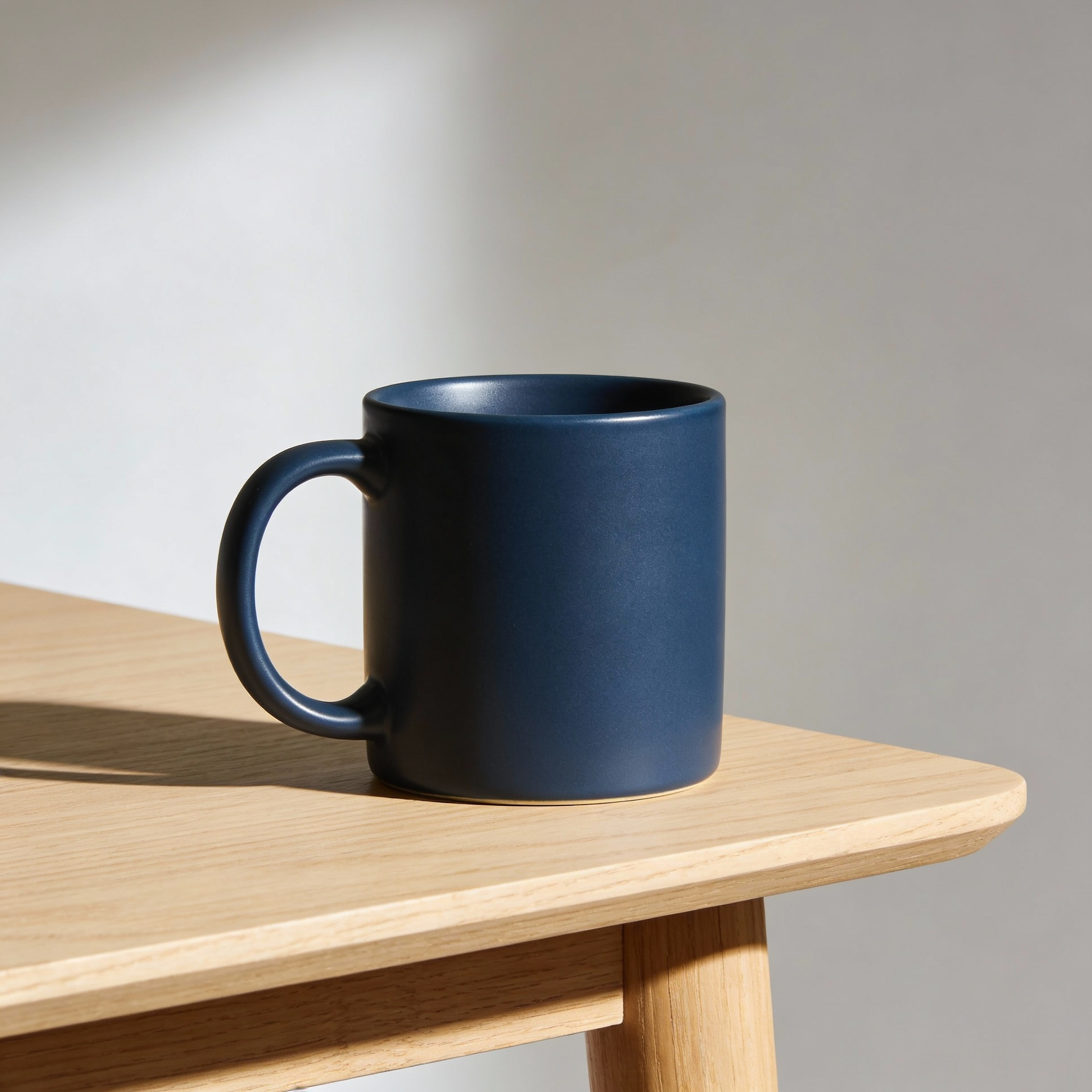
Prompt: “A ceramic coffee mug with a matte navy glaze, sitting on a light oak table, minimal studio setup, centered composition, 3/4 angle, softbox key light from left, gentle shadow falloff, 50mm look, photoreal product photo, clean background, must keep: navy glaze, no logo, no text.”
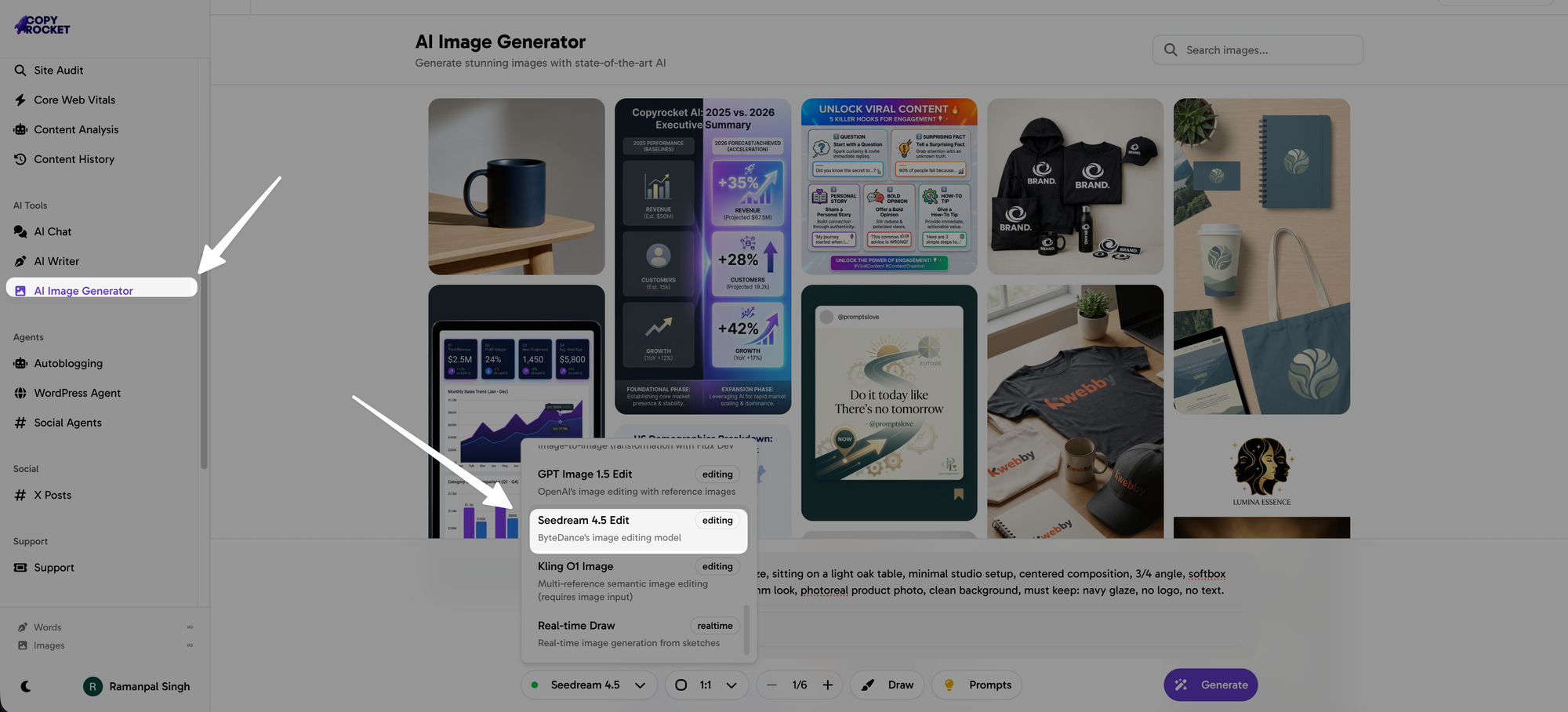
You can start Practicing below guide using our AI Image generator here and select "Seedream 4.5" model from the list;
Common prompt conflicts to avoid
- Do not mix “minimal background” with “busy street scene.” Pick one.
- Do not mix “flat vector” with “photoreal skin pores” unless you want a hybrid.
- Do not ask for “sharp focus” and “heavy motion blur” on the same subject.
- Do not ask for “perfect readable text” without also limiting text length and font style.
Core Prompt Blocks You Can Reuse
These blocks work as building pieces. You can copy one block per line. You can then swap nouns, colors, and places without changing the structure.
Block 1: Subject and attributes
- “A [subject] with [material/texture], [primary color], [secondary color], [distinct feature].”
- “A [person] wearing [outfit], [hair], [age range], [expression].”
- “A [animal] with [fur/feather detail], [pose], [emotion].”
Block 2: Setting and props
- “In a [location], with [props], [weather], [time of day].”
- “On a [surface], next to [object], background [simple/detailed].”
Block 3: Composition and camera feel
- “Close-up, centered, shallow depth of field, 50mm look.”
- “Wide shot, rule of thirds, leading lines, 24mm look.”
- “Top-down flat lay, even spacing, clean negative space.”
Block 4: Lighting
- “Soft daylight from a north-facing window, low contrast.”
- “Hard noon sun, crisp shadows, high contrast.”
- “Neon signs at night, rim light, moody shadows.”
- “Studio softbox key + fill, white seamless background.”
Block 5: Style and output intent
- “Photoreal product photo, high detail, clean color.”
- “Film still, subtle grain, cinematic color grade.”
- “Flat vector illustration, bold shapes, limited palette.”
- “3D render, soft global illumination, clean edges.”
Negative Prompts That Fix Common Failures
Negative prompts help you remove predictable errors. Keep your negative prompt short and job-specific. A long negative list can remove details you actually want.
General negative prompt (safe default)
Negative: “blurry, low resolution, noisy, jpeg artifacts, overexposed, underexposed, bad anatomy, extra fingers, missing fingers, deformed hands, warped face, cross-eye, duplicate subject, messy background, watermark, logo, signature”
Text and logo negative prompt
Negative: “misspelled text, gibberish text, unreadable text, random letters, extra logos, watermark, brand mark”
Product photo negative prompt
Negative: “dust, scratches, dents, fingerprints, warped label, bent edges, clutter, busy background, harsh reflections”
Portrait negative prompt
Negative: “plastic skin, waxy skin, uncanny face, asymmetrical eyes, distorted teeth, messy hairline, harsh skin smoothing”
A Simple Iteration Workflow That Works
Seedream 4.5 improves fast when you iterate with small changes. Use this workflow so each run teaches you something.
Step 1: Start with a clear base prompt
- Write 1–2 sentences with the prompt formula.
- Keep the first run simple. Avoid extra style words.
Step 2: Lock the must-keep details
- Add “must keep:” and list 3–6 items.
- Use concrete items like color codes, object count, and placement.
Step 3: Fix one problem per iteration
- If hands fail, fix hands only.
- If background fails, simplify the background only.
- If lighting fails, change the light only.
Step 4: Use controlled variations
- Change one variable: lens, time of day, palette, or angle.
- Keep the rest the same so you can compare results.
50 Use Cases: Copy-Paste Prompts for Seedream 4.5
Each use case includes a prompt and a negative prompt. You can paste them as-is, then replace the bracketed parts. If you need consistent results across a set, keep the same style and lighting lines across all prompts.
Try our Free AI Image generator here.
1) E-commerce product on white (hero shot)
Prompt: “A [product] made of [material], color [color], placed on a pure white seamless background, centered composition, 3/4 angle, softbox key light from left, soft fill from right, clean shadow under product, photoreal product photo, must keep: exact color [color], no text, no logo.”
Negative: “clutter, busy background, harsh reflections, dust, scratches, watermark, logo, text”
2) E-commerce product lifestyle scene
Prompt: “A [product] on a [surface] in a [room type], natural morning window light, shallow depth of field, 50mm look, photoreal lifestyle photo, props: [2–3 props], must keep: product shape, product color [color].”
Negative: “warped product, wrong color, messy room, clutter, watermark, logo”
3) Skincare bottle with condensation
Prompt: “A frosted glass skincare bottle with a minimal blank label, tiny water droplets on the surface, on a cool gray stone slab, studio soft light, crisp highlights, macro close-up, photoreal product photo, must keep: blank label, no text.”
Negative: “text, logo, fingerprint, scratches, messy reflections, warped label”
4) Food hero shot for menu
Prompt: “A [dish] plated on a [plate type], top-down view, clean composition, bright soft daylight, realistic textures, sharp focus on food, minimal props, photoreal food photo, must keep: [key ingredients].”
Negative: “burnt, messy plating, fake texture, oversaturated, clutter, watermark”
5) Coffee drink ad image
Prompt: “An iced latte in a clear glass with visible layers, condensation on glass, on a light wood table, sunlit cafe background bokeh, 50mm look, warm tones, photoreal ad photo, must keep: clear glass, visible layers.”
Negative: “warped glass, muddy layers, unreadable text, watermark, logo”
6) Fashion catalog on plain background
Prompt: “A full-body studio photo of a model wearing [outfit], standing pose, plain light gray background, soft even studio lighting, sharp fabric detail, 85mm look, photoreal fashion catalog style, must keep: outfit color [color], outfit type [type].”
Negative: “extra limbs, distorted hands, messy hair, wrinkles on backdrop, watermark”
7) Streetwear lookbook outdoors
Prompt: “A model wearing [streetwear outfit], walking on a city sidewalk, golden hour sunlight, cinematic color, shallow depth of field, 35mm look, candid fashion photo, must keep: outfit silhouette, color [color].”
Negative: “blurred face, deformed hands, brand logos, watermark”
8) Jewelry macro shot
Prompt: “A [ring/necklace] made of [metal] with [gem], macro close-up, black velvet background, controlled studio light with crisp specular highlights, ultra sharp detail, photoreal jewelry photo, must keep: gem color [color].”
Negative: “scratches, dust, warped geometry, blown highlights, watermark”
9) Real estate living room staging
Prompt: “A bright modern living room with [sofa color] sofa, large windows, light wood floor, minimal decor, wide shot, straight vertical lines, natural daylight, 24mm look, photoreal interior photo, must keep: clean walls, no people.”
Negative: “tilted lines, warped furniture, clutter, messy cables, watermark”
10) Real estate kitchen wide shot
Prompt: “A modern kitchen with white cabinets and marble countertop, wide angle, eye-level, clean staging, soft daylight, crisp detail, photoreal interior photo, must keep: white cabinets, marble counter.”
Negative: “crooked cabinets, warped tiles, clutter, dirty dishes, watermark”
11) App hero illustration (flat vector)
Prompt: “A flat vector illustration of a person using a smartphone app, simple shapes, bold outlines, limited palette [3 colors], clean background, modern UI vibe, must keep: empty screen area for text.”
Negative: “photoreal, noisy texture, messy gradients, text, watermark”
12) SaaS landing page hero (3D)
Prompt: “A clean 3D render of floating UI cards and charts, soft pastel palette, smooth materials, subtle shadows, centered composition, lots of negative space, must keep: no text on UI.”
Negative: “readable text, logos, clutter, harsh shadows, watermark”
13) Blog header image (cinematic photo)
Prompt: “A cinematic photo of [subject] in [setting], moody lighting, shallow depth of field, 35mm look, subtle film grain, wide header composition with empty space on the left for title text, must keep: no text in image.”
Negative: “text, watermark, over-sharpening, clutter”
14) YouTube thumbnail concept (high contrast)
Prompt: “A high-contrast portrait of [person type] reacting with [emotion], bold colored background, strong rim light, sharp subject cutout feel, centered face, must keep: clean background, no text.”
Negative: “blurry face, weird teeth, extra fingers, text, watermark”
15) Podcast cover art (graphic style)
Prompt: “A graphic cover image showing [main icon] and [secondary element], bold shapes, limited palette, strong contrast, square composition, clean negative space for title area, must keep: no text.”
Negative: “photoreal, clutter, tiny details, text, watermark”
16) Brand mascot character sheet
Prompt: “A character sheet of a [animal/creature] mascot, 4 poses (front, side, 3/4, action pose), clean white background, consistent proportions, simple shading, must keep: same colors across poses.”
Negative: “inconsistent colors, extra limbs, messy background, text, watermark”
17) Children’s book illustration
Prompt: “A children’s book illustration of [child/animal] doing [action] in a [place], warm friendly colors, soft painterly texture, clear silhouettes, simple background details, must keep: happy tone.”
Negative: “scary, dark horror, realistic gore, text, watermark”
18) Comic panel (inked)
Prompt: “A comic-style inked panel of [hero] facing [villain] in [location], strong linework, clear shadows, dynamic angle, speech bubble areas left blank, must keep: no text.”
Negative: “photoreal, messy lines, text, watermark”
19) Anime-style portrait
Prompt: “An anime-style portrait of a [age] [gender] character with [hair], [outfit], [expression], clean background gradient, soft lighting, crisp linework, must keep: eye color [color].”
Negative: “realistic skin pores, deformed hands, extra fingers, text, watermark”
20) Fantasy concept art (environment)
Prompt: “A wide environment concept art of a [fantasy location], massive scale, atmospheric perspective, dramatic sky, tiny human silhouettes for scale, cinematic lighting, high detail, must keep: [key landmark].”
Negative: “flat lighting, low detail, modern city elements, text, watermark”
21) Sci-fi concept art (vehicle)
Prompt: “A sci-fi [vehicle type] parked in a hangar, hard surface detail, realistic wear, cool overhead lights, 3/4 view, concept art style, must keep: color scheme [colors], readable silhouette.”
Negative: “warped geometry, melted details, text, watermark”
22) Game asset icon set
Prompt: “A set of 12 game item icons: [list 12 items], consistent style, clean outline, subtle shading, transparent background look, must keep: same lighting direction.”
Negative: “inconsistent style, busy background, text, watermark”
23) Board game box art
Prompt: “A dramatic board game box art scene showing [main scene], strong focal point, high contrast lighting, painterly style, centered composition with border-safe margins, must keep: no text.”
Negative: “logos, text, watermark, cluttered focal point”
24) Album cover (moody photo)
Prompt: “A moody album cover photo of [subject] in [setting], minimal composition, strong color grade [color mood], subtle grain, square crop, empty space for typography, must keep: no text.”
Negative: “text, watermark, overexposed highlights, clutter”
25) Poster background (abstract)
Prompt: “An abstract background with flowing shapes, smooth gradients, palette [colors], high resolution, clean negative space, poster-ready, must keep: no text.”
Negative: “pixelation, banding, text, watermark”
26) Corporate headshot
Prompt: “A professional corporate headshot of a [person description], neutral expression, clean gray background, soft key light, catchlights in eyes, 85mm look, photoreal, must keep: natural skin texture.”
Negative: “waxy skin, distorted eyes, weird teeth, extra fingers, watermark”
27) Team photo (startup vibe)
Prompt: “A small team of 5 people standing in a modern office, friendly expressions, casual business outfits, natural window light, wide shot, photoreal, must keep: 5 people only, diverse group.”
Negative: “extra people, deformed faces, text, watermark”
28) Event photo (conference stage)
Prompt: “A conference speaker on a stage with a large screen behind, audience silhouettes in foreground, dramatic stage lighting, 35mm look, photoreal event photo, must keep: screen shows abstract shapes only, no text.”
Negative: “readable text, logos, watermark, blurry subject”
29) Restaurant interior mood shot
Prompt: “A cozy restaurant interior with warm pendant lights, wooden tables, soft shadows, evening mood, shallow depth of field, photoreal, must keep: warm color temperature.”
Negative: “clutter, dirty tables, harsh flash, watermark”
30) Travel photo (landmark)
Prompt: “A travel photo of [landmark] at sunrise, wide shot, clear sky, soft golden light, people as small silhouettes, photoreal, must keep: landmark shape accurate.”
Negative: “warped architecture, heavy haze, text, watermark”
31) Car photo (studio)
Prompt: “A studio photo of a [car model type], glossy paint [color], black seamless background, controlled strip lights, 3/4 front angle, sharp reflections, photoreal automotive photo, must keep: clean body lines.”
Negative: “warped wheels, uneven reflections, text, watermark”
32) Car photo (action)
Prompt: “A [car type] driving on a mountain road, motion blur in background, sharp car body, golden hour light, low angle, 35mm look, photoreal action shot, must keep: car color [color].”
Negative: “warped wheels, melted road, text, watermark”
33) Fitness ad image
Prompt: “A fitness photo of an athlete doing [exercise], gym setting, dramatic side light, sweat detail, high contrast, 35mm look, photoreal, must keep: correct exercise form.”
Negative: “bad anatomy, extra limbs, blurry face, text, watermark”
34) Medical illustration (clean diagram style)
Prompt: “A clean medical illustration of [body part] showing [feature], simple labels area left blank, white background, clear shapes, accurate proportions, must keep: no text.”
Negative: “gore, messy shading, text, watermark”
35) Dental clinic ad (smile portrait)
Prompt: “A bright portrait of a person smiling naturally, clean white background, soft even light, realistic teeth, photoreal, must keep: natural tooth shape, no exaggerated whitening.”
Negative: “uncanny teeth, plastic skin, text, watermark”
36) Legal firm website hero (trust mood)
Prompt: “A professional photo of a lawyer in an office, neutral expression, warm desk lamp plus window light, tidy background, 50mm look, photoreal, empty space on right for headline, must keep: no text.”
Negative: “logos, text, messy desk, watermark”
37) Finance app illustration (charts)
Prompt: “A clean 3D illustration of a smartphone with rising bar charts and coins, soft gradient background, simple shapes, modern style, must keep: no readable numbers, no text.”
Negative: “text, logos, clutter, watermark”
38) Education poster (classroom scene)
Prompt: “A friendly classroom scene with a teacher pointing at a board, students listening, bright daylight, simple illustration style, clear shapes, must keep: board is blank, no text.”
Negative: “text, watermark, scary mood, messy details”
39) Recipe step image (hands + ingredients)
Prompt: “A top-down photo of hands mixing [ingredient] in a bowl, ingredients neatly arranged around, bright soft daylight, clean kitchen surface, photoreal, must keep: two hands only, correct hand anatomy.”
Negative: “extra fingers, deformed hands, clutter, text, watermark”
40) Packaging mockup (box)
Prompt: “A cardboard product box mockup on a neutral background, 3/4 view, soft studio lighting, realistic shadows, blank front panel for label placement, photoreal, must keep: no text.”
Negative: “warped edges, readable text, logos, watermark”
41) Packaging mockup (bottle label area)
Prompt: “A clear bottle with a blank label area, centered composition, white background, soft reflections, photoreal mockup, must keep: label area flat and clean, no text.”
Negative: “wrinkled label, text, logo, watermark, messy reflections”
42) Social media quote background
Prompt: “A clean background for a quote post, soft gradient [colors], subtle texture, centered empty space, square format, must keep: no text.”
Negative: “text, watermark, noisy grain, banding”
43) Instagram carousel cover (bold graphic)
Prompt: “A bold graphic cover with a large simple icon of [topic], high contrast palette [colors], clean shapes, lots of empty space for headline, must keep: no text.”
Negative: “small cluttered details, text, watermark”
44) Email banner (wide crop)
Prompt: “A wide banner image showing [subject] on the left and clean negative space on the right, soft lighting, simple background, photoreal, must keep: no text.”
Negative: “text, watermark, clutter, low resolution”
45) Presentation slide background (subtle)
Prompt: “A subtle slide background with light abstract shapes, very low contrast, palette [colors], lots of empty space, 16:9 format, must keep: no text.”
Negative: “busy pattern, text, watermark, harsh contrast”
46) Technical diagram style (isometric)
Prompt: “An isometric illustration of a [system/process] with simple blocks and arrows, clean lines, limited palette, blank label areas, must keep: no text.”
Negative: “text, messy lines, photoreal textures, watermark”
47) UI mock screen (no readable text)
Prompt: “A clean mobile app UI mock screen with placeholder shapes for header, cards, buttons, modern spacing, soft shadows, minimal palette, must keep: no readable text, no logos.”
Negative: “readable text, brand logos, clutter, watermark”
48) Book cover background (genre mood)
Prompt: “A book cover background for a [genre] novel, strong mood lighting, clear focal area, subtle texture, vertical composition with empty space for title and author, must keep: no text.”
Negative: “text, watermark, messy focal point, low detail”
49) Sticker design (simple mascot)
Prompt: “A cute sticker-style illustration of a [mascot] with thick outline, simple shading, bright colors, white border, centered composition, must keep: no text.”
Negative: “photoreal, messy outline, text, watermark”
50) Photoreal portrait with specific wardrobe color
Prompt: “A photoreal portrait of a [person description], wearing a [wardrobe item] in color [exact color], neutral background, soft key light, 85mm look, natural skin texture, must keep: wardrobe color [exact color], no logos.”
Negative: “wrong color, logo, watermark, plastic skin, deformed hands”
Prompt Tuning Tips for Better Consistency
Use these rules when you need a set of images that look like they belong together. This matters for product catalogs, brand campaigns, and UI illustration packs.
Keep style words stable
- Reuse the same style line across the set.
- Example: “photoreal product photo, clean color, soft studio light.”
Keep lighting stable
- Pick one light setup and repeat it.
- Example: “softbox key from left, soft fill from right, white background.”
Control object count
- State the count as a number.
- Example: “exactly 1 bottle” or “exactly 3 donuts.”
Protect brand colors
- Use a precise color name and a hex code if your tool supports it.
- Add “must keep: exact color.”
Frequently Asked Questions (FAQs)
What is the best prompt structure for Seedream 4.5?
Use a fixed order: subject, action, setting, composition, lighting, camera feel, style, then must-keep constraints.
Should I always use a negative prompt?
Yes for most jobs. Use a short negative list that matches your image type, like product, portrait, or text-heavy scenes.
How do I get consistent images across a series?
Reuse the same style and lighting lines, keep the same composition words, and change only one variable per image.
How do I stop Seedream 4.5 from adding random text or logos?
Add “must keep: no text, no logo” and include “text, watermark, logo” in the negative prompt.
How do I improve hands and faces?
Use portrait-focused lighting, avoid extreme angles, and add negative terms like “extra fingers, deformed hands, warped face.”
What should I do if the image looks messy?
Simplify the setting, reduce prop count, and add “clean background” plus “clutter” in the negative prompt.
Final Thoughts
This Seedream 4.5 Prompting Guide (50 Use Cases) gives you a repeatable structure and ready prompts that reduce guesswork.
Copy one use case, swap the bracketed parts, and run small edits until the image matches your goal. If you want faster wins, start with the product, portrait, or UI prompts, then build your own prompt library from the blocks in this guide.
Now pick one use case, generate three variations, and save the best prompt as your new baseline.
Frequently Asked Questions

Written by
Raman Singh
Raman Singh is a highly skilled marketing professional who serves as the head of marketing at Copyrocket AI. With years of experience in the field, Raman has developed a deep understanding of all asp
View all postsYour AI Marketing Agents
Are Ready to Work
Stop spending hours on copywriting. Let AI craft high-converting ads, emails, blog posts & social media content in seconds.
Start Creating for FreeNo credit card required. 50+ AI tools included.
Related Articles
 General
NotebookLM For Coders: Turn Docs Into Faster Code
Code work often fails for a simple reason. You do not have the right context at the right time. You read docs in one tab, skim tickets in another tab, and then...

 General
How to Optimize for AI Search in 2026: The Complete Guide
AI search has shifted from experimental feature to primary search method for millions of users. ChatGPT Search, Google AI Overviews, Perplexity, Claude, and Gem...
 General
Claude Opus 4.6 Review: Here's What New!
Claude Opus 4.6 from Anthropic draws attention because teams want an AI model that writes better code, follows instructions, and stays consistent across long se...