
How to Optimize Page Structure for LLM Citations (Tables, Lists, FAQs, Fact Density)

Raman Singh
Raman Singh is a highly skilled marketing professional who serves as the head of marketing at Copyrocket AI
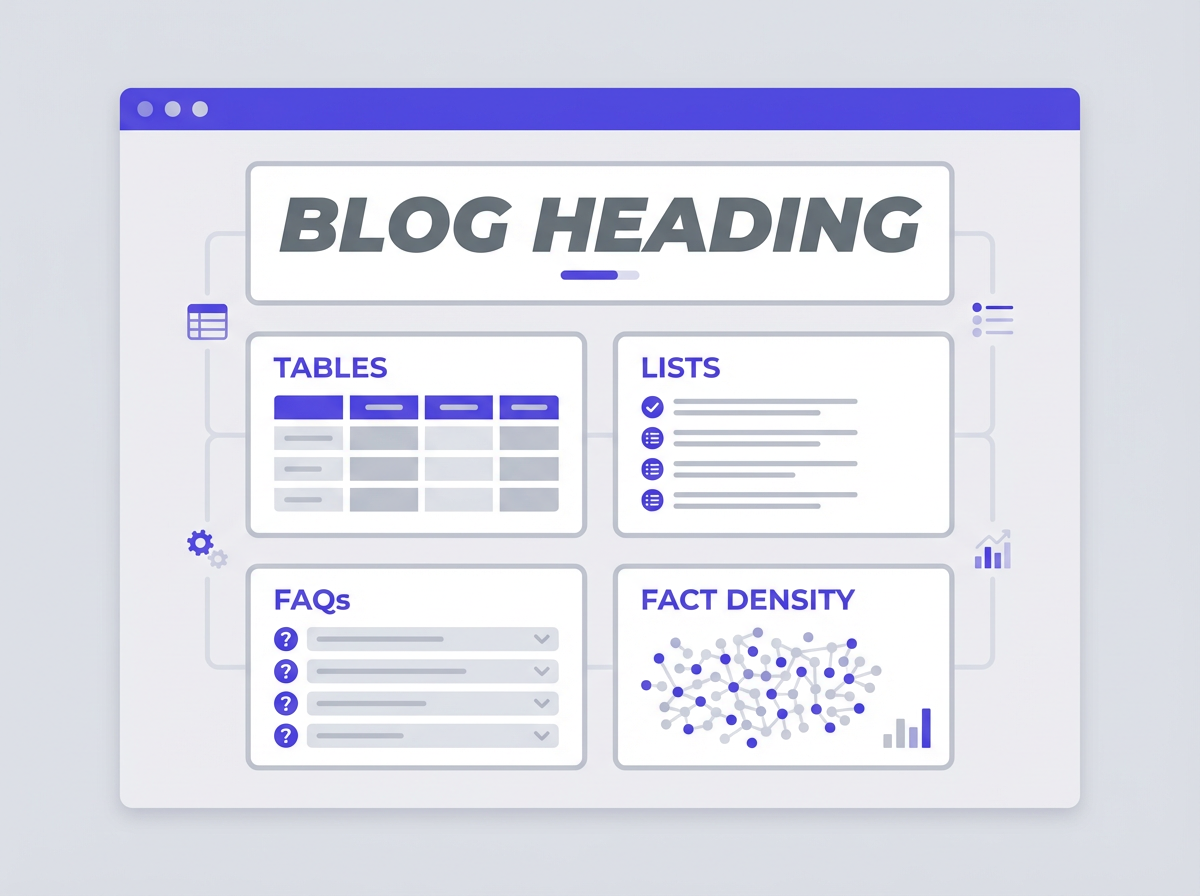
LLMs cite pages that make facts easy to find, extract, and verify. Your page structure controls that outcome.
A clear structure gives the model short, stable units of meaning. It also gives the crawler clean signals about what each section contains.
This guide shows how to build pages that LLMs can quote with confidence by using tables, lists, FAQs, and high fact density without harming readability.
Key Takeaways
- Use one clear topic per section and write short, cite-ready sentences with a stable subject-verb-object order.
- Put the most quotable facts in tables, definition lists, and numbered steps with consistent labels.
- Increase fact density by adding measurable details, sources, dates, and constraints, not extra words.
- Build an FAQ block with direct answers that match common question formats and include crisp boundaries.
- Use predictable headings, internal anchors, and summary bullets so models can locate the best snippet fast.
- Validate your structure with a “citation test”: can a reader copy one block and it still makes sense?
What LLM citations reward (and what they skip)
LLMs cite content that reduces uncertainty. They prefer pages that present facts in a compact, labeled form. They skip pages that hide key details inside long paragraphs or vague claims. Use the rules below to shape content into cite-ready blocks.
How LLMs pick a cite-able block
- Clarity: The block states one idea with clean wording.
- Boundaries: The block has a clear start and end (a bullet list, a table row, a short paragraph under a heading).
- Specificity: The block includes numbers, conditions, and definitions.
- Verifiability: The block includes a date, source, or method when needed.
- Reusability: The block still makes sense if copied alone.
Common page issues that lower citations
- Long paragraphs that mix multiple claims and examples.
- Headings that sound clever but do not describe the section content.
- Lists that lack labels, units, or constraints.
- Tables with unclear column names or mixed formats.
- FAQs that repeat the question but do not answer it in the first sentence.
- Claims with no scope, such as “improves performance” without a metric or context.
A simple definition you can use on your team
- LLM citation-ready content means: a page block that states a precise fact or method in a self-contained format that a model can quote without rewriting.
Build a citation-first page outline (the structure that wins)
A strong outline prevents confusion. It also creates predictable places where facts live. Use this outline as a default for guides, product pages, and knowledge base pages.
Use one topic per H2 and one purpose per block
- Write each H2 as a direct promise, such as “Table formats that LLMs cite.”
- Start each H2 with a 2 to 3 sentence intro that states the outcome.
- Use H3 sections for formats: definition, steps, table, checklist, examples.
- Keep each block focused. Do not mix steps with background in the same list.
Put the answer early, then support it
- Start with the conclusion in the first paragraph of a section.
- Follow with evidence, constraints, and edge cases.
- End with a short “Use this if…” bullet list to set scope.
Use consistent labels and repeated patterns
- Use the same label words across the page: “Goal,” “Inputs,” “Steps,” “Output,” “Limits,” “Example.”
- Repeat the same table columns across similar pages so extraction stays stable.
- Use the same units and date format across the page.
Add internal anchors for fast retrieval
- Add a short table of contents near the top for long pages.
- Use descriptive anchor text like “#faq-llm-citations” instead of “#section3.”
- Link to your own definitions and your own data pages to keep the citation path inside your site.
Tables that get cited: formats, rules, and examples
Tables work well because they separate facts into labeled fields. LLMs can lift one row as a complete statement. Your job is to make each row unambiguous.
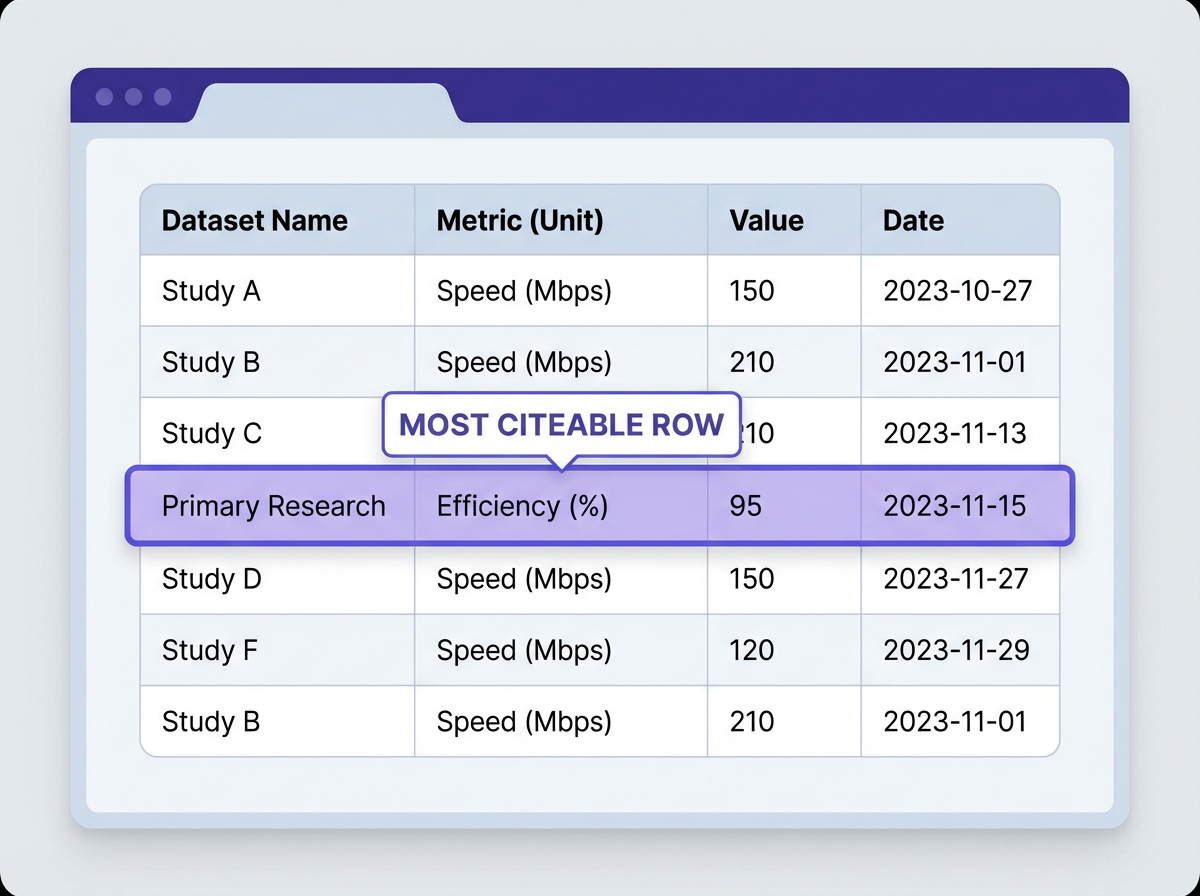
Table rules that improve citation accuracy
- Use clear column headers: “Metric,” “Definition,” “Unit,” “Target,” “Notes.”
- Keep units in a unit column: Do not hide units inside values.
- One idea per cell: Do not combine two metrics in one cell.
- Use consistent formatting: Same decimal places and date format.
- Add a source line: Put sources under the table, not inside random cells.
- Avoid merged cells: They reduce extraction quality for some parsers.
Best table types for “How to Optimize Page Structure for LLM Citations (Tables, Lists, FAQs, Fact Density)”
- Checklist table: Requirement, Why it matters, Pass/Fail test.
- Comparison table: Format type, Best use, Risk, Example snippet.
- Definition table: Term, Meaning, Example, Scope.
- Data table: Metric, Value, Time period, Method, Source.
Example: page-structure checklist table (copy and adapt)
| Requirement | Why LLMs cite it | Pass test |
|---|---|---|
| Each H2 covers one topic | Reduces mixed context and wrong quotes | Section summary fits in 2 sentences |
| Lists use labels and units | Improves extraction and reuse | Each bullet stands alone |
| Tables have clear headers | Creates stable fields for facts | Headers describe values without reading notes |
| FAQs answer in first sentence | Matches question-answer retrieval patterns | First sentence is a complete answer |
| Fact blocks include scope | Prevents overgeneralized citations | Block states conditions and limits |
Source note: Use your own analytics, tests, and editorial rules as the source for internal process tables. For external facts, cite the original publisher with a link and date.
How to write table rows that survive copy-paste
- Write values that do not depend on hidden context.
- Use full names, then abbreviations in parentheses once.
- Include time bounds: “per month,” “in 2026,” “over a 30-day window.”
- Include method bounds: “measured in GA4,” “measured in server logs.”
Lists that LLMs quote: bullets, steps, and definition lists
Lists create clean extraction units. They also help readers scan. Use lists for steps, requirements, and quick facts. Keep list items short and specific.
Bullet list rules for cite-ready content
- Start with the subject: “A good FAQ answer starts with the conclusion.”
- Use parallel structure: Same verb tense and same pattern per bullet.
- Avoid vague verbs: Prefer “use,” “add,” “measure,” “link,” “label.”
- Limit length: 1 to 2 lines per bullet when possible.
- Add constraints: “Use 5 to 7 bullets,” “Use one metric per bullet.”
Numbered steps for processes (best for citations)
- Pick one user intent: Define the question the page answers in one sentence.
- Write the H2 outline: Use direct headings that match sub-questions.
- Draft the fact blocks: Add tables, lists, and short paragraphs under each H2.
- Add scope lines: State who the advice fits and when it fails.
- Add an FAQ block: Use real query phrasing and short answers.
- Run a citation test: Copy one block into a doc and check if it still reads as true and complete.
Definition lists for terms and acronyms
Definition lists work well for models because they map a term to a meaning. Use them for “fact density” terms, schema terms, and measurement terms.
Fact densityThe number of verifiable, specific statements per section, without extra filler text.Citation blockA self-contained unit such as a table row, a bullet list, or a short paragraph under a clear heading.Scope lineA sentence that states limits, such as audience, timeframe, or conditions.
Examples: weak vs strong list items
- Weak: “Improve your content structure for AI.”
- Strong: “Use one H2 per sub-question so each section answers one intent.”
- Weak: “Add more data.”
- Strong: “Add a table with metric, unit, timeframe, and source so each value is verifiable.”
FAQs that earn citations: question formats, answer patterns, and placement
FAQs match how users ask questions in AI search. They also create direct Q-and-A pairs that models can quote. Your FAQ section should answer real queries with short, complete statements.
Where to place FAQs for best results
- Place FAQs after the main sections so the page first builds context and definitions.
- Keep the FAQ block near the bottom so it does not interrupt core flow.
- Link from earlier sections to the relevant FAQ questions using anchors.
FAQ writing rules that increase citation rate
- Answer in the first sentence: Do not tease the answer.
- Use the same words as the question: This improves matching.
- Keep answers short: 2 to 4 sentences is often enough.
- Add a boundary: Include “depends on,” “for,” “only if,” or a timeframe when needed.
- Avoid sales language: Models prefer neutral statements.
FAQ question templates that match AI search queries
- “What is [term] in [topic]?”
- “How do I [action] for [goal]?”
- “What is the best format for [content type]?”
- “How many [items] should I use?”
- “What mistakes reduce [result]?”
Fact density: how to add more cite-able facts without adding fluff
Fact density drives citations because models prefer pages that contain many extractable facts. Fact density does not mean long pages. It means more specific statements per paragraph, with clear scope and evidence.
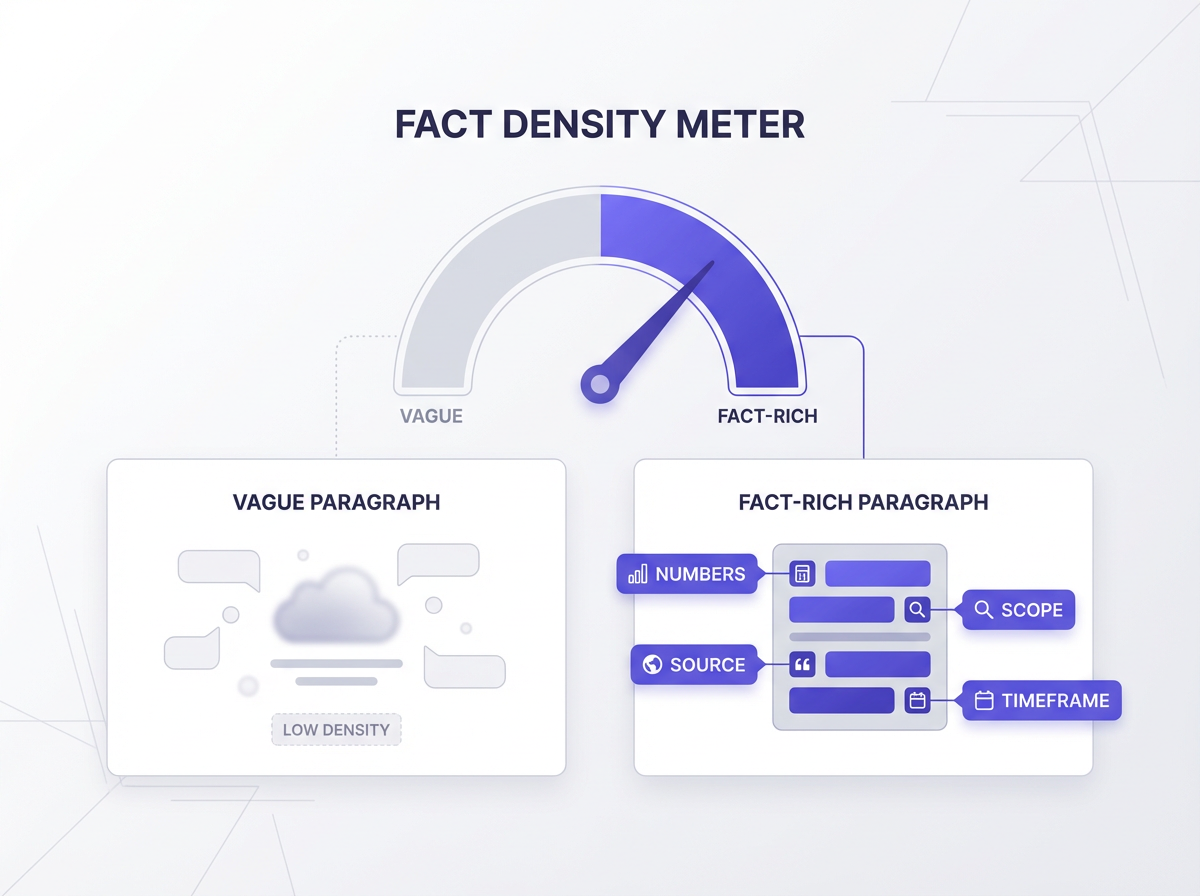
What counts as a “fact” for LLM citations
- A measurable statement: includes a number, unit, or threshold.
- A defined rule: “Use one H2 per intent.”
- A bounded claim: includes conditions, audience, or timeframe.
- A named method: states how you measured or derived the claim.
- A referenced source: links to the original data or standard.
Ways to increase fact density in any section
- Add units and time: “per week,” “in Q4 2025,” “over 28 days.”
- Add thresholds: “Use 5 to 7 bullets,” “Keep paragraphs under 80 to 120 words.”
- Add definitions: Define key terms once, then reuse the same term.
- Add constraints: “This applies to informational pages, not checkout flows.”
- Add examples: Provide one short example that shows the rule.
- Add a test: “Pass if a reader can quote the block without extra context.”
Fact density vs keyword stuffing (clear difference)
- Fact density: adds new information, such as metrics, steps, limits, and definitions.
- Keyword stuffing: repeats the same phrase without adding meaning.
A practical “fact block” template you can reuse
- Claim: State the rule in one sentence.
- Scope: State where it applies and where it does not.
- How to do it: Give 2 to 4 steps or bullets.
- Check: Give one pass/fail test.
Example fact block (ready to paste into a page)
Claim: A table increases citation accuracy when each row contains one metric with a unit and timeframe.
Scope: Use this for performance, pricing, and feature comparisons. Do not use it for subjective opinions.
- How to do it: Add columns for Metric, Value, Unit, Timeframe, and Source.
- How to do it: Keep one metric per row and avoid merged cells.
Check: If a reader copies one row into a document, the meaning stays complete.
Make each section easy to extract: headings, summaries, and formatting
Extraction improves when your page uses predictable signals. Headings tell the model what the next block contains. Summaries provide short candidate snippets. Formatting creates clean boundaries.
Heading rules for NLP-friendly structure
- Use headings that describe the content, not a joke or a metaphor.
- Put the main keyword in the H1 and use close variants in H2s where natural.
- Keep headings short and specific: 6 to 12 words works well.
- Use the same grammatical form across headings, such as “How to…,” “Rules for…,” “Examples of…”
Add section summaries that act as citation candidates
- Start each H2 section with 2 to 3 sentences that state the main point.
- Include one key constraint or definition in the summary.
- Do not add extra adjectives. Use precise nouns and verbs.
Use bold text as a label, not as decoration
- Bold the label words: Claim, Scope, Steps, Check.
- Do not bold full paragraphs.
- Do not bold repeated keywords just to signal importance.
Keep paragraphs short and single-purpose
- Target 2 to 4 sentences per paragraph.
- Use one claim per paragraph.
- Move examples into bullets if the paragraph grows.
Schema, HTML, and technical details that support citations
Structure in HTML and schema helps machines interpret your content. It also reduces extraction errors. Use clean markup and avoid layout tricks that hide content from parsers.
Use semantic HTML elements
- Use
<h1>once, then<h2>and<h3>in order. - Use
<ol>for steps and<ul>for checklists. - Use real
<table>markup for tables, not images of tables. - Use
<dl>for term-definition pairs.
FAQ schema and when to use it
- Use FAQPage schema if the page contains real questions with real answers.
- Keep each answer consistent with the visible text on the page.
- Do not add FAQ schema for content that is not in an FAQ format.
Article and breadcrumb schema basics
- Use Article schema for blog posts and guides.
- Use BreadcrumbList schema to show page location and topic grouping.
- Include author, publish date, and update date when accurate.
Technical checks that prevent extraction problems
- Ensure the main content renders in HTML without requiring user interaction.
- Avoid hiding key facts behind tabs that do not render server-side.
- Use descriptive alt text for images, but keep key facts in text, not in images.
- Keep page speed reasonable so crawlers can fetch full content.
Content patterns that increase citations in AI answers
Some patterns show up often in cited pages because they fit how models summarize. Use these patterns to produce blocks that feel safe to quote.
Pattern: “Definition + why it matters + example”
- Definition: State the meaning in one sentence.
- Why it matters: State the effect on citations in one sentence.
- Example: Give one short example that uses numbers or constraints.
Pattern: “Do this / Avoid this” micro-contrast
- Do this: “Use a table with Metric, Unit, Timeframe, Source.”
- Avoid this: “Use a paragraph that mixes metrics with opinions.”
Pattern: “Checklist + pass test”
- Write a checklist with 7 to 12 items.
- Add a pass test that takes under 60 seconds to run.
- Place the checklist near the end of the page for quick review.
Pattern: “Mini glossary” for key terms
- Add 5 to 10 terms that appear often in the page.
- Define each term in one sentence.
- Use the same term spelling across the page.
Practical page templates you can copy
Templates reduce variation and improve consistency. Consistency helps models and readers. Use these templates as starting points for new pages.
Template A: How-to guide page (LLM citation-friendly)
- H1: How to Optimize Page Structure for LLM Citations (Tables, Lists, FAQs, Fact Density)
- Above the fold: 3-sentence summary + 5-bullet key takeaways
- H2: What LLM citations reward
- H2: Tables that get cited (with one example table)
- H2: Lists that get quoted (with steps)
- H2: FAQs that earn citations
- H2: Fact density methods (with a fact block template)
- FAQ section: 5 to 6 questions with short answers
- Final paragraph: Summary + next action
Template B: Product or feature page (citation-friendly)
- H1: Product name + primary use
- Summary bullets: 5 bullets with measurable claims and limits
- Table: Features, limits, pricing units, support hours, integrations
- Steps: Setup steps in a numbered list
- FAQ: Pricing, limits, security, data retention, support
Template C: Data page (best for citations)
- H1: Dataset name + timeframe
- Method section: How you collected data, in bullets
- Table: Metrics with units, time bounds, and definitions
- Notes: Known gaps and constraints
- FAQ: How to interpret, how often updated, how to cite
Quality control: the citation test and a quick audit checklist
Publishing is not the end. You need a repeatable check that finds weak blocks before users and models do. Use the tests below on every page you want cited.
The 60-second citation test
- Pick one table row, one bullet list, and one short paragraph.
- Copy each block into a blank document.
- Remove the page title and any surrounding text.
- Ask: “Does this block still state a complete, true idea?”
- Fix missing units, missing scope, and unclear pronouns.
Quick audit checklist (copy for your editorial process)
- Each H2 answers one sub-question.
- Each H2 starts with a short summary that includes one constraint.
- Each list item starts with a clear subject and action.
- Each table includes units, timeframe, and clear headers.
- Each key claim includes scope: who, when, and where.
- FAQ answers start with the conclusion in the first sentence.
- No key facts appear only inside images.
- Internal links point to definitions and supporting pages.
Common fixes that improve citations fast
- Replace “this” and “it” with the real noun.
- Replace “better” with a metric and a timeframe.
- Split long paragraphs into one summary + one list.
- Convert mixed text into a table with labeled columns.
- Add a scope line to any claim that could be overgeneralized.
Frequently Asked Questions (FAQs)
What is the best page structure for LLM citations?
The best page structure uses clear H2 sections, short summaries, labeled lists, and at least one table. Each block should state one complete idea with units, scope, and a simple pass test.
Do tables help LLMs cite content more often?
Yes. Tables help because they separate facts into labeled fields. A model can quote one row with less risk of missing units, time bounds, or definitions.
How many FAQs should I add for AI search visibility?
Add 5 to 6 FAQs for most guides. Use real query phrasing and keep each answer to 2 to 4 sentences with the conclusion in the first sentence.
What does “fact density” mean in SEO for LLMs?
Fact density means you include more specific, verifiable statements per section. You add numbers, units, scope, and definitions instead of extra filler text.
Can I put key facts inside images and still get citations?
Do not rely on images for key facts. Put key facts in HTML text, tables, or lists. Use images for support and clarity, not as the only source of data.
How do I know if a page is citation-ready?
Run the citation test: copy one block from the page and check if it still makes sense alone. If the block needs extra context, add units, scope lines, and clearer labels.
Final Thoughts
How to Optimize Page Structure for LLM Citations (Tables, Lists, FAQs, Fact Density) comes down to one rule: make facts easy to extract and hard to misread. Use tables for labeled data, lists for steps and rules, FAQs for direct questions, and fact density for strong, verifiable statements. Apply the templates and the citation test on your next update, then track which blocks earn mentions in AI answers. If you want more citations, start by rewriting one section into a table and one section into a numbered process, then add an FAQ that answers real queries.
Written by
Raman Singh
Raman Singh is a highly skilled marketing professional who serves as the head of marketing at Copyrocket AI. With years of experience in the field, Raman has developed a deep understanding of all asp
View all postsYour AI Marketing Agents
Are Ready to Work
Stop spending hours on copywriting. Let AI craft high-converting ads, emails, blog posts & social media content in seconds.
Start Creating for FreeNo credit card required. 50+ AI tools included.
Related Articles
 General
NotebookLM For Coders: Turn Docs Into Faster Code
Code work often fails for a simple reason. You do not have the right context at the right time. You read docs in one tab, skim tickets in another tab, and then...
 General
How to Optimize for AI Search in 2026: The Complete Guide
AI search has shifted from experimental feature to primary search method for millions of users. ChatGPT Search, Google AI Overviews, Perplexity, Claude, and Gem...
 General
Claude Opus 4.6 Review: Here's What New!
Claude Opus 4.6 from Anthropic draws attention because teams want an AI model that writes better code, follows instructions, and stays consistent across long se...