
10 Query Patterns That Trigger Google AI Overviews

Raman Singh
Raman Singh is a highly skilled marketing professional who serves as the head of marketing at Copyrocket AI

Google AI Overviews appear when Google predicts a user wants a fast, direct answer that still needs sources.
These summaries often show for informational searches, comparison searches, and multi-step tasks. If you publish pages that match the query pattern, Google can extract clear facts, steps, and definitions from your content.
You can then earn visibility above standard blue links, even when you do not rank #1.
Key Takeaways
- AI Overviews trigger most often on informational queries that need a concise answer and supporting sources.
- Query patterns matter more than single keywords. Match the intent type and the answer format.
- Publish “extractable” blocks like definitions, steps, tables, pros and cons, and short summaries.
- Use tight on-page structure so Google can map each section to a sub-question.
- Build topical coverage with clusters that support the main page and improve trust signals.
- Top 10 rankings still matter because AI Overviews cite sources that already show strong relevance and quality.
Top 10 Query Patterns That Trigger Google AI Overviews (And What to Publish for Each)
In this section, you will learn the query patterns that most often trigger AI Overviews. For each pattern, you will get a publishing plan.
Use these patterns to pick topics, shape outlines, and write answers Google can quote. Keep your content direct. Use short paragraphs.
Use lists and tables where they fit. Use one section per sub-question.
Also read How to Optimize Old Posts for AI Overview Citations (Actionable Tips)
1) Definition and meaning queries (“what is…”, “meaning of…”, “define…”)
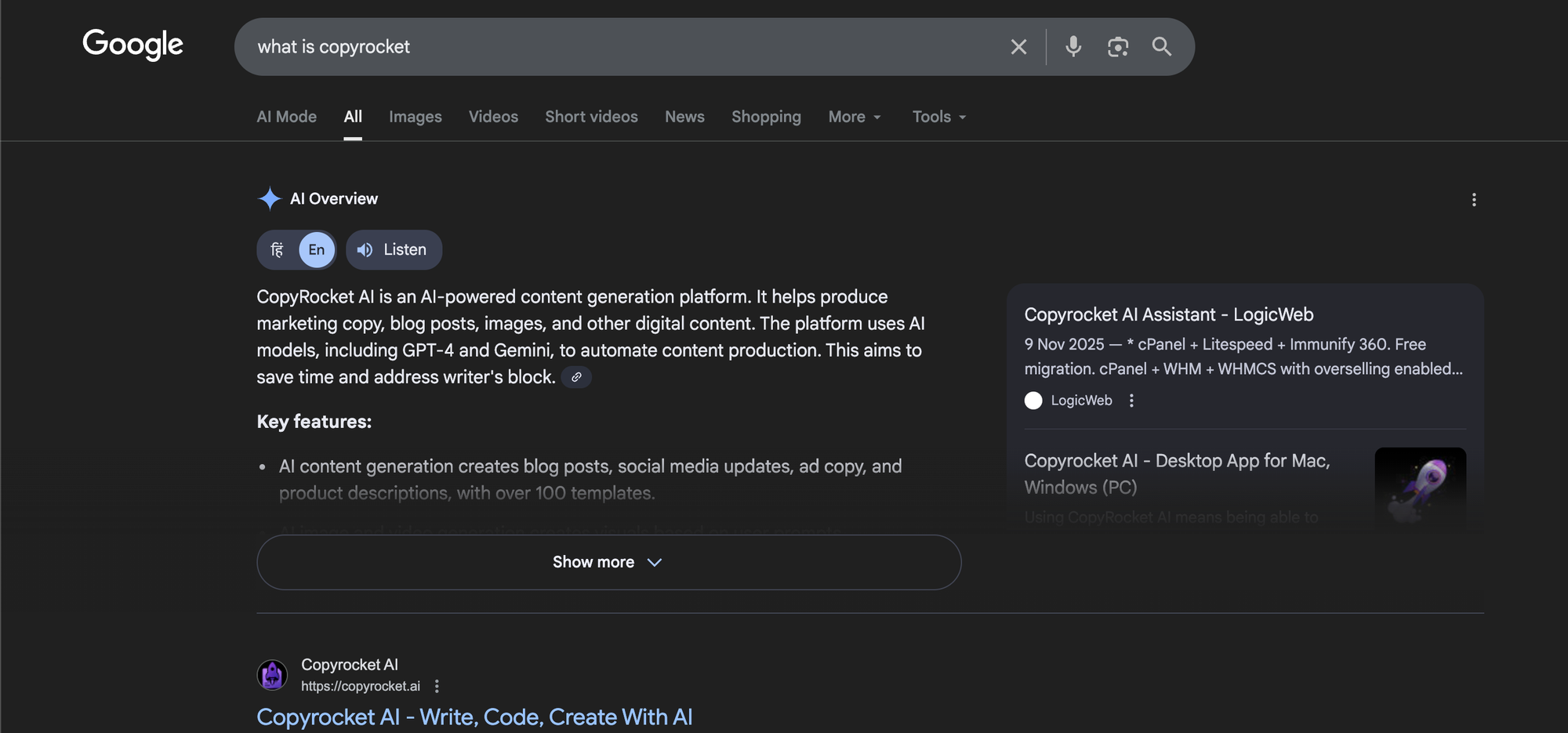
Why this triggers AI Overviews: Google can answer in one or two sentences, then cite sources for depth and accuracy.
Common query examples:
- What is a canonical tag?
- What is Google AI Overview?
- Meaning of E-E-A-T in SEO
What to publish: A definition-first explainer page that answers the term fast, then expands.
- Start with a 40–60 word definition in the first screen of content.
- Add a “Key facts” list with 5–8 bullets (what it is, why it matters, who uses it, where it applies).
- Add a “How it works” section with a short numbered flow.
- Add a “Common mistakes” section with 5–7 bullets.
- Add a glossary block for related terms with one-line definitions.
On-page formatting that helps extraction:
- Use one clear H1 that matches the term.
- Use short H2s like “Definition”, “How it works”, “Examples”, “FAQ”.
- Use simple sentences with a clear subject and verb.
2) “How to” process queries (“how to…”, “how do I…”, “steps to…”)
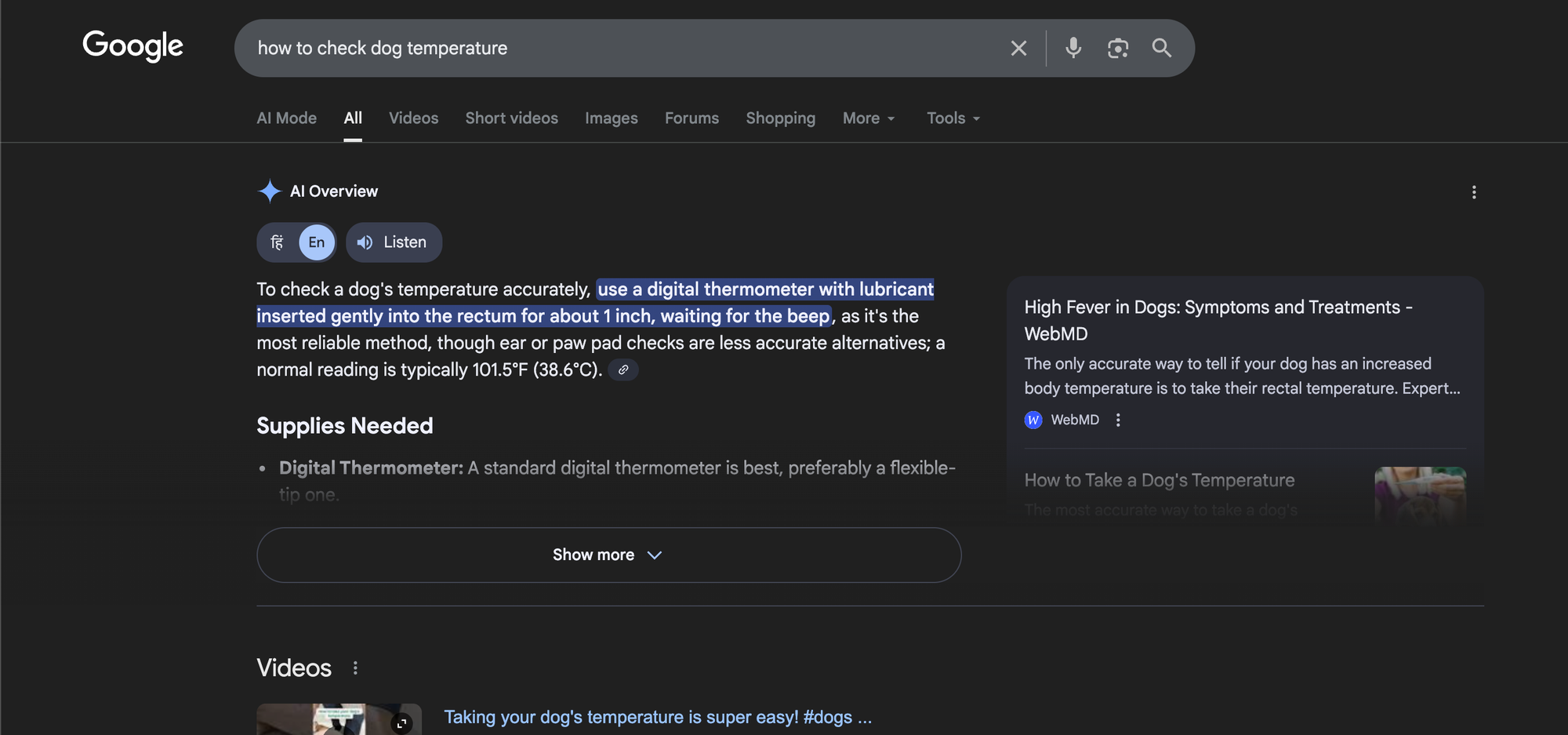
Why this triggers AI Overviews: Many users want a quick plan, then details. AI Overviews can summarize steps and cite sources for each step.
Common query examples:
- How to trigger Google’s AI Overview?
- How to add schema markup
- How to fix “Crawled - currently not indexed”
What to publish: A task page with a short summary, a step list, and troubleshooting.
- Start with a 3–5 step quick list that solves the task at a high level.
- Then expand each step with a short paragraph and a checklist.
- Add a “Before you start” section with prerequisites.
- Add a “Common errors and fixes” section with clear symptoms and actions.
- Add “Time, cost, and tools” as a small table.
Example mini-template you can copy:
- Goal: One sentence.
- Best for: One sentence.
- Steps: 5–9 numbered steps.
- Checks: 5 bullets to confirm success.
3) Comparison queries (“X vs Y”, “best”, “top”, “which is better”)
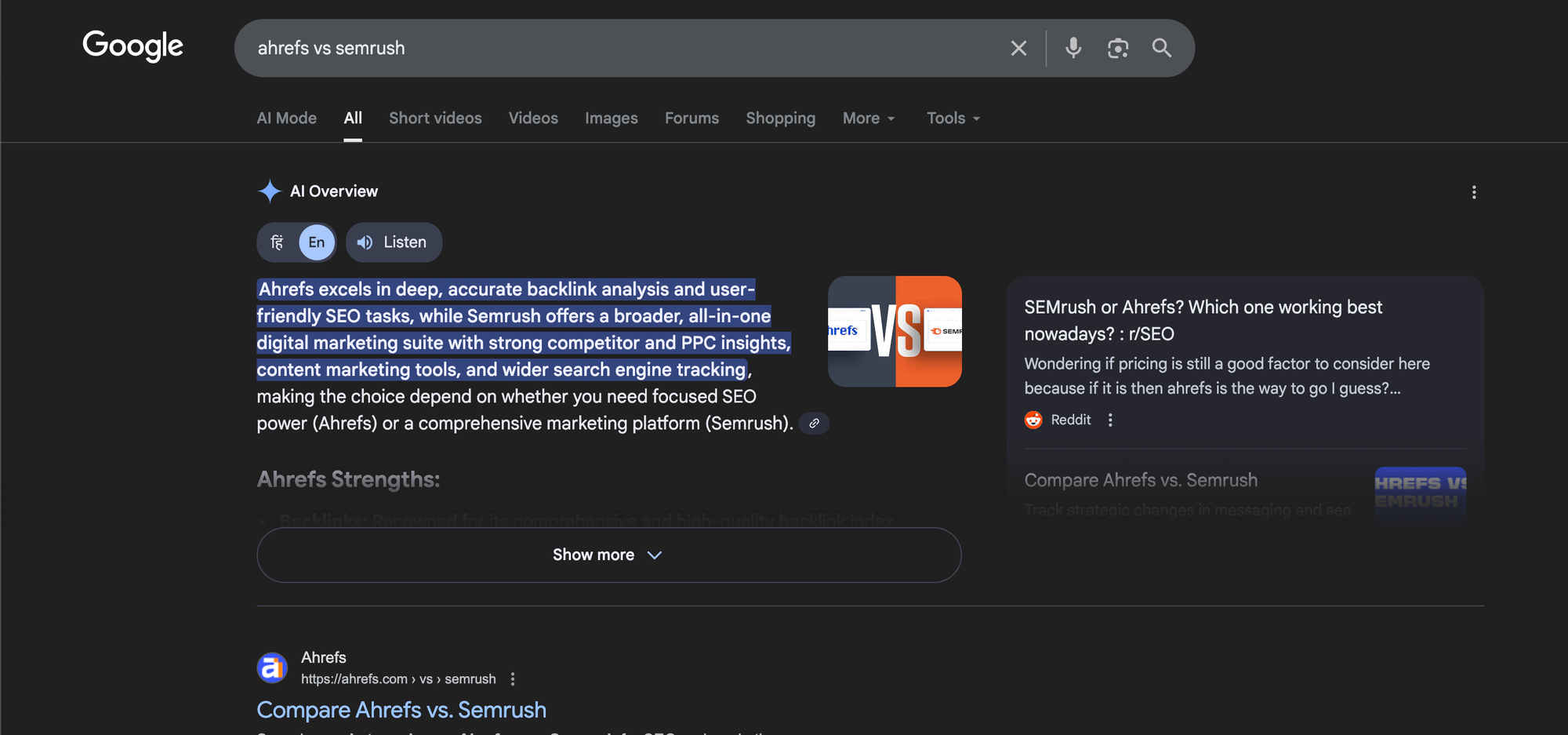
Why this triggers AI Overviews: Google can compile pros, cons, and key differences from multiple sources.
Common query examples:
- GA4 vs Universal Analytics
- Ahrefs vs Semrush
- Best SEO tools for small business
What to publish: A comparison page with a clear verdict by use case, plus a table.
- Use a “Winner by scenario” section (best for beginners, best for agencies, best for budget).
- Add a comparison table with features, pricing, limits, and ideal user.
- Add “Key differences” bullets in plain language.
- Add “What to choose if…” with 6–10 short scenarios.
- Show evidence with screenshots, data, or test notes where possible.
Structure that AI Overviews often reuse:
- One-paragraph summary
- Table
- Pros and cons list for each option
- Decision rules (if/then statements)
4) Cause-and-effect queries (“why is…”, “what causes…”, “reasons for…”)
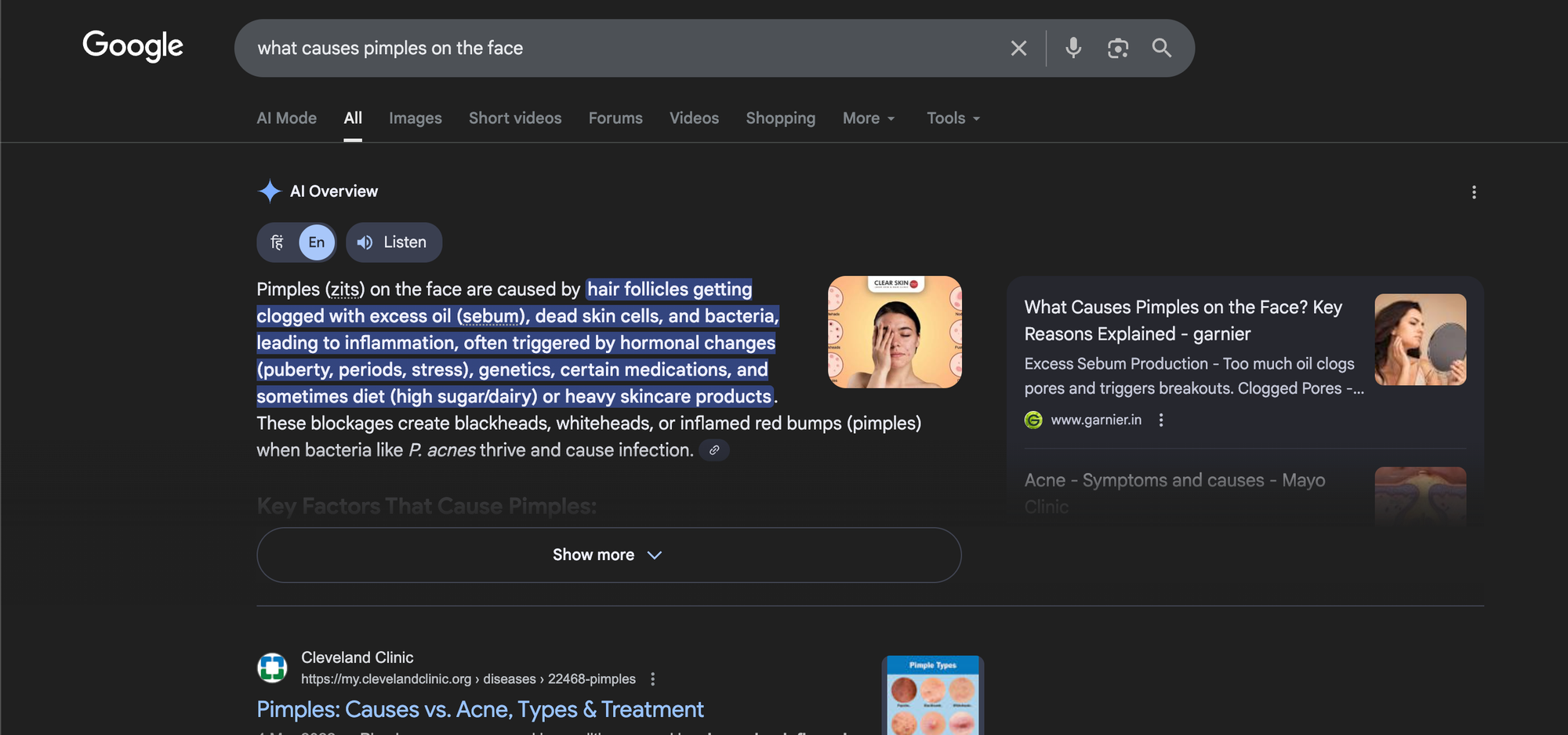
Why this triggers AI Overviews: Google can list common causes and safe next steps without forcing the user to open many pages.
Common query examples:
- Why did my traffic drop?
- What triggers Google AI search?
- Why is my page not indexing?
What to publish: A diagnostic guide that separates causes, signals, and fixes.
- Start with a one-paragraph summary that lists 3–5 top causes.
- Add a “Fast checks” section with 8–12 bullets (tools, reports, and what to look for).
- Group causes by category (technical, content, links, seasonality, policy).
- For each cause, add: symptom → test → fix → expected timeline.
- Add a “When to escalate” section that tells the user when to get expert help.
5) “Best way to” and method selection queries (“best way to…”, “how should I…”)
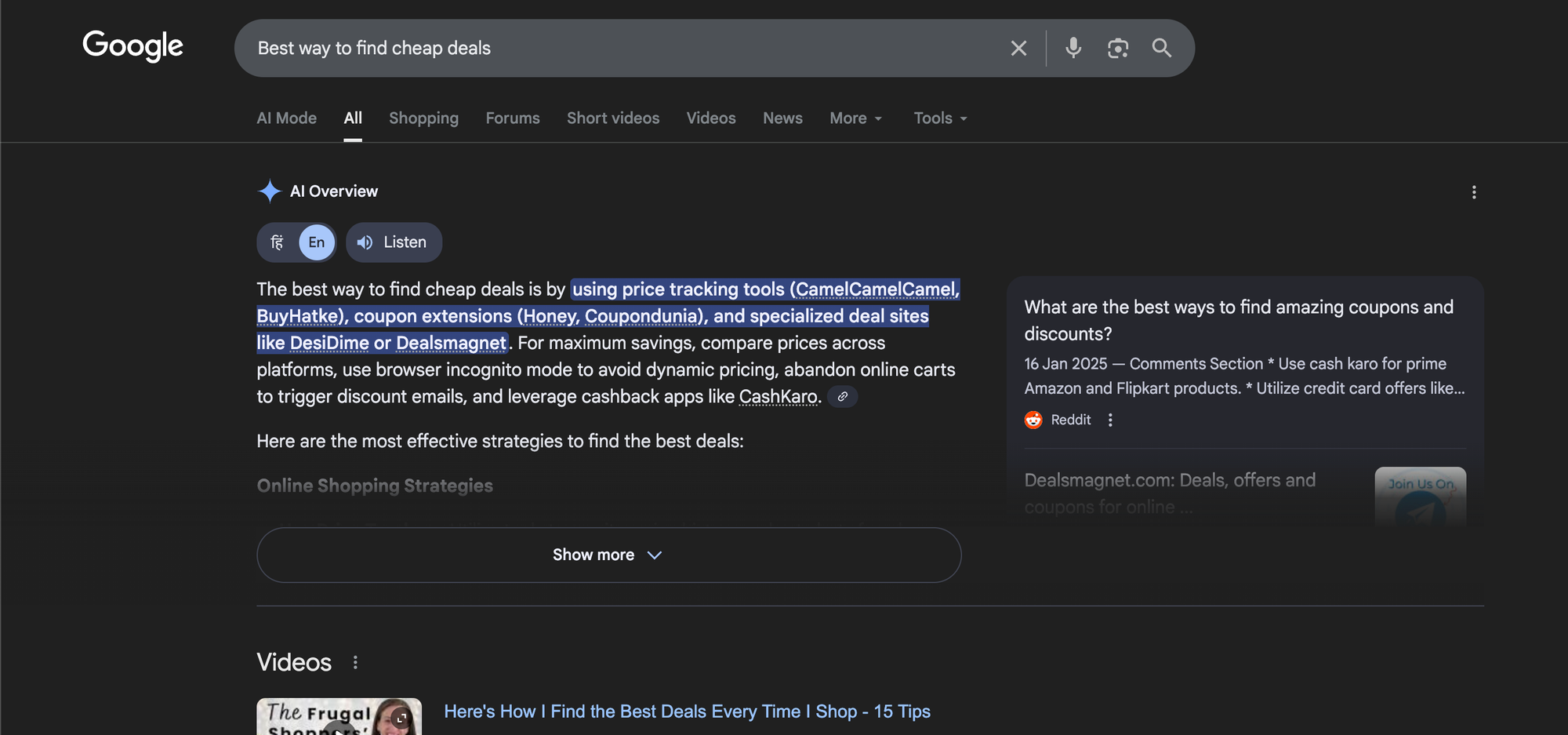
Why this triggers AI Overviews: Users want a recommendation that depends on context. AI Overviews can summarize options and decision rules.
Common query examples:
- Best way to structure a blog post for SEO
- Best way to get backlinks safely
- How should I optimize for AI Overviews?
What to publish: A methods guide with a decision tree and clear trade-offs.
- List 3–7 methods and describe each in 80–120 words.
- Add a “Pick this if…” line under each method.
- Add a trade-off table (speed, risk, cost, skill level).
- Add a “Recommended default” for most users and explain why.
6) List and checklist queries (“checklist”, “things to do”, “requirements”)
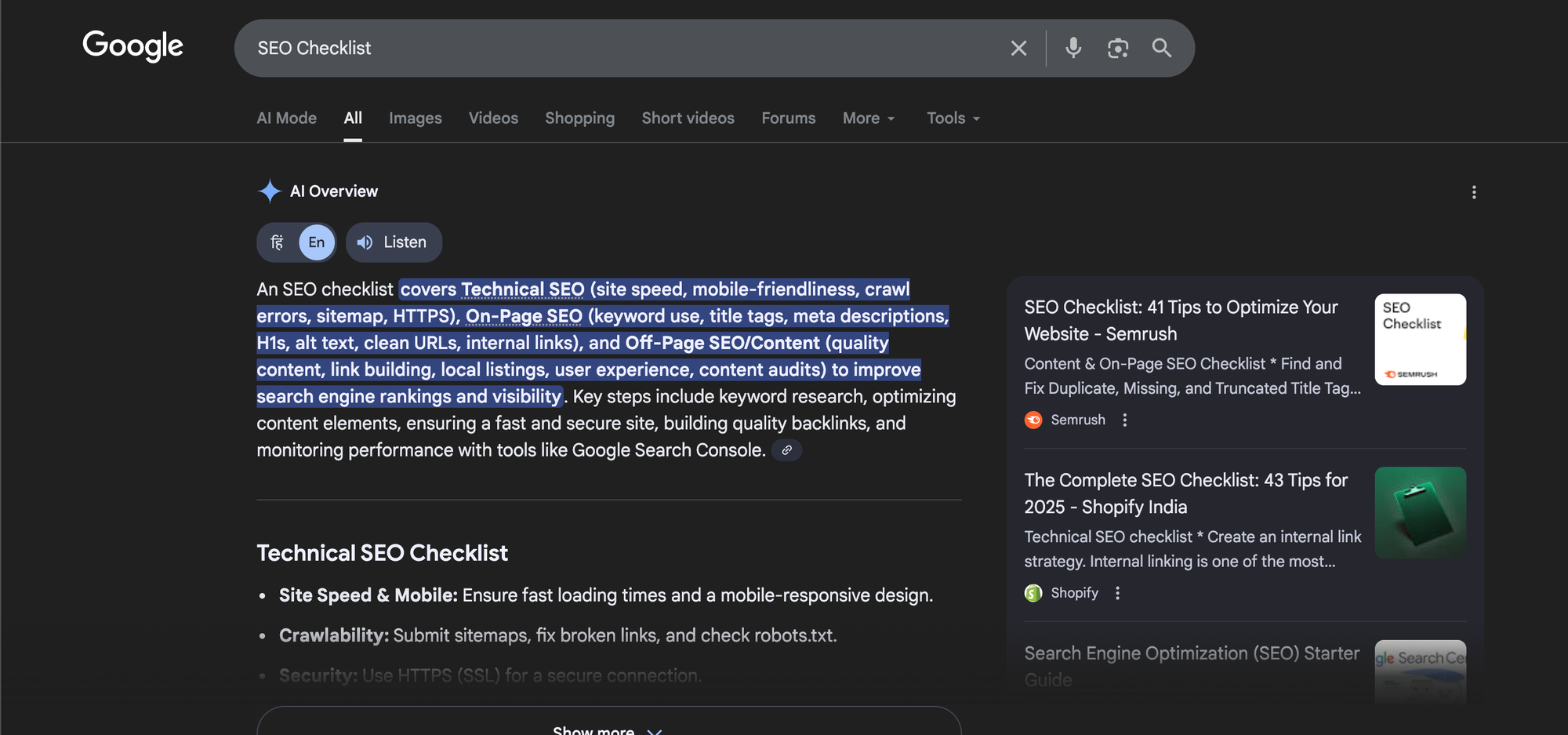
Why this triggers AI Overviews: Lists are easy to summarize and cite. Google can also show a condensed list as the overview.
Common query examples:
- SEO audit checklist
- Requirements for Google News approval
- On-page SEO checklist for 2026
What to publish: A checklist page that includes a short summary, grouped sections, and a printable version.
- Start with a 10–15 item “Quick checklist” above the fold.
- Then group items into 4–7 categories with short explanations.
- Add “Pass/Fail signals” for each item.
- Add a downloadable or copyable version (plain text block works).
7) Problem + fix queries (“how to fix…”, “error”, “not working”)
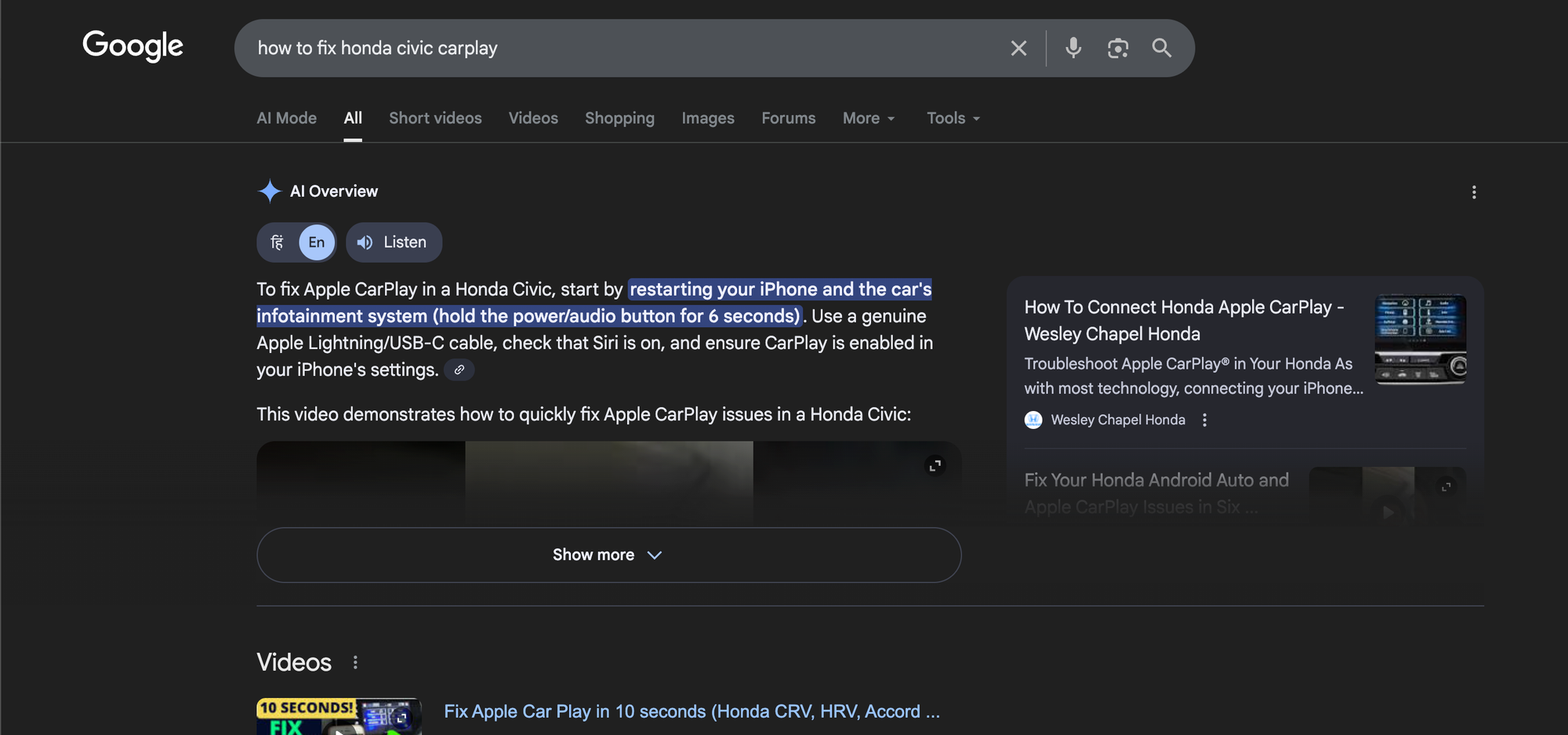
Why this triggers AI Overviews: Google can show safe fixes and cite sources. Users often want quick steps.
Common query examples:
- How to fix Core Web Vitals failing
- Google Search Console “Duplicate without user-selected canonical” fix
- Why is my sitemap not discovered?
What to publish: A troubleshooting page with a symptom-led layout.
- Use an “If you see this, do this” format with short blocks.
- Add exact error text as users see it in tools.
- Add a “Most common causes” list before deep fixes.
- Add a “Verify the fix” section with steps and expected timing.
8) “Examples” and template queries (“examples of…”, “template”, “sample”)
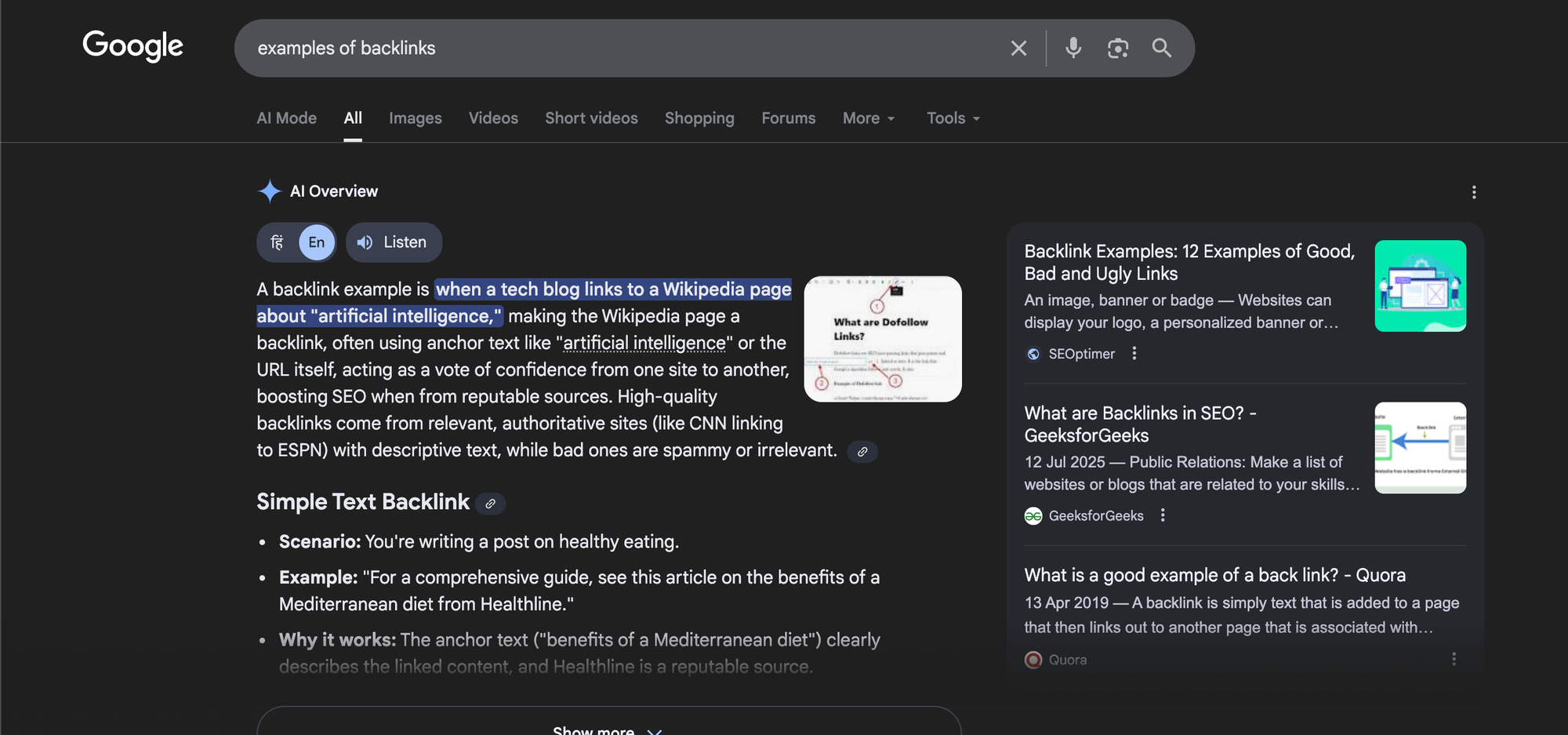
Why this triggers AI Overviews: Google can summarize patterns and cite example sources. Users want ready-to-use material.
Common query examples:
- Meta description examples
- SEO report template
- Product description examples for ecommerce
What to publish: A library page with categorized examples and short rules.
- Provide 20–50 examples grouped by use case.
- Add a short rule list above each group (length, structure, words to include).
- Add a fill-in template in a code-style block.
- Add do and don’t lists to prevent common mistakes.
9) “Can I” and eligibility queries (“can I…”, “is it allowed…”, “requirements”)
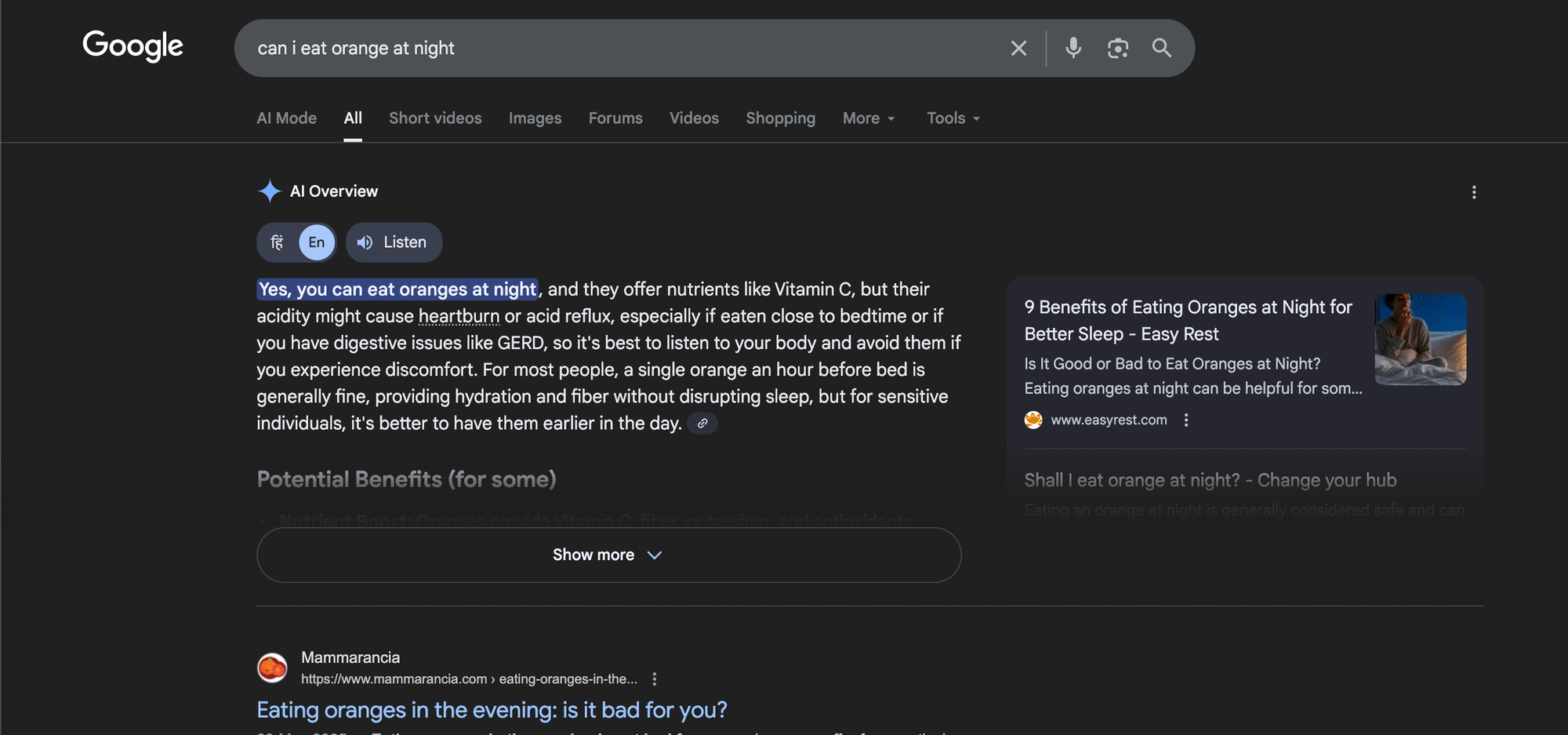
Why this triggers AI Overviews: Users want a direct yes or no, plus conditions and exceptions. Google can summarize policy-like answers.
Common query examples:
- Can I use AI content for SEO?
- Can I rank without backlinks?
- Is keyword stuffing bad?
What to publish: A policy and practice page that states the answer first, then lists conditions.
- Start with a direct answer in one sentence.
- Add “It depends on…” with 4–8 conditions.
- Add examples of allowed vs not allowed behavior.
- Cite primary sources such as official documentation where possible.
10) “What should I do next” multi-step planning queries (“plan”, “roadmap”, “strategy”)
Why this triggers AI Overviews: Google can present a phased plan and cite sources for each phase. Users want order and priority.
Common query examples:
- SEO roadmap for a new website
- Content strategy for AI Overviews
- How to get top 10 in Google Search?
What to publish: A roadmap page with phases, timelines, and measurable outputs.
- Use phases like Week 1, Month 1, Month 2–3, Month 4–6.
- For each phase, list tasks in priority order.
- Add a KPI list (indexing, impressions, CTR, conversions).
- Add a “Do this first” block for readers who want fast action.
How to Trigger Google’s AI Overview (What Google Looks For)
You cannot force an AI Overview to show. Google decides when it helps the user. You can still increase your chance of being cited.
You do this by matching the query pattern, answering fast, and supporting the answer with clear sections. You also need strong relevance and trust signals.
Publish content that answers in the first 5–10 lines
- Put the direct answer near the top of the page.
- Use 1–2 short paragraphs or a short bullet list.
- Repeat the key phrase once in a natural way.
Use “extractable” structures that AI can quote
- Definitions (40–60 words)
- Numbered steps (5–9 steps)
- Pros and cons lists
- Comparison tables
- Checklists grouped by category
- Short FAQs with direct answers
Cover the full intent, not one keyword
- Add sub-questions that users ask after the main question.
- Answer each sub-question in its own section.
- Avoid long stories before the answer.
Support the page with topical cluster content
- Write 6–12 supporting posts that link to the main page.
- Use consistent terms and clear anchors.
- Keep each supporting post focused on one sub-topic.
Improve trust signals that affect citations
- Add an author bio that states real experience.
- Add dates for updates when facts change.
- Add references where claims need proof.
- Use clear site navigation and contact info.
What Triggers Google AI Search (And Why Some Queries Do Not)
Google triggers AI Overviews when it predicts the user wants a summary that blends facts from multiple sources.
Google often avoids AI Overviews when the query needs fresh news, personal opinions, or sensitive advice that needs strict accuracy controls. Google also avoids it when a single page already solves the query with high confidence.
Query traits that often trigger AI Overviews
- Informational intent: the user wants to learn, not buy right now.
- Multi-step tasks: the user needs steps in order.
- Comparison intent: the user wants trade-offs.
- Ambiguity: the query has multiple valid angles, so a summary helps.
- Multi-source need: the best answer needs more than one source.
Query traits that often reduce AI Overview visibility
- Highly local intent: the user wants a map pack or a local list.
- Pure transactional intent: the user wants product pages now.
- Fast-changing news: the user needs latest updates.
- Single clear official answer: Google can show one official source.
What to Publish for Each Pattern (A Practical Content Playbook)
This section converts the 10 patterns into a publishing plan you can run each month. Use it to build a calendar. Use it to build internal links. Use it to build pages that AI Overviews can cite. Each pattern below includes a page type, a suggested outline, and a format rule.
Pattern 1 publishing plan: Definition page
- Page type: Glossary + explainer
- Outline: definition → key facts → how it works → examples → mistakes → FAQ
- Format rule: keep the definition under 60 words
Pattern 2 publishing plan: How-to guide
- Page type: Step-by-step tutorial
- Outline: quick steps → tools → full steps → troubleshooting → verification → FAQ
- Format rule: every step starts with a verb
Pattern 3 publishing plan: Comparison page
- Page type: X vs Y or best-of list
- Outline: verdict → table → feature breakdown → pros/cons → scenarios → FAQ
- Format rule: include one table near the top
Pattern 4 publishing plan: Diagnostic guide
- Page type: Cause → test → fix
- Outline: summary causes → fast checks → cause library → timelines → FAQ
- Format rule: each cause uses the same 3-part structure
Pattern 5 publishing plan: Method selection guide
- Page type: “Best way to” guide
- Outline: recommended default → methods list → decision rules → trade-offs → FAQ
- Format rule: add “Pick this if…” under each method
Pattern 6 publishing plan: Checklist page
- Page type: Checklist + explanations
- Outline: quick checklist → grouped checklist → pass/fail signals → FAQ
- Format rule: use short items that fit one line
Pattern 7 publishing plan: Troubleshooting page
- Page type: Error fix guide
- Outline: issue summary → common causes → fixes → verify → prevent → FAQ
- Format rule: include the exact error text users see
Pattern 8 publishing plan: Examples library
- Page type: Examples + templates
- Outline: rules → examples by category → templates → mistakes → FAQ
- Format rule: label each example with its use case
Pattern 9 publishing plan: Eligibility page
- Page type: “Can I” explainer
- Outline: direct answer → conditions → exceptions → examples → FAQ
- Format rule: answer “yes/no” in the first sentence
Pattern 10 publishing plan: Roadmap page
- Page type: Plan + timeline
- Outline: goals → phases → weekly tasks → KPIs → FAQ
- Format rule: each phase ends with measurable outputs
How to Get Top 10 in Google Search (While You Optimize for AI Overviews)
AI Overviews do not replace rankings. Google still pulls citations from pages that show strong relevance and quality. If you want top 10 rankings, you need strong on-page clarity, internal links, and proof that users trust your page. Use the steps below as a practical plan.
1) Match the search intent with the right page type
- Use a definition page for “what is” queries.
- Use a how-to page for “how to” queries.
- Use a comparison page for “vs” and “best” queries.
- Use a troubleshooting page for “error” queries.
2) Write a better first answer than the top results
- Answer the main question in 60–120 words.
- Use a short list for steps or criteria.
- State limits and exceptions.
3) Build a topic cluster and link it tightly
- Create one main page for the core query pattern.
- Create supporting pages for each sub-question.
- Link from supporting pages back to the main page.
- Link from the main page out to the supporting pages.
4) Improve on-page SEO basics that still drive rankings
- Use a clear title tag that matches the query.
- Use one H1 that matches the page topic.
- Use short H2s that match sub-questions.
- Keep paragraphs short and direct.
- Use descriptive internal anchor text.
5) Add proof and specificity
- Add real examples and screenshots.
- Add numbers when you can support them.
- Add a short “What we tested” section if you have tests.
6) Earn links and mentions that match your topic
- Publish original data, templates, or tools.
- Pitch your best resource to relevant sites.
- Update the page when facts change.
What Is the Most Searched Query on Google? (And Why It Changes)
There is no single “most searched query on Google” that stays on top all year. Search volume changes by country, language, season, and news cycles. Broad navigational terms like “YouTube,” “Facebook,” and “Gmail” often rank near the top in many markets. Entertainment and sports terms can spike fast. Google Trends can show what rises and falls over time.
How to use this insight for AI Overviews and SEO
- Do not chase only the biggest terms. Chase clear intent patterns.
- Pick topics where your site can add unique value and proof.
- Build evergreen pages for stable demand and update them often.
Publishing Checklist: Make Your Page Easy for AI Overviews to Cite
Use this checklist before you publish. It improves readability for people and extraction for systems. It also helps you keep a consistent format across your site.
Content and structure checklist
- The page answers the main question in the first 10 lines.
- The page uses short H2s and H3s that match sub-questions.
- The page includes at least one extractable block (steps, table, checklist, or definition).
- The page includes examples or scenarios that show real use.
- The page includes a short FAQ section with direct answers.
Trust and quality checklist
- The page lists the author and the author’s experience.
- The page shows a last updated date when you change key facts.
- The page cites primary sources when needed.
- The page avoids claims that you cannot support.
Internal linking checklist
- The page links to 3–8 related pages on your site.
- Related pages link back to this page with clear anchors.
- The page sits in a clear category in your navigation.
Frequently Asked Questions (FAQs)
How to trigger Google’s AI Overview?
You cannot force it. You can increase your chance of being cited by matching an informational query pattern, answering fast, and using clear structures like steps, definitions, and tables.
What triggers Google AI search?
Google often shows AI Overviews for informational queries that need a summary from multiple sources. “How to,” “what is,” “vs,” and diagnostic queries trigger it often.
How to get top 10 in Google Search?
Match intent, answer better than the current results, build a topic cluster with internal links, and improve on-page SEO basics. Add proof like examples, data, and updates.
What is the most searched query on Google?
It changes by time and location. Broad navigational terms and major platforms often rank near the top. Use Google Trends to see what leads in your market.
Do AI Overviews reduce clicks from organic results?
They can reduce clicks for simple questions. They can also send clicks to cited sources for deeper tasks, comparisons, and high-stakes decisions.
Should I write shorter content to get cited in AI Overviews?
No. Write a short answer first, then add depth. Google needs a clear extractable answer and enough detail to trust the page.
Final Thoughts
AI Overviews reward pages that answer real questions in a clear format. Focus on query patterns, not single keywords. Publish definition pages, how-to guides, comparisons, diagnostics, checklists, and roadmaps with direct answers and strong structure.
If you want more AI Overview citations and more top 10 rankings, pick one pattern from this list, publish one strong page this week, and then build a small cluster that supports it.
Frequently Asked Questions

Written by
Raman Singh
Raman Singh is a highly skilled marketing professional who serves as the head of marketing at Copyrocket AI. With years of experience in the field, Raman has developed a deep understanding of all asp
View all postsYour AI Marketing Agents
Are Ready to Work
Stop spending hours on copywriting. Let AI craft high-converting ads, emails, blog posts & social media content in seconds.
Start Creating for FreeNo credit card required. 50+ AI tools included.
Related Articles
 General
NotebookLM For Coders: Turn Docs Into Faster Code
Code work often fails for a simple reason. You do not have the right context at the right time. You read docs in one tab, skim tickets in another tab, and then...

 General
How to Optimize for AI Search in 2026: The Complete Guide
AI search has shifted from experimental feature to primary search method for millions of users. ChatGPT Search, Google AI Overviews, Perplexity, Claude, and Gem...
 General
Claude Opus 4.6 Review: Here's What New!
Claude Opus 4.6 from Anthropic draws attention because teams want an AI model that writes better code, follows instructions, and stays consistent across long se...