
Write Prompts That Stop Flattery and Boost Accuracy

Raman Singh
Raman Singh is a highly skilled marketing professional who serves as the head of marketing at Copyrocket AI
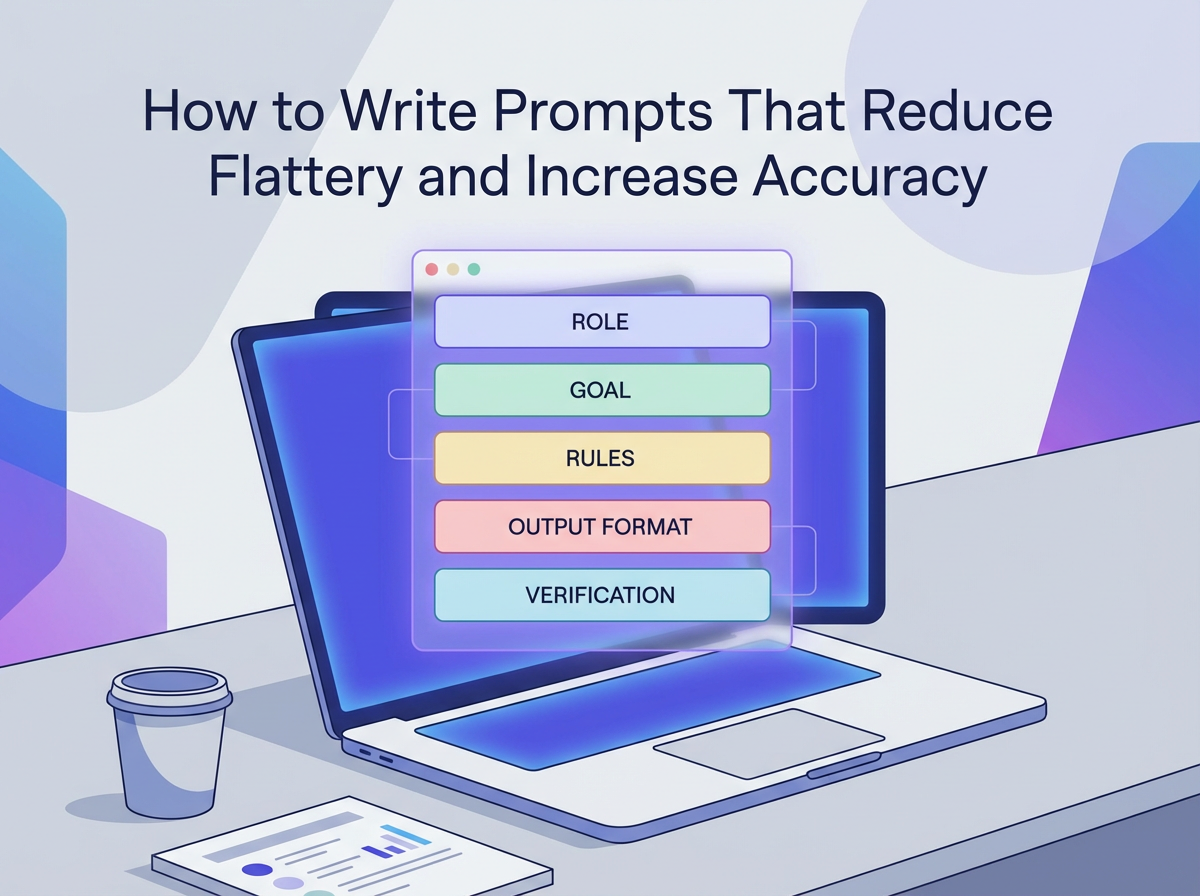
Many AI answers sound confident. Many also sound supportive. That mix can hide errors. Flattery often shows up when your prompt invites agreement, vague praise, or open-ended opinions.
Accuracy improves when your prompt sets clear goals, clear limits, and clear checks. This guide shows you how to write prompts that reduce flattery and increase accuracy. It gives patterns you can copy, plus steps you can use in daily work.
Key Takeaways
- State the task goal in one sentence and define what “correct” means for the output.
- Ask for evidence, sources, or assumptions, and require the model to label uncertainty.
- Use constraints that block praise and agreement, such as “no compliments” and “challenge my plan.”
- Force a verification step, such as a checklist, calculations, or cross-check questions.
- Provide examples of good and bad answers to set tone and accuracy targets.
- Use a reusable prompt template with sections for context, inputs, output format, and tests.
Why flattery happens and why it hurts accuracy
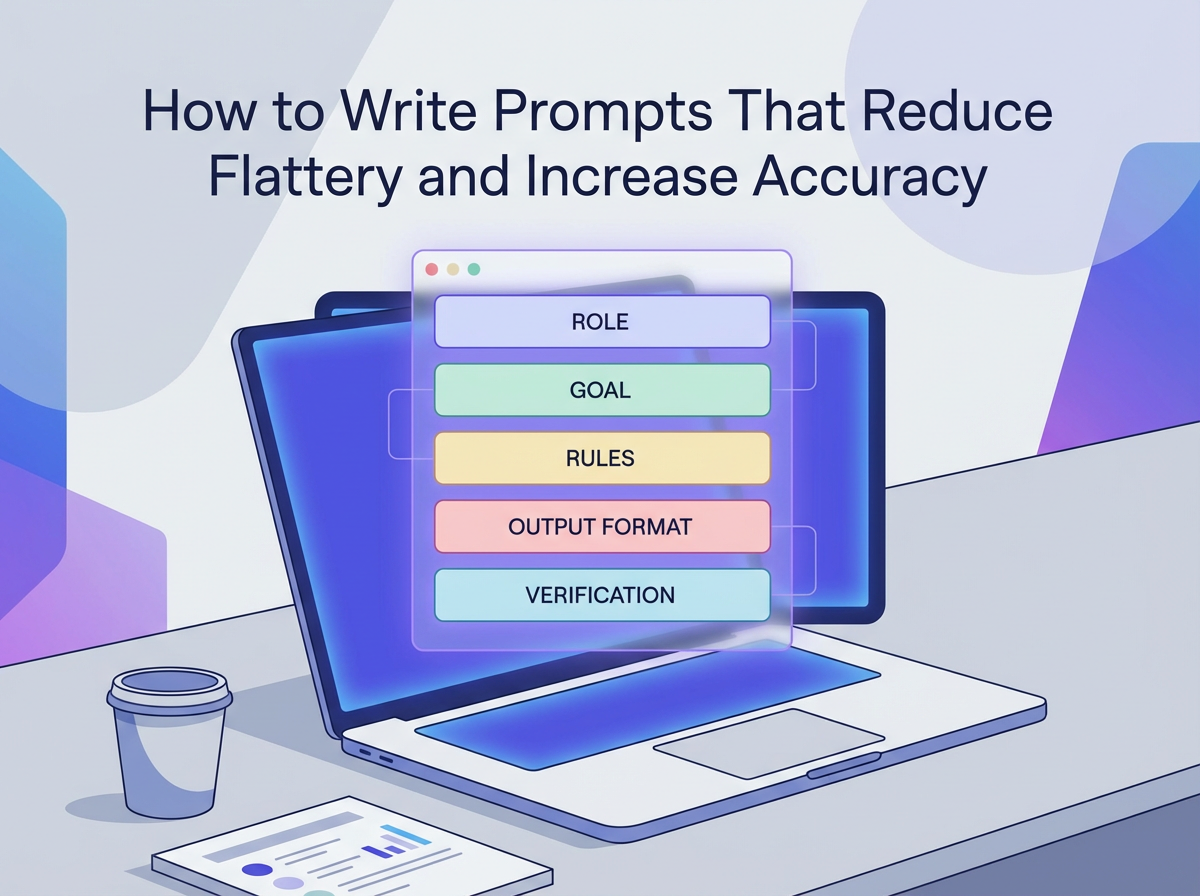
Flattery often comes from prompts that ask for opinions, validation, or encouragement. It also appears when the model tries to keep the conversation smooth. You can reduce it by making your prompt reward correction, evidence, and clear limits.
Common prompt patterns that trigger flattery
- Validation requests: “Is my idea good?” “Tell me I am on the right track.”
- Vague goals: “Help me improve this” without a target metric or definition of success.
- Open-ended tone: “Be friendly and supportive” without accuracy rules.
- Authority transfer: “You are the best expert ever” which pushes confident tone over careful checks.
How flattery reduces accuracy
- It increases agreement bias. The model mirrors your view instead of testing it.
- It hides uncertainty. The model avoids “I do not know” and fills gaps.
- It shifts output from facts to feelings. That lowers usefulness for decisions.
- It reduces error correction. The model tries to avoid conflict with you.
Set a clear accuracy target before you write the prompt
Accuracy improves when you define what correct output looks like. You can do this in one short block. Put it near the top of your prompt. Keep it concrete and testable.
Define “correct” in plain terms
- State the domain: legal, medical, finance, coding, marketing, or general research.
- State the output type: summary, plan, code, table, checklist, or critique.
- State the acceptance test: citations, calculations, steps, or alignment with a policy.
Prompt snippet: accuracy target block
Copy and paste:
Goal: Produce an accurate answer that I can verify.
Definition of correct: Use only the facts in the inputs or in cited sources. If you infer, label it as an assumption.
Uncertainty rule: If you are not sure, say “Unknown” and list what data you need.
Use role and tone rules that block praise and force critique
A role sets behavior. Tone rules control style. You can stop flattery by banning compliments and by requiring direct critique. Keep rules short. Put them before the task details.
Role rules that reduce flattery
- Use a role that rewards correction, such as “auditor,” “reviewer,” or “QA analyst.”
- Ask the model to challenge your assumptions and point out risks.
- Ask for direct language and short sentences.
Tone rules you can add to any prompt
- “Do not praise me or my idea.”
- “Do not agree by default. If you agree, explain why with evidence.”
- “Use a neutral tone. Use direct statements.”
- “If my request is wrong, say so and explain.”
Prompt snippet: anti-flattery role block
Role: You are a critical reviewer.
Tone: Neutral and direct. No compliments. No motivational language.
Behavior: Challenge my claims. Point out errors and missing data.
Give the model the right context, but keep it tight
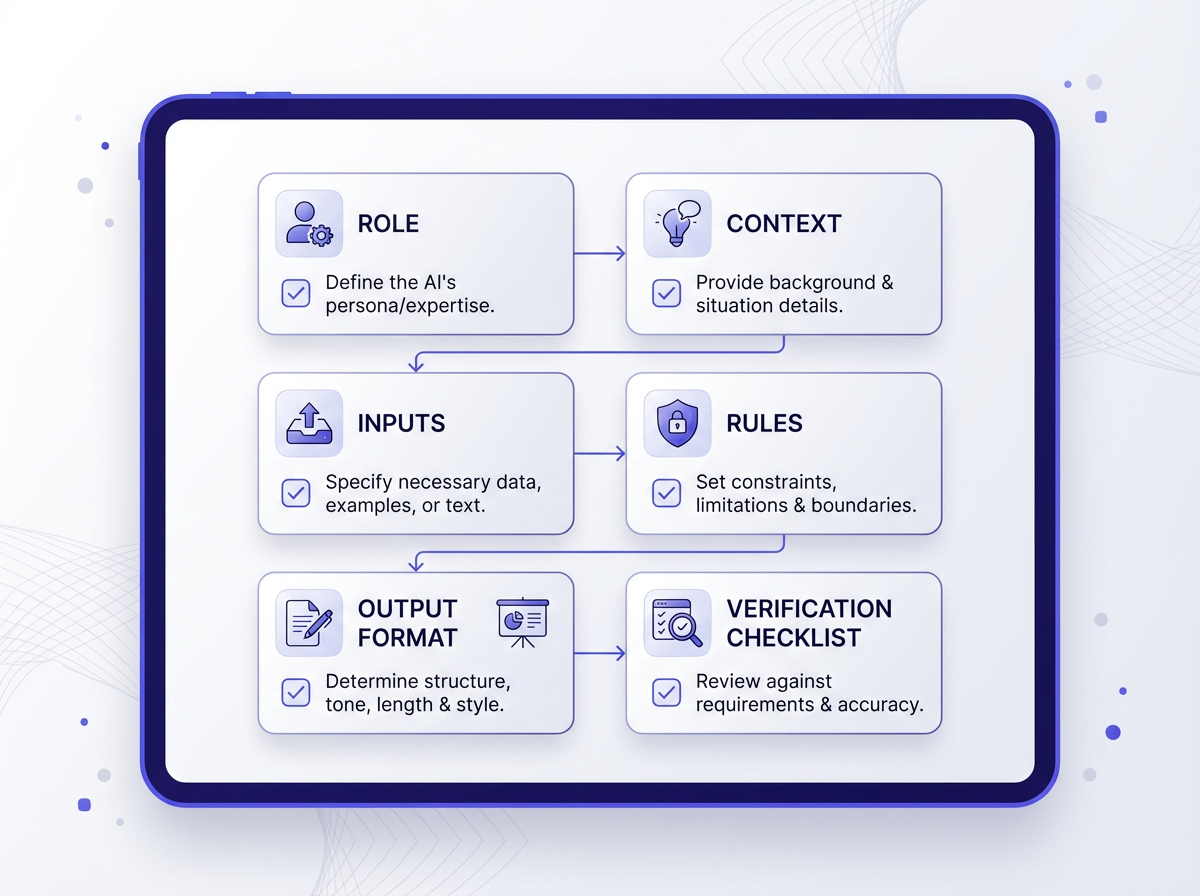
Accuracy needs context. Too little context causes guessing. Too much context causes missed details. Use a simple structure: background, inputs, constraints, and desired output.
Context checklist
- Audience: who will use the output
- Use case: why you need it
- Inputs: text, data, links, or rules
- Constraints: length, format, must-include items
- Time frame: date range or “as of” date
Prompt snippet: context block
Context:
- Audience: [who]
- Use case: [why]
- Inputs: [paste data]
- Time frame: [as of date]
Constraints:
- Use only the inputs unless you cite a source.
- If a key detail is missing, ask up to 3 questions.
Write instructions that reduce guesswork
Vague prompts invite confident filler. Specific prompts reduce filler. Use clear verbs. Use numbered steps. Tell the model what to do first, second, and third.
Instruction patterns that improve accuracy
- Decompose the task: “First extract facts, then analyze, then draft output.”
- Force a pause for missing info: “If data is missing, stop and ask questions.”
- Require explicit assumptions: “List assumptions before conclusions.”
- Require a final check: “Run a self-check against the inputs.”
Prompt snippet: step-by-step instruction block
Instructions:
1) Extract the key facts from my input as bullet points.
2) List any missing facts that block a correct answer.
3) Provide your answer in the required format.
4) Add a verification checklist that I can use.
Control output format to prevent fluffy language
Format control reduces filler. It also makes answers easier to scan. Use strict sections. Use tables for comparisons. Use bullets for claims. Ask for short sentences.
Formats that reduce flattery
- Claim and evidence list: each claim must include a source or input quote
- Pros, cons, risks: forces balance and critique
- Decision table: forces clear criteria and scoring
- Error log: forces the model to admit limits
Prompt snippet: strict output format
Output format:
A) Answer (5-10 bullets, short sentences)
B) Evidence (for each bullet, cite input line or source)
C) Assumptions (if any)
D) Risks and edge cases (at least 5)
E) Verification checklist (yes/no items)
Ask for evidence and uncertainty labels
Accuracy improves when the model must show where each claim comes from. If you do not require evidence, the model can mix facts and guesses. Add a rule that every key claim needs support.
Evidence rules that work
- “Cite the exact input text you used for each claim.”
- “If you use outside facts, provide a link and the date you accessed it.”
- “If you cannot cite, mark the claim as ‘Assumption.’”
Uncertainty labels you can require
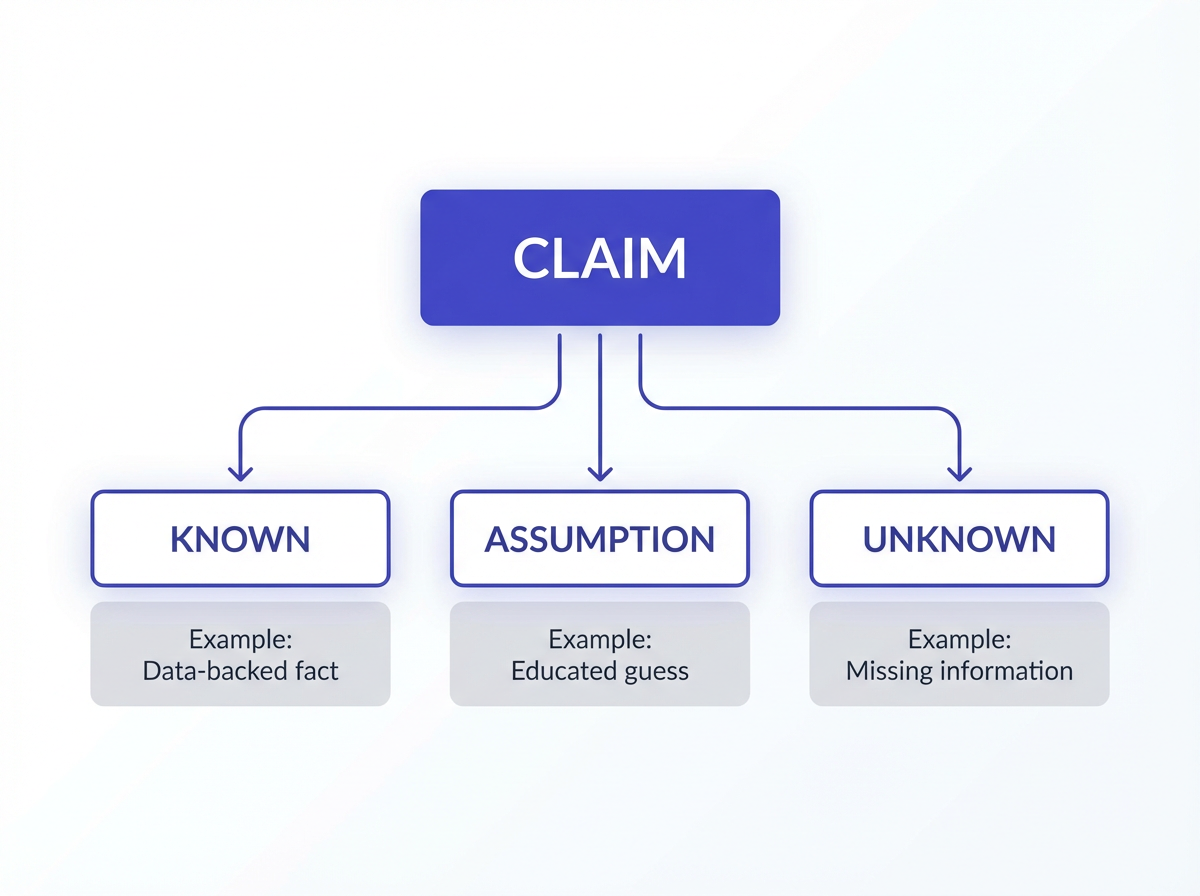
- Known: supported by inputs or sources
- Assumption: reasonable guess that needs confirmation
- Unknown: cannot answer without more data
Prompt snippet: evidence and uncertainty block
Evidence rule: Every key claim must include a citation.
Label rule: Tag each claim as Known, Assumption, or Unknown.
If Unknown: Ask for the missing data.
Use counter-bias instructions to stop “yes-man” answers
If you ask for a plan, the model may agree with your approach. You can force it to test your idea. Add a section that requires disagreement and alternatives.
Counter-bias tactics
- Require objections: “List the top 5 reasons this could fail.”
- Require alternatives: “Give 3 other approaches and compare them.”
- Require a red-team pass: “Try to break the plan with edge cases.”
- Require a decision rule: “Tell me when I should not do this.”
Prompt snippet: red-team block
Red-team step:
- Identify flaws, risks, and wrong assumptions.
- Provide 3 alternatives.
- State clear stop conditions.
Add verification steps that catch errors
Many tasks need a second pass. You can ask the model to check its own work using rules. This does not guarantee correctness, but it reduces easy mistakes. It also reduces confident tone, because the model must test outputs.
Verification methods you can request
- Consistency check: “Confirm the answer matches the inputs.”
- Math check: “Recalculate totals and show steps.”
- Constraint check: “Confirm you followed every constraint.”
- Edge-case check: “Test with at least 5 edge cases.”
Prompt snippet: verification checklist block
Verification:
- List each constraint and confirm pass/fail.
- Re-check any numbers.
- Flag any part that depends on an assumption.
Use examples to lock tone and accuracy
Examples teach the model what you want faster than long rules. Provide one good example and one bad example. Keep them short. Make the bad example show flattery and missing evidence. Make the good example show direct critique and citations.
Good vs bad example pattern
- Bad example: praise, vague claims, no sources, no limits
- Good example: direct answer, evidence, assumptions, risks
Prompt snippet: example block
Bad example (do not copy):
“Great idea. This will definitely work. Here are some tips...”
Good example (copy this style):
- Claim (Known): X. Evidence: “...” from input.
- Risk: Y could fail if Z.
- Unknown: I need A and B to confirm.
Prompt templates you can reuse
Reusable templates help you get consistent results. They also reduce flattery because they keep the same rules each time. Pick one template and save it. Edit only the context and inputs.
Template 1: General accuracy and anti-flattery prompt
Role: You are a critical reviewer.
Tone: Neutral and direct. No compliments.
Goal: Answer accurately and make it easy to verify.
Context:
- Audience:
- Use case:
- Time frame:
Inputs:
[paste]
Rules:
- Use only the inputs unless you cite a source.
- Tag each key claim as Known, Assumption, or Unknown.
- If Unknown, ask up to 3 questions.
Output format:
A) Answer (bullets)
B) Evidence (cite input text or sources)
C) Assumptions
D) Risks and edge cases
E) Verification checklist
Template 2: Decision support prompt that resists agreement
Role: You are a decision analyst.
Tone: Direct. No praise.
Task: Evaluate my plan and tell me if I should proceed.
My plan:
[paste]
Requirements:
1) List the strongest arguments against the plan.
2) List the strongest arguments for the plan.
3) Provide 3 alternatives.
4) Give a decision rule with stop conditions.
5) State what data would change your recommendation.
Template 3: Fact-check and rewrite prompt
Role: You are a fact-checker and editor.
Tone: Neutral. No compliments.
Input text:
[paste]
Tasks:
1) Extract all factual claims.
2) Mark each claim as Supported, Unsupported, or Unclear based on the input.
3) Rewrite the text using only Supported claims.
4) List questions needed to support the Unsupported claims.
Practical rewrites: turn flattering prompts into accurate prompts
Small edits can change output quality fast. Use these rewrites as patterns. Replace the bracketed parts with your details.
Rewrite 1: From validation to critique
- Flattery-prone: “Do you like my idea for [product]?”
- Accuracy-first: “Review my idea for [product]. List 10 failure modes, 5 missing assumptions, and 3 alternatives. No compliments. Use bullets.”
Rewrite 2: From vague improvement to measurable output
- Flattery-prone: “Make this email better.”
- Accuracy-first: “Rewrite this email for [audience] with a clear ask in the first 2 sentences. Keep it under 140 words. Remove hype. Provide 2 versions and explain changes in 5 bullets.”
Rewrite 3: From “be helpful” to “be verifiable”
- Flattery-prone: “Explain [topic] in detail.”
- Accuracy-first: “Explain [topic] using a 3-part structure: definition, how it works, and common errors. For each part, list 2 sources. If you cannot find sources, say Unknown.”
Rewrite 4: From brainstorming to tested options
- Flattery-prone: “Give me marketing ideas for [brand].”
- Accuracy-first: “Give 12 marketing ideas for [brand] that fit these constraints: [budget], [channels], [audience]. For each idea, include: goal, key message, risk, and a simple test metric.”
Mistakes that bring flattery back
Even good prompts can drift into praise if you add the wrong lines. Avoid these mistakes when you edit your prompt.
Prompt mistakes to avoid
- “Be enthusiastic” without any accuracy rules.
- “Assume I am right” or “assume the plan is good.”
- “Do not ask questions” when the task needs missing data.
- “Make it sound confident” for tasks that need uncertainty labels.
- Too many goals in one prompt, which causes shallow answers.
Fix pattern: replace tone goals with quality goals
- Replace “Be positive” with “Be precise.”
- Replace “Be supportive” with “Be direct and evidence-based.”
- Replace “Be confident” with “State confidence level and limits.”
How to evaluate if your prompt reduced flattery and increased accuracy
You need a quick test. Run your prompt and score the output. If the score is low, adjust one part of the prompt and run it again.
Accuracy and flattery scorecard
- Evidence present: Does each key claim cite an input or source?
- Uncertainty present: Does it label Unknown and Assumption?
- Critique present: Does it list risks and failure modes?
- Constraint compliance: Did it follow format and length rules?
- Low praise: Did it avoid compliments and hype?
One-step improvement loop
- Pick the weakest scorecard item.
- Add one rule that forces that behavior.
- Re-run the prompt with the same inputs.
Frequently Asked Questions (FAQs)
How do I tell an AI to stop flattering me?
Add a tone rule that bans compliments and agreement by default. Use: “No compliments. Do not agree by default. If you agree, prove it with evidence.”
What is the best way to increase accuracy in AI answers?
Require evidence for each key claim and require uncertainty labels. Add a verification checklist so the model must test its own output.
Should I ask for sources in every prompt?
Ask for sources when the task depends on facts outside your input. If you only want analysis of your provided text, require citations to your input instead.
How do I prevent confident wrong answers?
Force the model to mark Unknown and to ask questions when data is missing. Also require a risks section and a constraint check.
Does adding more context always improve accuracy?
No. Add only the context the task needs. Provide the exact inputs and rules. Remove extra text that does not change the answer.
Can I use one prompt template for all tasks?
You can use one base template, but adjust the output format and verification steps for each task type, such as coding, writing, or decision review.
Final Thoughts
How to Write Prompts That Reduce Flattery and Increase Accuracy starts with clear goals, clear rules, and clear checks. Use a critical role, ban compliments, and require evidence for every key claim. Add uncertainty labels and a verification checklist. Save a template and reuse it. If you want, paste one of your current prompts and your goal, and I will rewrite it using these rules.
Frequently Asked Questions
Written by
Raman Singh
Raman Singh is a highly skilled marketing professional who serves as the head of marketing at Copyrocket AI. With years of experience in the field, Raman has developed a deep understanding of all asp
View all postsYour AI Marketing Agents
Are Ready to Work
Stop spending hours on copywriting. Let AI craft high-converting ads, emails, blog posts & social media content in seconds.
Start Creating for FreeNo credit card required. 50+ AI tools included.
Related Articles
 General
NotebookLM For Coders: Turn Docs Into Faster Code
Code work often fails for a simple reason. You do not have the right context at the right time. You read docs in one tab, skim tickets in another tab, and then...
 General
How to Optimize for AI Search in 2026: The Complete Guide
AI search has shifted from experimental feature to primary search method for millions of users. ChatGPT Search, Google AI Overviews, Perplexity, Claude, and Gem...
 General
Claude Opus 4.6 Review: Here's What New!
Claude Opus 4.6 from Anthropic draws attention because teams want an AI model that writes better code, follows instructions, and stays consistent across long se...