
How to use Bing AI Image Creator to create images for free

Mike Huddlesman
Meet Mike Huddlesman, the brilliant mind behind CopyRocket AI

Microsoft gives you free access to the same image AI that powers ChatGPT's $20/month Plus plan — and most people don't know it. Bing Image Creator runs DALL-E 3, GPT-4o, and Microsoft's own MAI-Image-2e model, all at no cost, from a browser with no downloads required.
This guide covers everything you need to use it in 2026: the step-by-step process, how the three models differ, the daily limits, and the prompt formula that separates mediocre outputs from sharp, usable images.
Key Takeaways
Bing Image Creator is free to use with a personal Microsoft account. You get 15 fast generations per day and unlimited generations at standard speed — no credit card required.
As of May 2026, Bing Image Creator supports three AI models: DALL-E 3 (OpenAI), GPT-4o image generation, and MAI-Image-2e (Microsoft's own model). You choose which one to use per prompt.
The tool generates 4 image variations per prompt and stores your creation history for 90 days. Prompts are capped at approximately 480 characters.
Work and school Microsoft accounts (Entra ID) are not supported — you need a personal Microsoft account (Outlook, Hotmail, Xbox, or Skype credentials work).
After generating, you can click "Customize" to open the image in Microsoft Designer for background removal, text overlays, and generative erase.
A good prompt follows a five-part structure: Subject + Action/Mood + Setting + Style + Technical specs. The difference between a weak and strong output is almost entirely in the prompt.
What Is Bing Image Creator in 2026?
Bing Image Creator is Microsoft's free AI image generator, accessible at bing.com/images/create. You type a description, pick a model, and get four AI-generated images within seconds.
It's integrated across Microsoft's ecosystem: the Bing search bar, the Edge browser sidebar, Microsoft Copilot, and Microsoft Designer. You don't need to switch apps — the same tool is available wherever you're already working.
The three AI models available in 2026
This is the biggest change from 2024. The tool now offers three models you can select before generating:
DALL-E 3 (OpenAI): The same model available in ChatGPT Plus at $20/month, delivered free through Bing. Best for photorealistic images, accurate text rendering, and detailed scenes. This is the default and the most widely tested model.
GPT-4o image generation: OpenAI's newer multimodal model produces images with stronger compositional accuracy and handles complex scenes with multiple subjects better than DALL-E 3 alone. Good for detailed illustrations and product concepts.
MAI-Image-2e (Microsoft): Microsoft's own model, optimized for stylized and artistic outputs. Better than DALL-E 3 for anime, abstract, and concept art styles where photorealism isn't the goal.
Where to access it
Desktop: bing.com/images/create — the primary interface
Bing search: Type "create image of…" directly in the Bing search bar
Microsoft Edge: Copilot icon in the right sidebar → Image Creator tab
Microsoft Copilot: Ask Copilot to generate an image in any conversation
Microsoft Designer: designer.microsoft.com — full editing environment
How to Use Bing Image Creator (Step-by-Step)
Step 1: Sign in with a personal Microsoft account
Go to bing.com/images/create and click "Join & Create." Log in with any personal Microsoft account — Outlook, Hotmail, Xbox, Skype credentials all work.
Important: Work and school accounts (Microsoft Entra ID / M365 organizational accounts) are not supported. If you only have a work account, create a free personal Microsoft account separately.
Step 2: Write your prompt
Type your image description into the text field. Bing recommends a minimum of 6 words. Prompts are capped at approximately 480 characters (~90 words). Longer, more descriptive prompts consistently outperform short ones.
Weak prompt: coffee shop in the morning
Strong prompt: a cozy independent coffee shop in Tokyo at 7am, rain on the windows, warm amber light from pendant lamps, two people reading at wooden tables, cinematic photography, shallow depth of field, 4K
Step 3: Choose your AI model
Before hitting Create, select the model that fits your use case. DALL-E 3 for photorealistic images, MAI-Image-2e for stylized or artistic outputs, GPT-4o for scenes with complex composition.
Step 4: Click Create
Hit the pink Create button. Within a few seconds to a minute (depending on server load and whether you're using fast or standard speed), Bing generates four image variations.
Step 5: Select and download
Browse the four variations. Click your preferred image to expand it, then choose from: Download, Share, Save to account, or Customize.
Step 6: Customize in Microsoft Designer (optional)
Clicking "Customize" opens the image in Microsoft Designer, where you can remove the background, add text overlays, use generative erase to fix minor errors, and resize for different social media formats. This is the fastest way to get a publication-ready asset from a raw generation.
How to Write Prompts That Get Good Results
The output quality from any AI image generator is almost entirely determined by the prompt. The same model produces very different results depending on how specifically you describe the scene.
The five-part prompt formula
[Subject] + [Action/Mood] + [Setting] + [Style] + [Technical specs]
Apply all five components to every prompt. Leaving out the style or technical specs is the most common mistake — the model defaults to generic outputs without them.
Ready-to-use prompt examples by content type
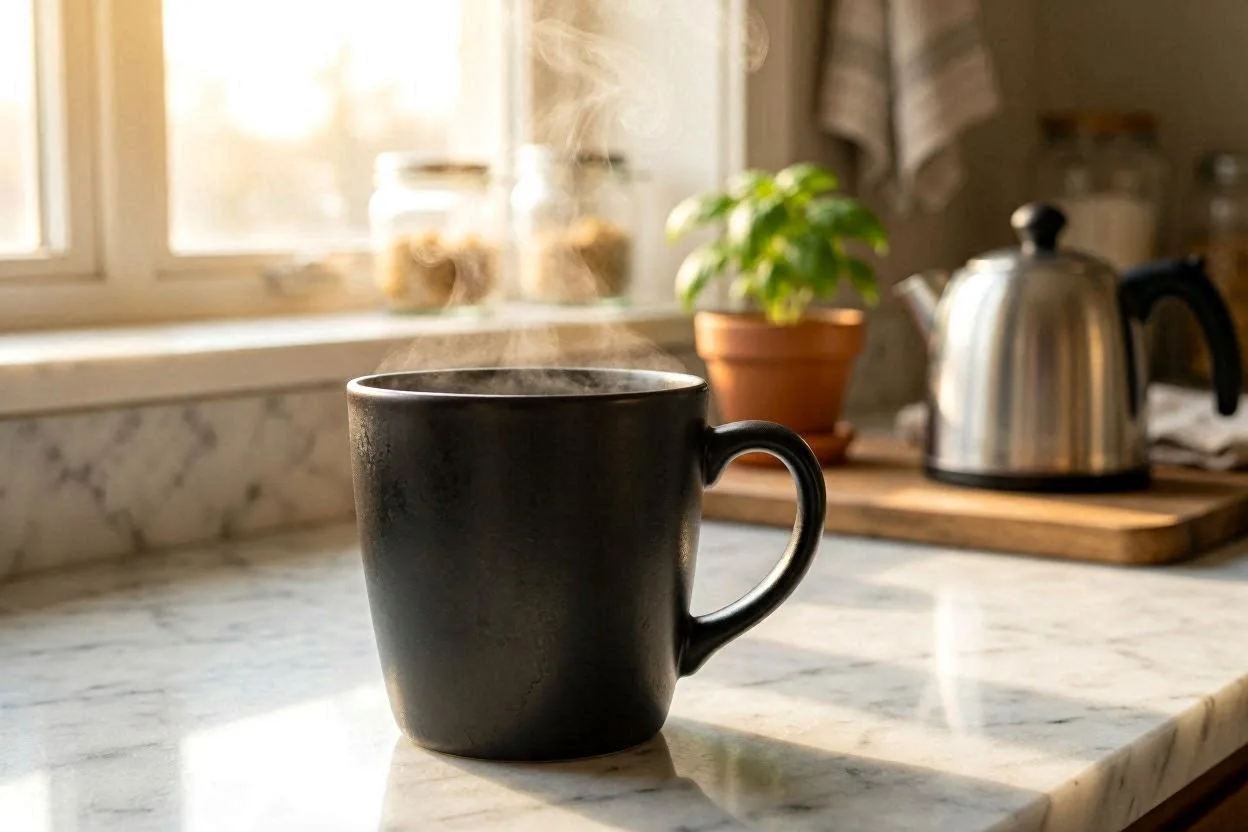
Product marketing:
A matte black ceramic coffee mug on a white marble surface, steam rising in a slow spiral, morning kitchen window light coming from the left, commercial photography style, warm tones, shallow depth of field, 4K
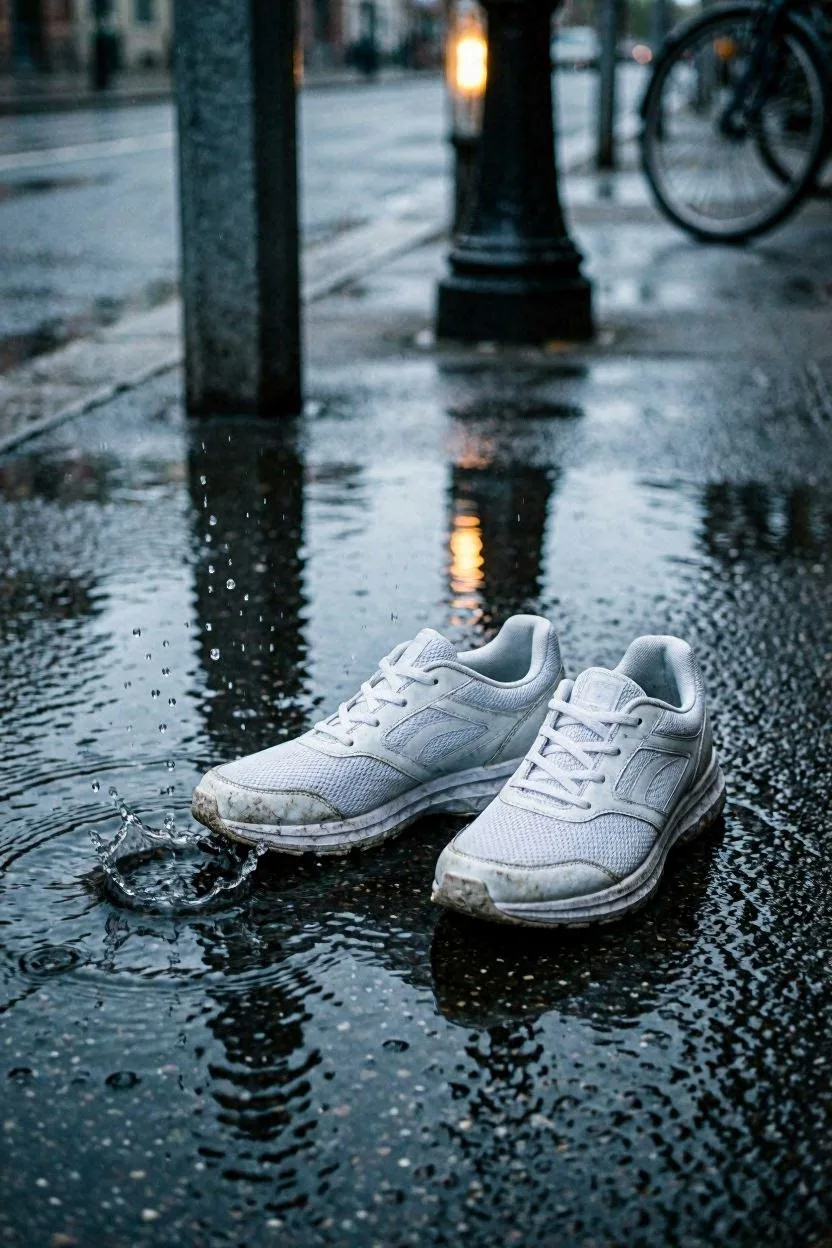
Social media (Reels / Shorts cover):
A pair of white running shoes on wet urban pavement at dusk, puddle splash in slow motion, one street lamp reflected in the water, desaturated cinematic color grade with a single warm accent, close-up shot
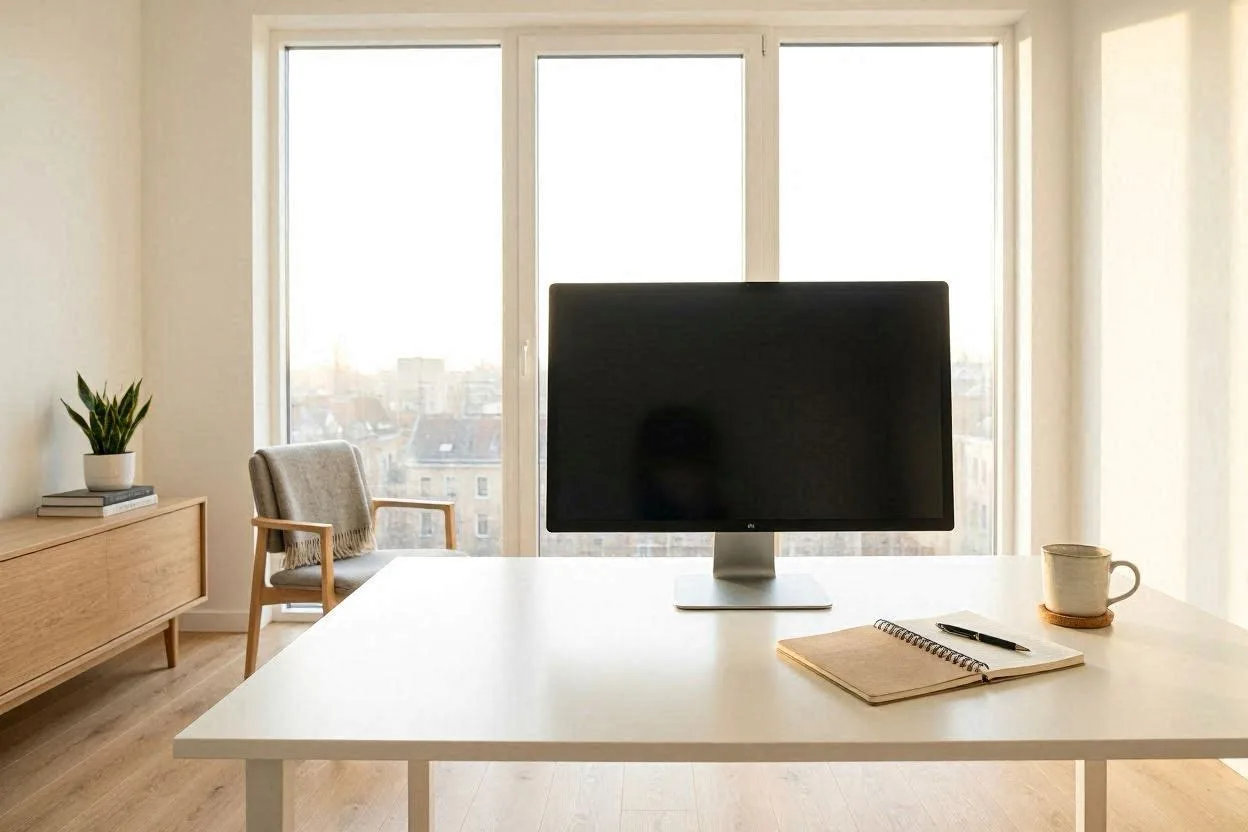
Blog header / editorial:
A minimalist home office with a single monitor, morning light through floor-to-ceiling windows, coffee mug and notebook on a clean white desk, no clutter, Scandinavian interior design aesthetic, wide angle, soft natural light
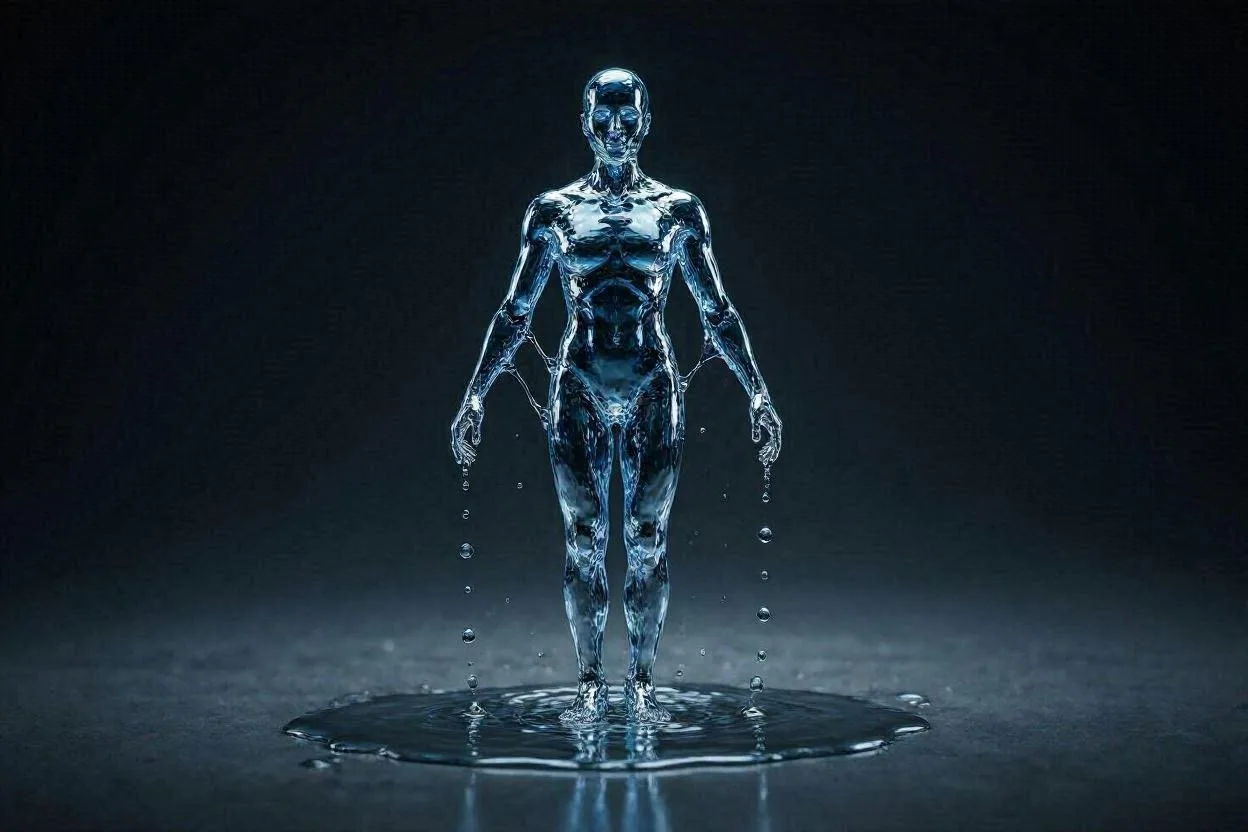
Abstract / concept art:
A human figure made entirely of flowing water, suspended in mid-air against a dark charcoal background, high contrast, digital art, dramatic studio lighting, ultra-detailed, 8K resolution
Prompt tips that consistently improve output
Add a camera angle: "close-up", "overhead flat-lay", "bird's eye view", "wide angle", "macro photography"
Specify lighting: "golden hour light", "soft diffused north light", "neon signs", "studio softbox lighting", "dramatic shadows"
Name an art style: "cinematic photography", "oil painting", "watercolor illustration", "photorealistic", "Studio Ghibli style", "1930s advertising poster"
Include resolution/quality cues: "4K", "8K", "ultra-detailed", "sharp focus" — these push the model toward higher-detail outputs
Writing negative prompts
To exclude specific elements, describe the scene as you want it rather than listing negations. "Empty minimalist desk with no objects except a single mug" works better than "no clutter, no extra items, no distractions."
Bing Image Creator Limits, Pricing, and Credits
Free tier (default)
15 fast generations per day — near-instant delivery
Unlimited standard-speed generations — 30–60 seconds per batch after your daily fast limit is used
No credit card required. Free generations reset every 24 hours.
Microsoft Copilot Pro ($20/month)
Increases your fast generation limit to 100 per day. Same price as ChatGPT Plus, but with significantly higher image generation limits. Worth it for content creators producing images daily.
Microsoft Rewards
You can earn Rewards points through Bing searches and redeem them for additional fast generations (10 points per fast creation). Not the most efficient system for high-volume production, but a free boost for casual users.
What the slow tier actually feels like
Standard speed is fully usable. Most users report 30–60 second wait times after the fast limit is hit. For non-time-sensitive work — blog illustrations, background research visuals, concept prototyping — the free slow tier is sufficient for most workflows.
Bing Image Creator vs. Alternatives (2026)
Feature | Bing Image Creator | Midjourney | Adobe Firefly | GPT-IMAGE-2 (ChatGPT Plus) |
|---|---|---|---|---|
Price | Free | $10/month min | Free tier + paid | $20/month |
AI Models | DALL-E 3, GPT-4o, MAI-2e | Proprietary | Adobe Firefly | GPT-Image-2 |
Daily limit | 15 fast + unlimited slow | ~200 fast/month | 25 fast/month (free) | Limited on free |
Commercial use | Yes (personal accounts) | Yes (paid plans) | Yes | Yes |
Editing tools | Basic (via Designer) | Advanced | Advanced (Adobe CC) | Basic |
Video generation | Yes (mobile, Bing Video Creator) | No | No | No |
Login required | Personal Microsoft account | Discord or Web | Adobe account | OpenAI account |
vs. ChatGPT Plus: Functionally identical access to GPT-IMAGE-2, but Bing is free while ChatGPT Plus costs $20/month. Unless you specifically need ChatGPT's other features, there's no reason to pay for GPT-IMAGE-2 access when Bing gives it for free.
vs. Midjourney: Midjourney produces more artistically refined outputs for stylized illustration and professional art. But it starts at $10/month and requires more precise prompting. Bing is the right starting point — upgrade to Midjourney when the free tier's limitations become a constraint.
vs. Adobe Firefly: Firefly is trained exclusively on licensed content, making it the safest option for commercial use in large enterprise environments. If you're in Adobe's Creative Cloud ecosystem, Firefly integrates tightly. For everyone else, Bing's free access and equivalent output quality makes it the better choice.
Bottom line: For free, high-quality AI image generation in 2026, Bing Image Creator has no serious competition on price. The only reason to pay for an alternative is if you need advanced editing tools or a very specific artistic style that Midjourney handles better.
Final Thoughts
Bing Image Creator is the best free AI image generator available in 2026. Free access to DALL-E 3 and GPT-4o — the same models behind paid tools — with no credit card and no waitlist.
The tool works best when your prompts are specific. Use the five-part formula (Subject → Action/Mood → Setting → Style → Technical specs) for every generation. Switch between the three models based on your use case. And when the free limits feel tight, standard-speed generation is still fully usable for most content workflows.
CopyRocket's AI tools can help you generate image prompts, write social captions to pair with your visuals, and build a complete AI content pipeline — so your Bing Image Creator outputs are always part of a broader, coordinated content strategy.
Frequently Asked Questions

Written by
Mike Huddlesman
Meet Mike Huddlesman, the brilliant mind behind CopyRocket AI. As the founder of this innovative company, Mike brings a wealth of experience in machine learning, PHP, and Next JS to the table. With h
View all postsYour AI Marketing Agents
Are Ready to Work
Stop spending hours on copywriting. Let AI craft high-converting ads, emails, blog posts & social media content in seconds.
Start Creating for FreeNo credit card required. 50+ AI tools included.
Related Articles
 General
NotebookLM For Coders: Turn Docs Into Faster Code
Code work often fails for a simple reason. You do not have the right context at the right time. You read docs in one tab, skim tickets in another tab, and then...

 General
How to Optimize for AI Search in 2026: The Complete Guide
AI search has shifted from experimental feature to primary search method for millions of users. ChatGPT Search, Google AI Overviews, Perplexity, Claude, and Gem...
 General
Claude Opus 4.6 Review: Here's What New!
Claude Opus 4.6 from Anthropic draws attention because teams want an AI model that writes better code, follows instructions, and stays consistent across long se...