
I Tested Claude Design on My Real Brand - Here's Everything I Built

Raman Singh
Raman Singh is a highly skilled marketing professional who serves as the head of marketing at Copyrocket AI

Anthropic launched Claude Design on April 17, 2026, and I jumped in the same day. Within roughly 27 minutes of real use — creating a system design from my website, generating wireframes, high-fidelity landing pages, a full mobile app flow, a 20-second promo video, a 10-slide deck, and a 5-slide Instagram carousel — I hit 100% of my weekly Claude Design limit on the Max 5x plan and kept going on extra usage. I tracked every dollar.
I tested every feature I could reach. This is the full review from someone who actually used it on a real brand, not a demo.
If you want to skip straight to the tool, it lives at claude.ai/design. Everything below is what I learned turning a prompt into working visuals and what you should know before you burn your own limits.
Checkout our 100+ Free AI Tools here.
Key Takeaways
Claude Design runs on Claude Opus 4.7 and is available as a research preview for Pro, Max, Team, and Enterprise subscribers — free users do not get access.
The system design phase is the core of the product. Claude scrapes your website, pulls your color palette, fonts, and patterns, and builds a reusable brand file that powers every design after it.
Token consumption is brutal. On Max 5x I burned through 90% of my weekly Claude Design allowance with just four or five prompts before I even finished testing.
Every output format I tried worked — landing page, mobile app screens, 20-second promo video, slide deck with speaker notes, Instagram carousels — and each one stayed on-brand.
Costs on extra usage with Opus 4.7 ran roughly $3 per Hi-Fi landing page, $2 for a mobile app flow, $4 for a 20-second promo video, and $7 for a 10-slide deck with speaker notes.
You can export your system design as a ZIP, plug the SKILL.md and README.md into Claude Code, and keep generating for the cost of regular Claude Code usage instead of Claude Design limits.
Switching to Sonnet 4.6 inside Claude Design settings drops the cost dramatically compared to Opus 4.7 if you need to stretch your budget.
What Claude Design Actually Is

Claude Design is a conversational visual design tool built by Anthropic Labs. You describe what you want, Claude generates it on a canvas, and you refine it through chat, inline edits, direct text editing, or adjustment sliders that Claude creates for you on the fly.
Inside the app I found a split interface. The left side is a prompt or chat area where you type instructions and pick the type of output — prototype, slide deck, animation, or blank canvas. The right side shows your recent work, your saved designs, and example projects from Anthropic (calculators, card systems, animations) that demo what the tool can do. A dedicated "Design System" section in the navigation holds your brand files and is the first thing you should set up.
According to the official Anthropic post, Claude Design supports realistic prototypes, product wireframes, design explorations, pitch decks, marketing collateral, and frontier design with voice, video, shaders, and 3D. In my session I confirmed most of those. The Canva integration is real — it came out of a deepened two-year partnership between Anthropic and Canva announced the same day as Canva AI 2.0 — and you can send any design directly to Canva to finish editing there.
The Weekly Limits Hit Me Immediately
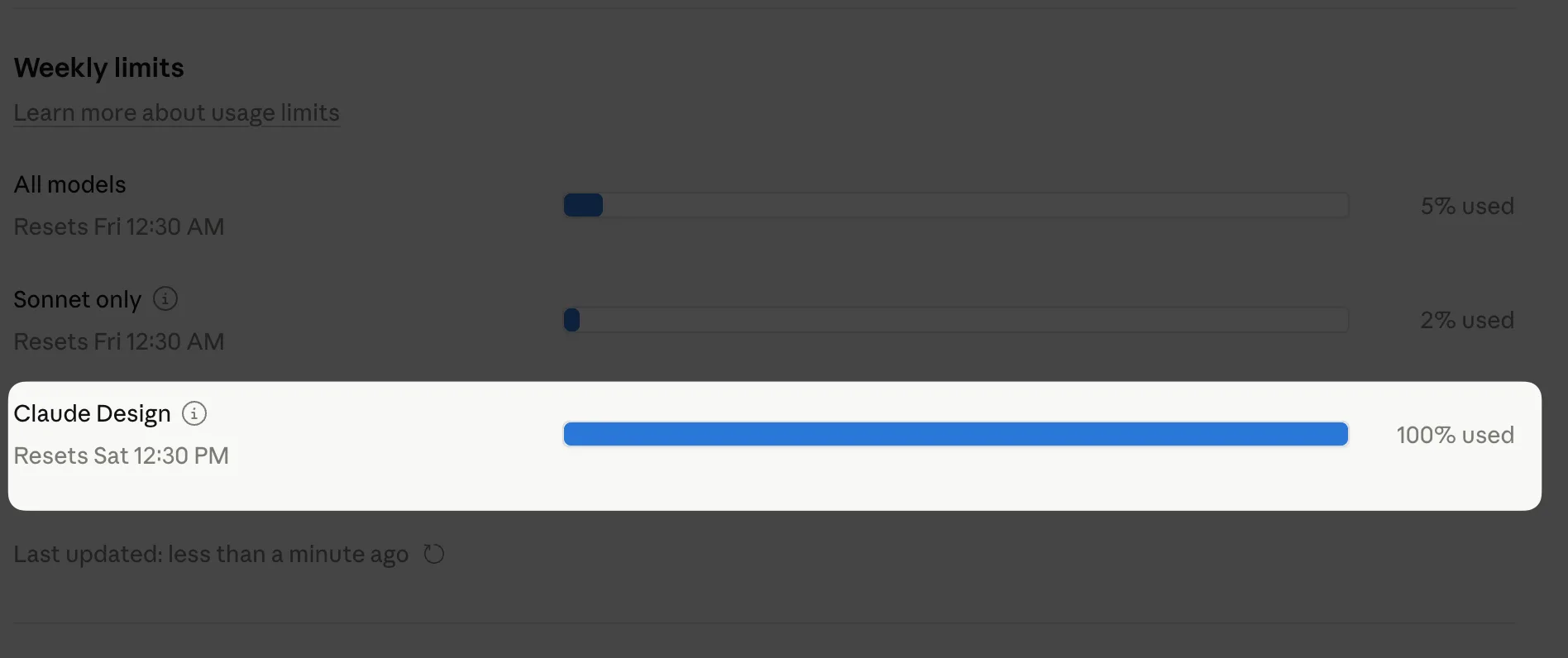
Before I even started testing, my first red flag was the weekly usage meter. I went into Claude Design already sitting at 90% of my weekly allowance because I had made four or five earlier prompts — a landing page draft, a newsletter, a mobile app flow, and a couple of slide decks. That was it. Four or five prompts on Max 5x and I was almost out.
This matches what other early users saw. PCWorld reported that a single 30-minute session on Claude Pro consumed 80% of the weekly allowance.
Anthropic's own support docs confirm that Max plans come with weekly limits in addition to five-hour session limits, and that heavy Opus 4.7 usage chews through capacity fast.
To keep testing, I enabled extra usage, which lets paid subscribers continue past their limits at standard API rates. I started with a $110 balance.
By the end of the session I had spent roughly $15-$20 on extra usage alone. If you are on the Claude Pro plan, expect to drain your Claude Design allowance in one good session. If you are on Max 20x, you get more runway but the same economic reality applies.
One detail the video community missed: Anthropic does not currently pool your Claude Design rate limit with Sonnet chat or other Claude models. That was a relief when I hit the ceiling — my regular Claude chat still worked. Check Settings > Usage inside Claude.ai to see your breakdown.
Watch The Full Breakdown Video of Claude Designs;
Setting Up the System Design — The Core of Everything
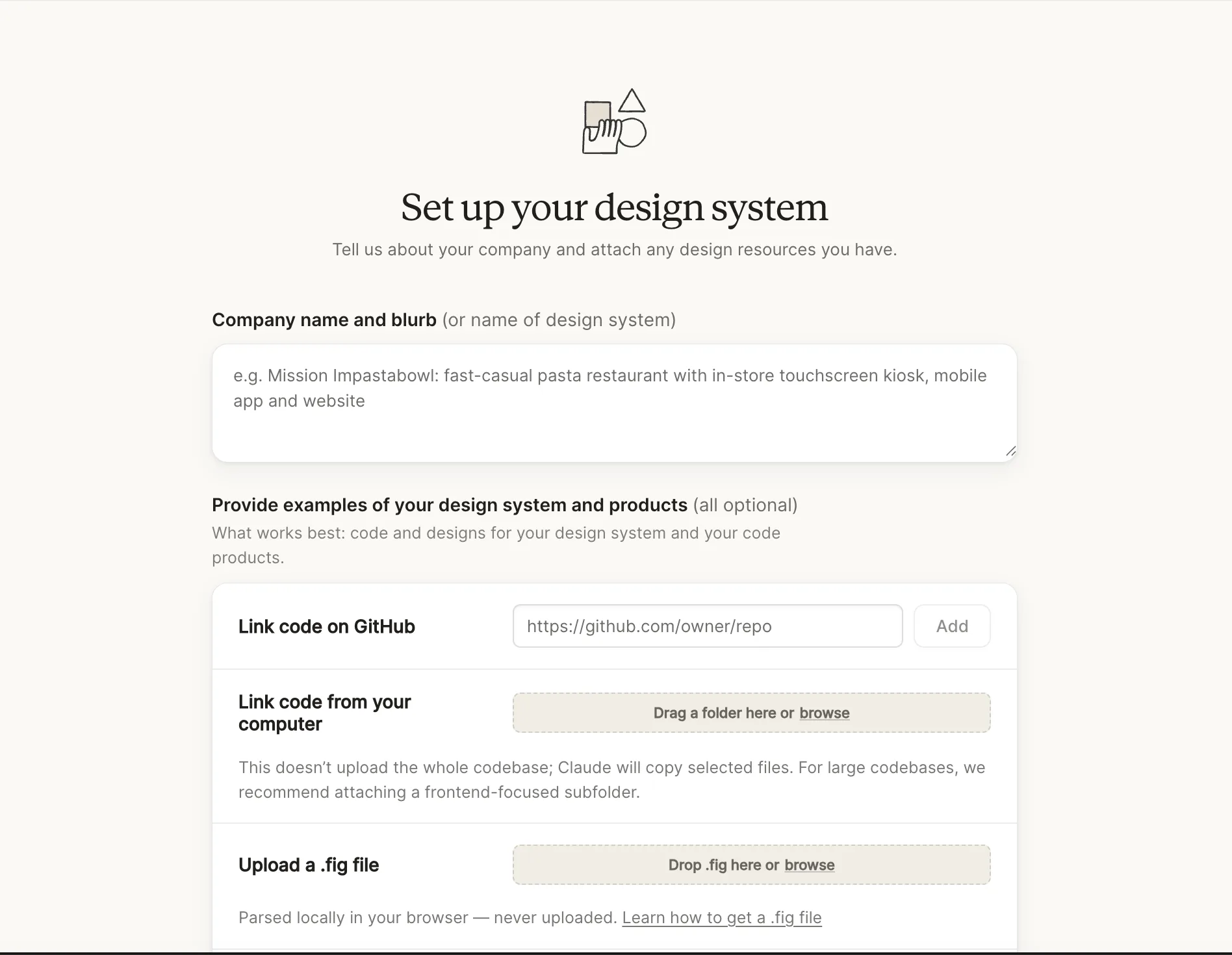
The system design is where you win or lose with this tool. Skip it, and every output feels generic. Do it right, and every design after it looks like it came from your in-house team.
To create it, I navigated to the "Set up design system" button on the left panel and clicked Create. Here is what the setup form asked for and what I did:
Company name and blurb. I named mine after promptslove.com, my AI prompt suite.
Website URL. This is the pro tip. If you skip the URL, Claude has no visual reference to work from. If you add it, Claude scrapes your site, extracts the color palette, typography, background patterns, gradients, and iconography, and turns them into a reusable brand file. I pasted my URL and let it crawl.
Provide design examples. You can upload:
A public GitHub repo (Claude reads the code)
A local folder, dragged in from your machine
A Figma file export (
.fig), which extracts color palette and typographyCustom fonts, logos, and assets
I added my Sora variable-weight font file and my logo. Anthropic's documentation confirms Claude Design supports DOCX, PPTX, XLSX, images, and codebase uploads as input. You can also use the web capture tool to grab elements from any site — a feature I did not test in this session but want to come back to.
Generation time. Anthropic says five minutes. Mine took closer to that. While it worked, the app silently transferred all my assets — logo, fonts, palette — into a structured folder in the project.
Once it finished, the system design file produced two documents I care about: SKILL.md and README.md. These hold everything — company context, do's and don'ts, hex colors, typography rules, spacing, layout style, iconography guidance. That SKILL.md structure is the same format used across Anthropic's official skills system, and this is the hack most reviewers miss: you can export the whole system design as a ZIP, drop it into Claude Code, and keep generating designs through Claude Code without burning Claude Design limits.
Refining the System Design Before You Build Anything
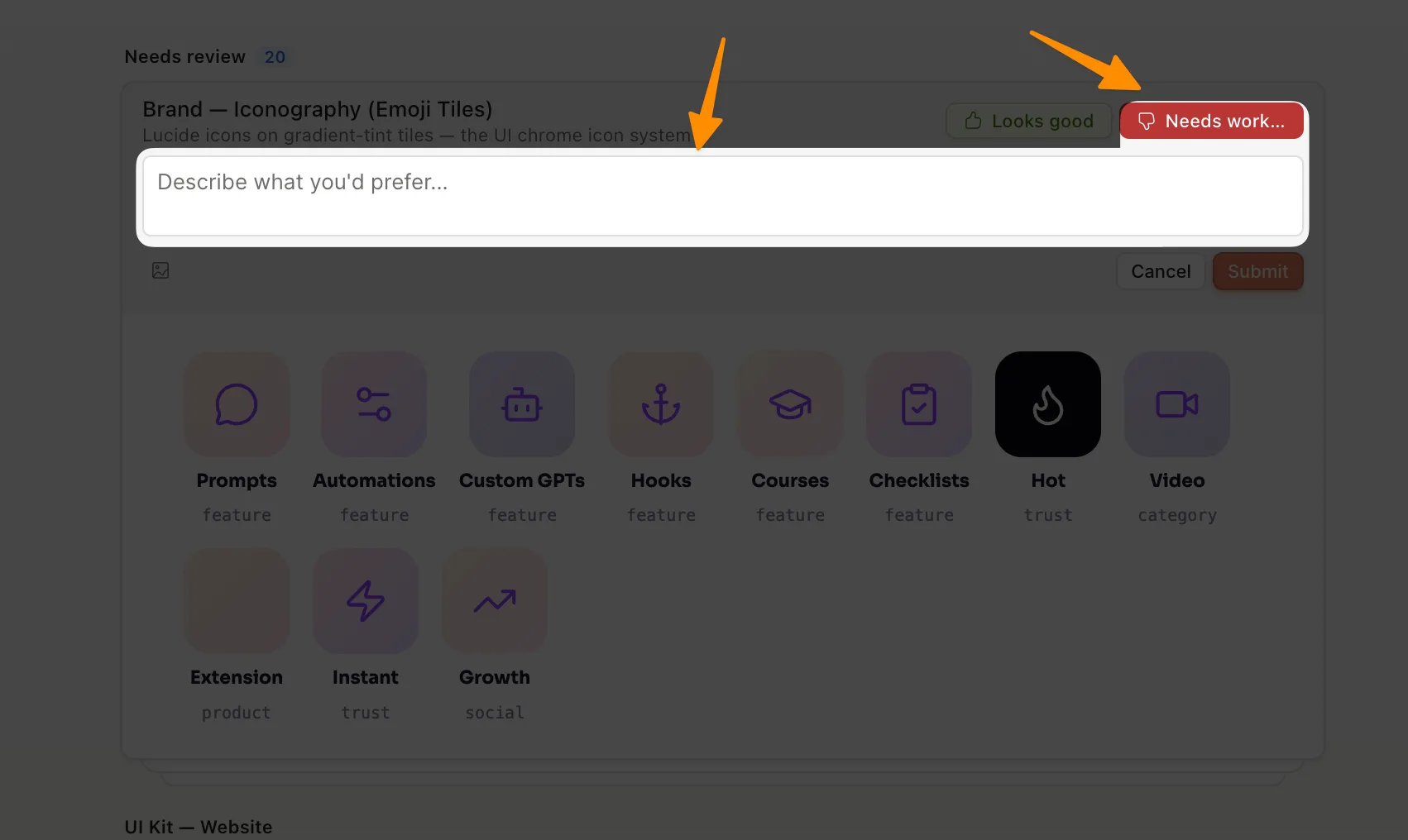
Once the system design is generated, you should review every component before moving on. Claude gives you two buttons on each component block: Looks good and Needs work. I used them constantly.
The color palette came out perfect — my brand gradient was clean and matched my site. Typography and spacing looked right. But the iconography section defaulted to emoji tiles, which I did not want. I clicked Needs work, typed "use Lucide icons," and hit submit. Claude then downloaded the Lucide icon library from the internet (it is a free open-source set) and replaced every emoji reference with the equivalent Lucide icon.
Feature cards, input forms, badges, pills — every component has a preview and a way to tell Claude what you want changed. This is the difference between a generic AI design tool and one that actually builds your brand system. You are not prompting from scratch every time. You are curating a brand library that Claude reuses automatically.
A warning worth repeating: generating the system design alone pushed me from 90% to 100% of my weekly limit. From that point on I was billing to extra usage. Budget accordingly.
Wireframes First — Always
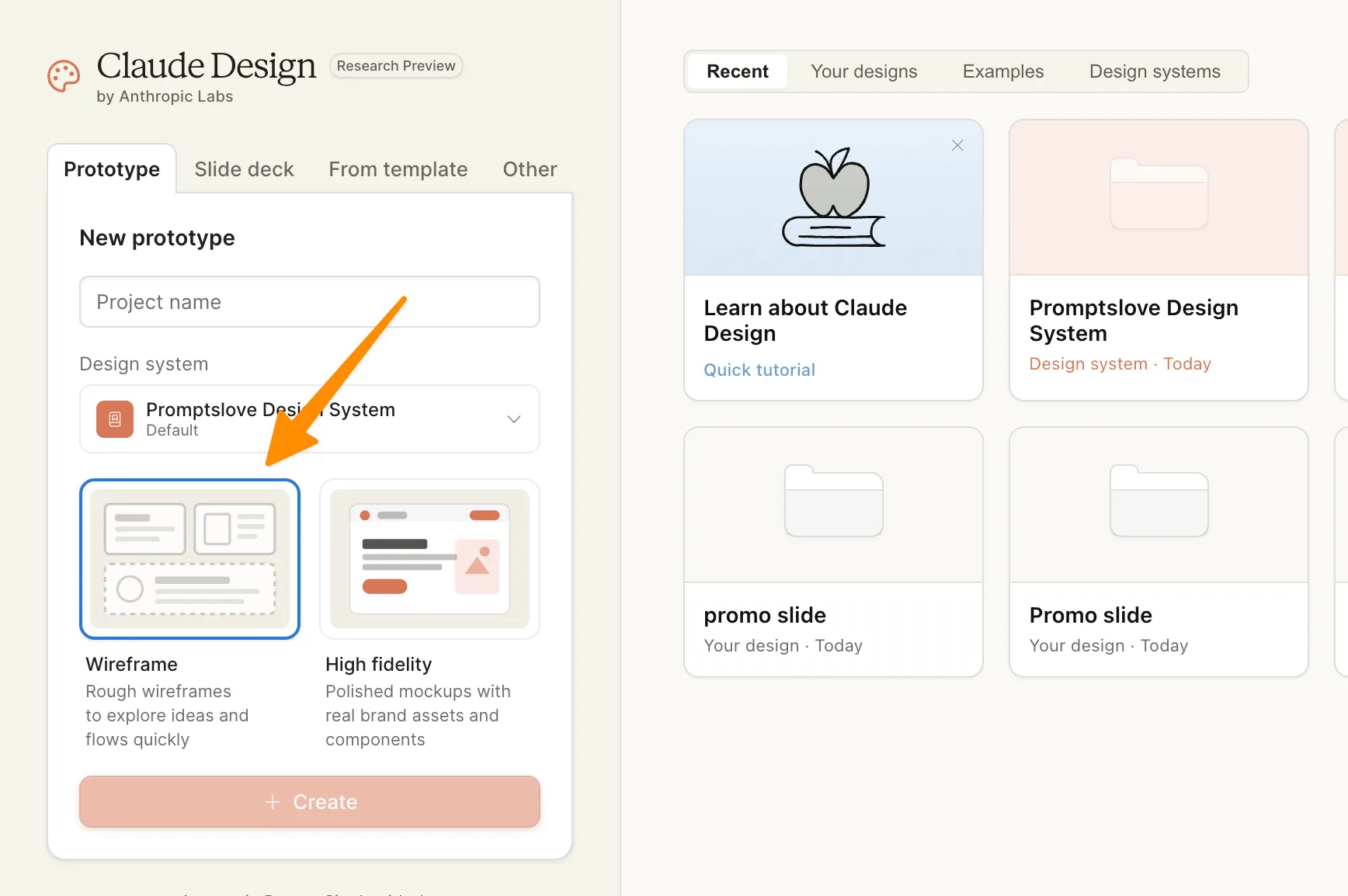
Claude Design has a distinct two-phase workflow: low-fidelity wireframes first, then high-fidelity (HiFi) designs. Skipping straight to HiFi burns tokens on decisions you have not made yet. Start with wireframes.
For my test, I asked Claude to create a wire frame for a new landing page promoting the AI Cheat Sheets module on my site, four sections. Claude did not immediately generate. It asked me a series of clarifying questions on the right side:
What four sections? (I picked hero with animation, features as cards, cheat sheet demo, and CTA.)
Who is this page for? (Existing bundle buyers plus new visitors.)
What kind of cheat sheets? (ChatGPT prompting, Grok, Midjourney, Nano Banana 2, Veo 3, Gemini, Claude.)
How many layout variations? (Two.)
Visual direction? (Match my existing site closely.)
Primary CTA goal? (Add to existing purchase plus free download lead magnet.)
After I answered, Claude generated Variant A and Variant B for every section side-by-side. This is where the tool earns its keep. I could pick my favorite hero from A, features from A, demo from B, and CTA from B — mix and match. Anyone who has done wireframing before knows how much time this saves. The wireframe generation cost me about $3 in extra usage.
Converting Wireframes Into Hi-Fi Designs
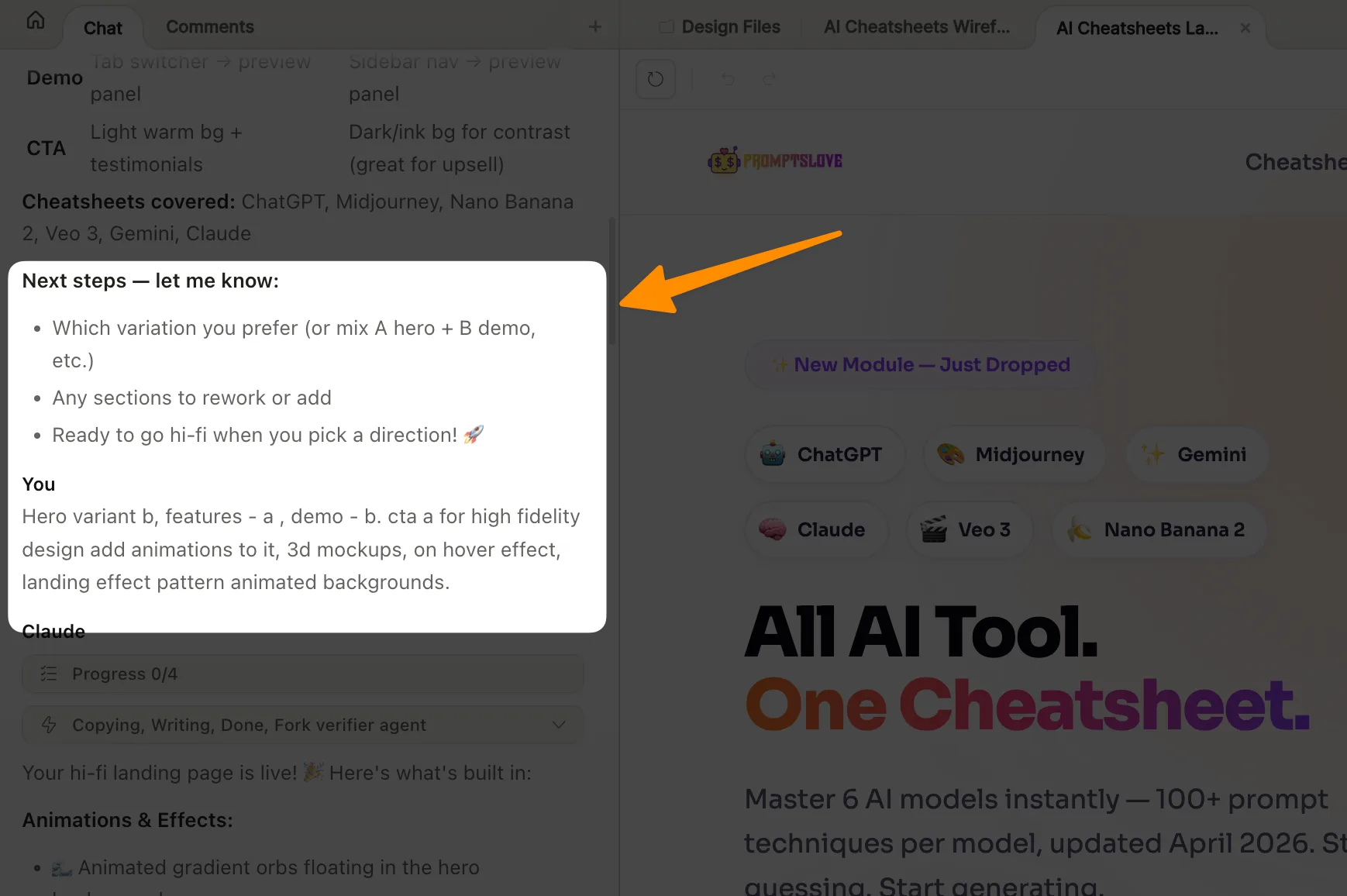
Once I finalized my wireframe picks, I asked Claude to convert them into a high-fidelity design. Here is the exact instruction I gave:
"Finalize this for hero variant B, features A, demo B, CTA A for high fidelity design. Add animations to it. 3D mockups, hover effects, landing effects, animated patterns."
The result took a few minutes and produced a polished landing page that included:
A continuously animated CTA button on the hero
3D mockups on the right of the hero section
Box-layout feature cards with hover-reveal states showing each cheat sheet in action
Pattern backgrounds behind sections
Testimonials Claude inferred from my brand voice
The full landing page cost me another $3 on extra usage. Total for wireframe plus HiFi: roughly $6 for a complete branded landing page. That is cheap if you value the exploration and expensive if you are on a tight monthly budget.
Canvas Tools You Need to Know
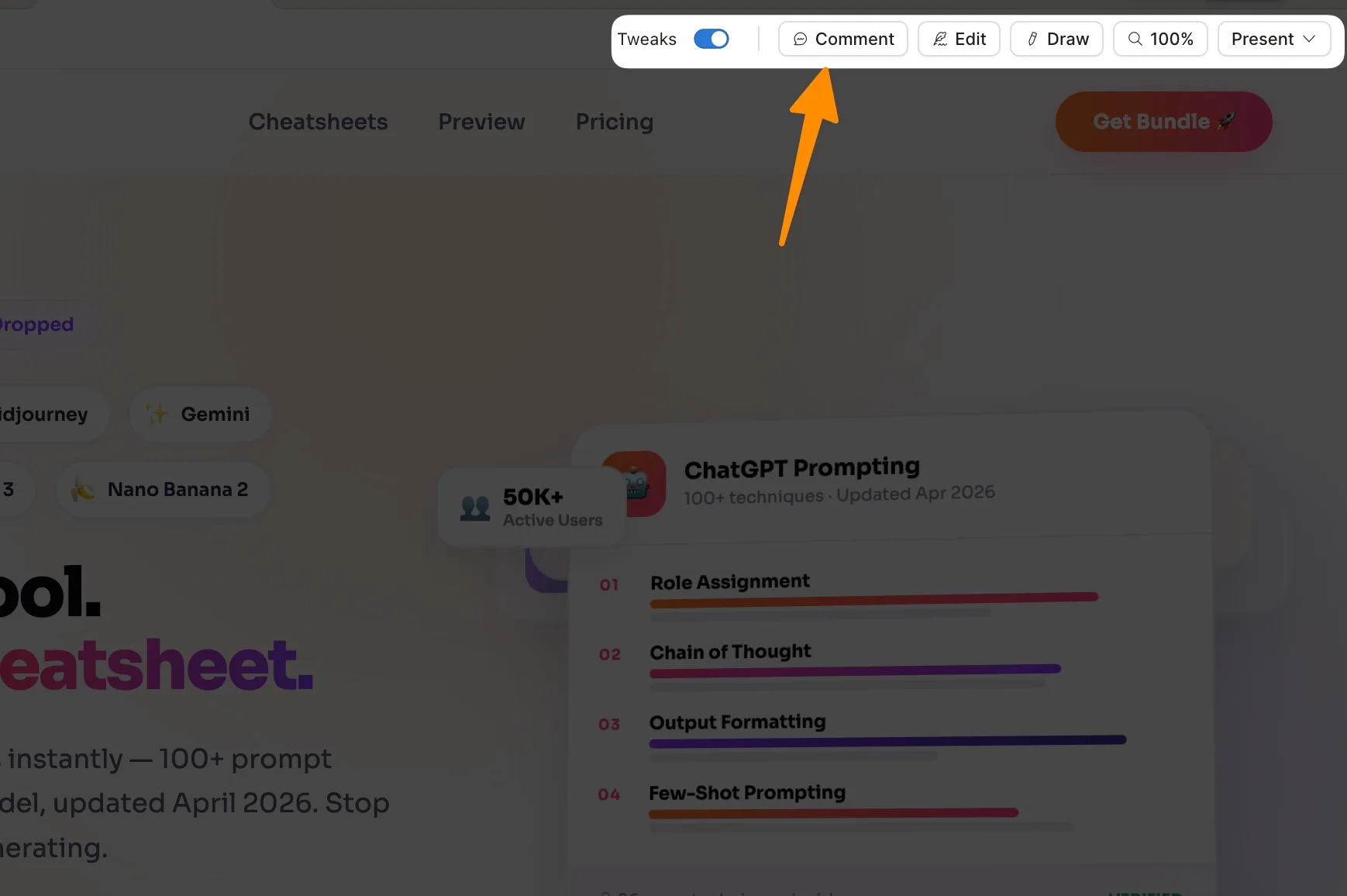
Inside the canvas, Claude gives you four tools that most reviewers gloss over:
Comment. Click on any element, type a note, send to Claude. Fast way to request a targeted change without rewriting the whole prompt.
Annotation/inspect. Hover over any element to see its computed styles — color, font size, padding, border radius, layout box. You can edit these directly. This turned out to be the most useful tool in my session. When I wanted to change the hero heading from "Every AI" to "All AI tools cheat sheet," I did not type a new prompt. I clicked the text, edited it inline, and moved on.
Draw/sketch. Draw directly on the canvas to communicate layout changes. I drew a circle around a section and typed "add background to this," and Claude generated a pattern in that exact spot. Useful when words fail.
Select. Lets you pick an element and queue edits on it before sending.
One limitation: there is no true drag-and-drop repositioning. You can edit every setting of an element — size, layout, padding, radius, color — through the inspector, but you cannot freely drag blocks around the canvas the way you can in Figma. For detailed layout repositioning, you still write prompts or edit styles.
Building a Full Mobile App From the Same System Design
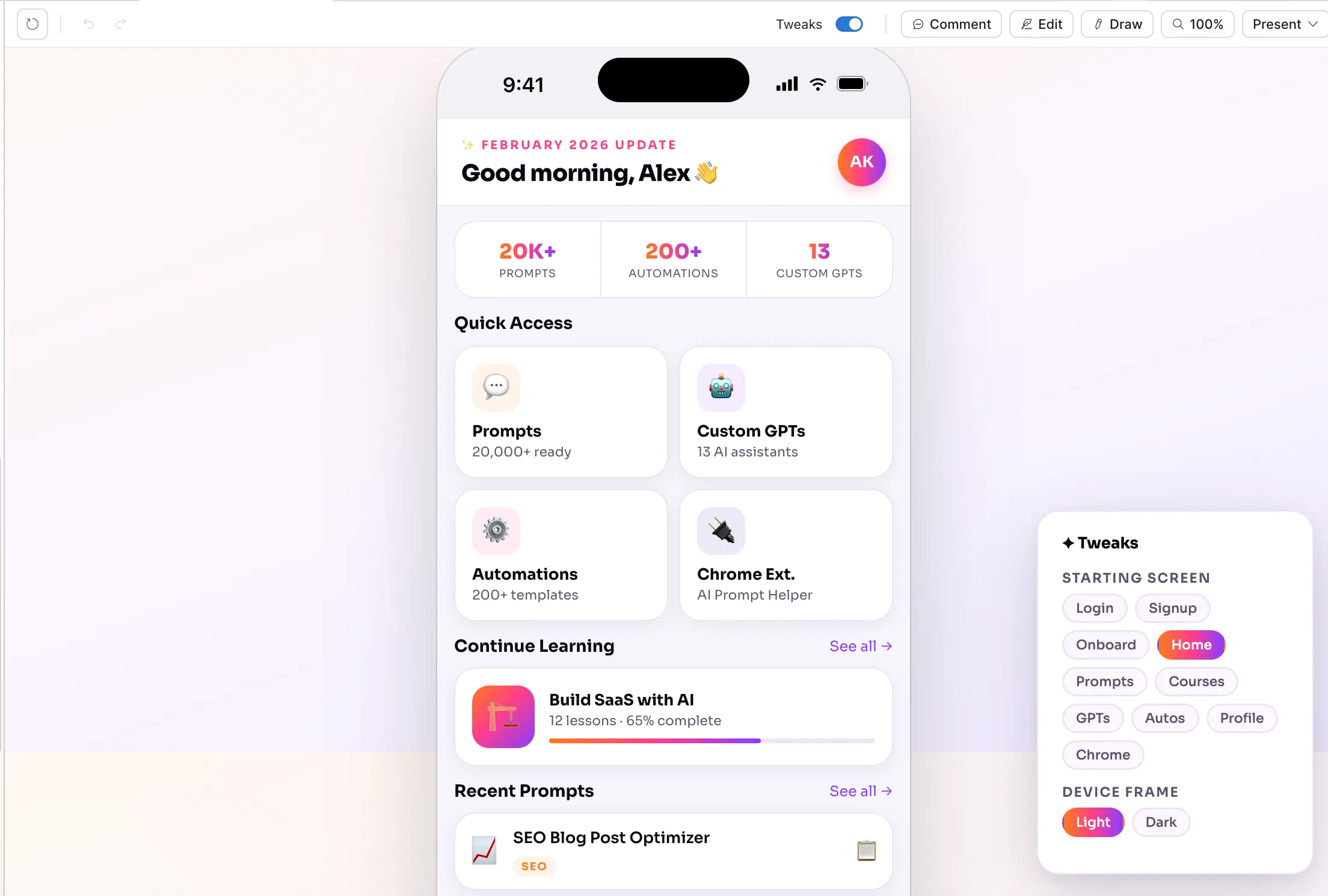
The real payoff of the system design shows up on the second project. I asked Claude to create mobile app flows for promptslove.com — login, sign up, onboarding, home dashboard, prompts section, menu.
Again, Claude asked clarifying questions before generating:
Which screens to include? (I listed them all.)
Visual direction? (Match the marketing site.)
How many layout variations? (Just one clean, definitive design.)
How experimental? (Mix of existing site patterns plus mobile-first novel patterns.)
Should the prototype be fully clickable? (Yes.)
The output was a clickable multi-screen mobile app prototype. Every screen used my brand colors, my Sora font, and my component style automatically — because the system design was already loaded. The login page, signup with pricing card, onboarding carousel, home dashboard with prompt cards, and settings page (with notification toggles and dark/light mode toggle) all looked consistent.
Cost: roughly $2 on extra usage. A product manager building a scoping prototype for a dev team would find this impossibly cheap for the output quality.
The Anthropic announcement highlights that this exact workflow is the point — product managers can sketch feature flows and hand them off to Claude Code for implementation, closing the loop from idea to shipped code inside a single platform. Brilliant's senior product designer reported that their most complex interactive pages required 20+ prompts in other tools but only two in Claude Design.
The 20-Second Promo Video That Surprised Me

This feature sold me. From the template picker I chose Animation and referenced my existing landing page by sharing the link. I asked for:
"Create a promo video to promote AI cheat sheets, Stripe-based animation, around 20 seconds, showing features, drag-and-drop elements, typewriter effects."
Claude built a 20-second animated video in about two or three minutes. The animations were the Stripe-style timeline-based motion — smooth, minimal, professional. It had a typewriter effect typing "Ask me anything," a model selector, 600+ prompting techniques, copy-paste shipping flow, numbers-don't-lie stats panel, and a CTA close. Cost: roughly $4 in extra usage.
This is not Runway or Kling or Veo 3 territory — it is not generating photorealistic footage. What it is doing is exactly what brands need for hero section backgrounds, feature section animations, or promotional reels with voiceover added later. For the cost of one frame of AI video on some platforms, I got a complete 20-second animated brand promo.
Slide Decks With Speaker Notes — The Feature No One Talks About
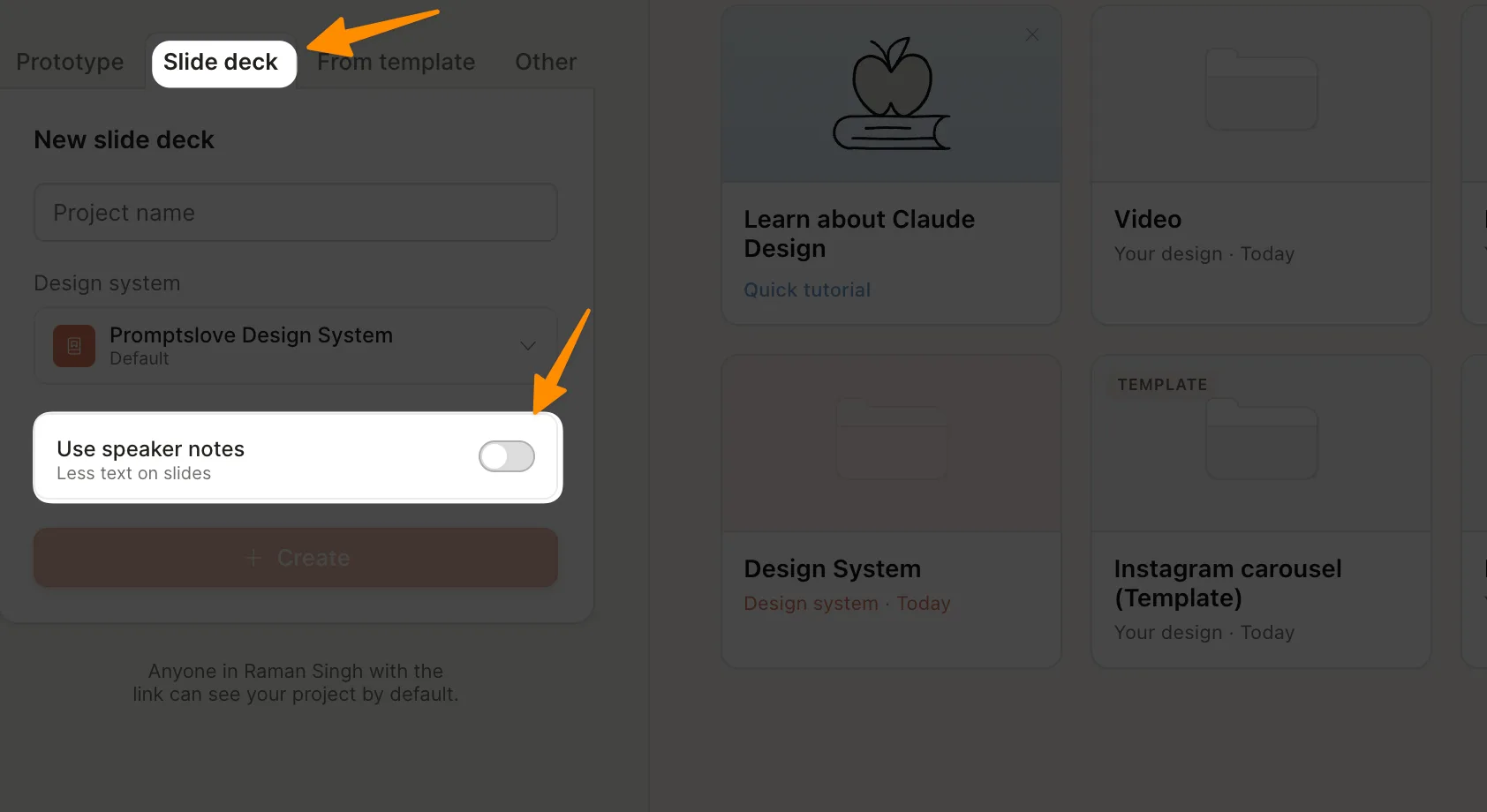
For slides I used the "From template" picker and selected the slide deck type. I asked Claude to create five intuitive slides with animation showing 10 reasons to use the promptslove stack, with speaker notes included.
The generated deck had:
Ten numbered slides plus a CTA slide
Brand-consistent design using my colors
Animations between slides
Speaker notes for every slide — a full script of what to say when presenting
Presenting is where this gets interesting. You have three modes:
In-tab present with speaker notes visible on screen
Popup window with speaker notes
Full screen — speaker notes are hidden
The tab mode is the play for actual presentation. It functions like PowerPoint's presenter view — you see your notes on your screen while your audience sees only the slide. Once you are done, you can export to PPTX (Claude Design produces real PPTX files with editable text boxes, not flattened images, according to ComputingForGeeks), send to Canva, or download as HTML.
Cost for the full 10-slide deck with speaker notes: roughly $7 in extra usage. Expensive per deck, but faster than any agency route.
Social Media Carousels With a Single Prompt
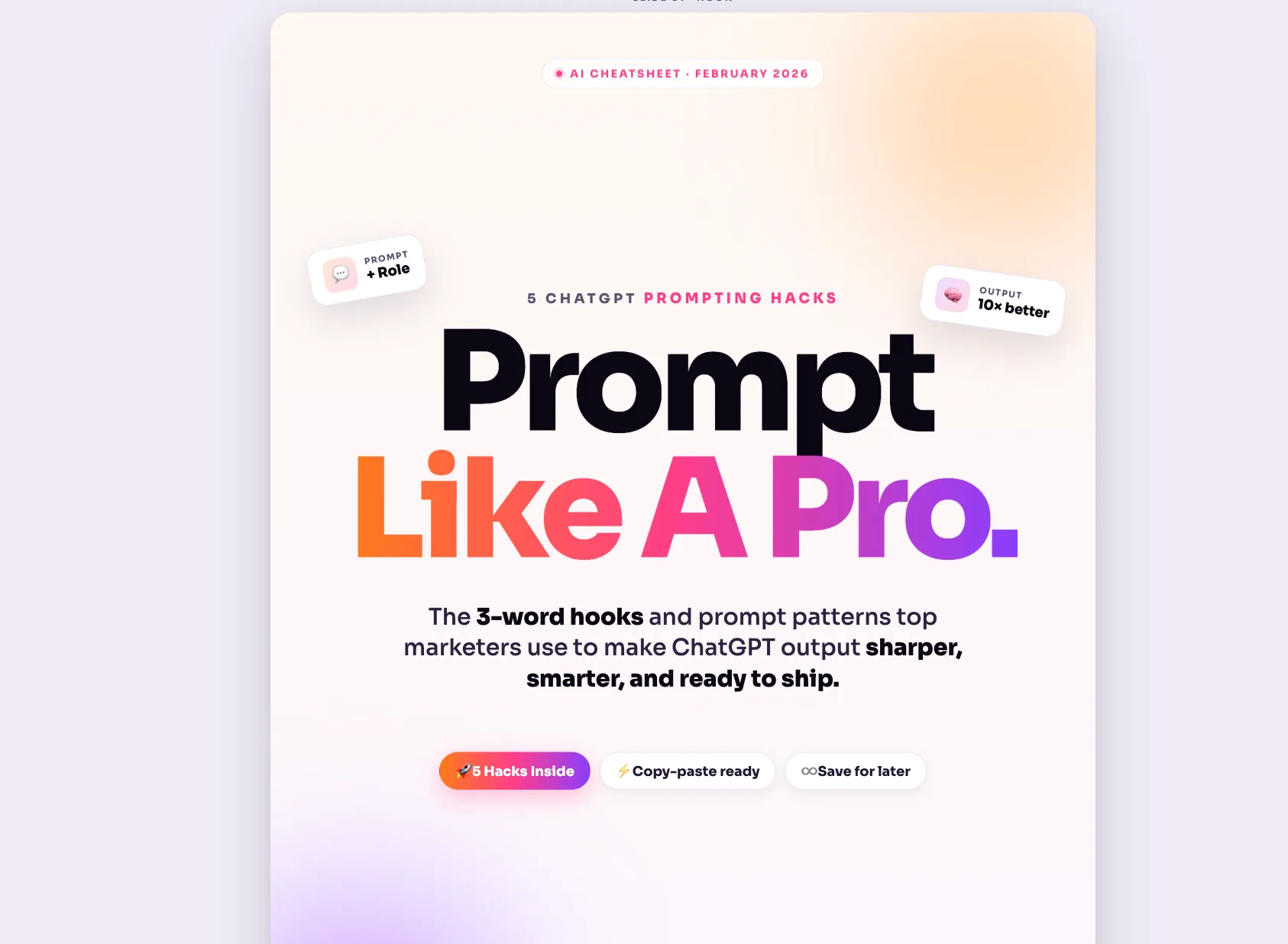
The last thing I tested was an Instagram carousel. I am bad at graphic design and reach for tools like this mostly to fix that. I gave Claude this prompt:
"Create five slides of Instagram carousel for promoting AI cheat sheet module. Carousel subject: five ChatGPT prompting hacks. Research online for the same. Craft three-four words hook at max for first slide. CTA to promptslove website on last slide. Don't add logo. Subtle pattern behind every slide. 3D mockup UIs and code block. Static design only, no animation."
Claude searched the web for ChatGPT prompting hacks, picked five (assign a role, feed it context, and three more), built a first slide with the hook "Prompt Like a Pro" and a subtle "@ promptslove" handle, and a final slide with the CTA "Get the full cheat sheet here." Each slide carried my brand gradient, the Sora font, and a clean code block showing a real prompt example.
Total cost: about $1.50 in extra usage (lower because carousels are short prompts). Exported in 3:4 aspect ratio for Instagram.
This is the workflow I will actually use week after week. Carousels are a proven high-engagement content format, and producing five-slide branded carousels in under two minutes eliminates my biggest bottleneck.
Export Paths — Every Way to Get Your Work Out
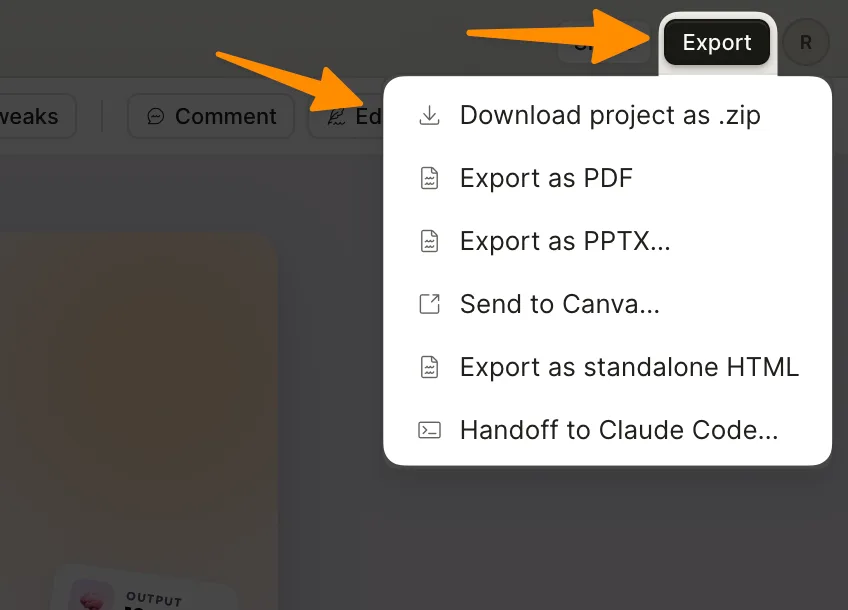
According to Anthropic's announcement and confirmed in my session, Claude Design exports to:
ZIP folder — raw project files including all generated assets
PDF — vector, not rasterized, good for decks and one-pagers
PPTX — real PowerPoint files with editable text, not flattened images
Canva — one-click send-to-Canva through the official Anthropic-Canva partnership
Standalone HTML — host it anywhere
Internal URL — organization-scoped share link
Handoff bundle to Claude Code — the killer feature for developers
The handoff to Claude Code is the export that makes Claude Design structurally different from Figma, Canva, or v0. VentureBeat reported this is the feature that closes the loop from design exploration straight to shipped production code, all inside the Anthropic ecosystem.
The ZIP Export Hack That Saves Limits
Here is a workaround I stumbled on that no other review I read has mentioned clearly. Once my system design was generated, I exported it as a ZIP file. Inside that ZIP:
SKILL.mdwith full company context and style rulesREADME.mddescribing the projectAn
assets/folder with my logo, fonts, and brand imagesStructured token files for colors, spacing, typography
I opened the folder in Terminal, launched Claude Code inside it, and typed:
"Analyze the files in this folder. Use SKILL.md as your skill and README.md as details about this project."
Claude Code loaded the skill, loaded the context, and I was now generating new designs from the command line using my regular Claude Code allowance — not my Claude Design weekly limit. This matters because Claude Code has its own separate usage limits on Max plans. You effectively double your generation capacity by offloading routine design work to Claude Code once the system is set up.
How Claude Design Compares to Figma, Canva, and v0
I am not a professional designer, so I am not the best judge of Figma parity. But based on the launch coverage and my own testing, here is the honest comparison:
Against Figma: Figma's stock dropped about 7% the day Claude Design launched, and Anthropic's CPO Mike Krieger resigned from Figma's board earlier that same week. That tells you the market views this as competitive. In practice, Claude Design replaces the Figma-to-code handoff step for AI-first teams but does not replace Figma for mature multiplayer vector design. If your team lives in Figma for component-level work, nothing changes yet.
Against Canva: Not a competitor. Anthropic explicitly told TechCrunch the tool is meant to complement Canva, not replace it, and the one-click Canva export confirms that positioning. Use Claude Design for prompt-to-prototype speed, finish polish in Canva.
Against v0 (Vercel): v0 is stronger for pure React and Next.js component output. Claude Design is broader — it covers decks, prototypes, mobile screens, videos, and marketing collateral in one app.
What I Love About Claude Design
The system design workflow actually works. Every output respects my brand.
Variant A/B wireframe generation saves real hours of exploration.
Fine-grained inline editing with live CSS inspection feels like magic.
Real PPTX export with editable text is rare and important.
The Claude Code handoff bundle is what locks me into the Anthropic ecosystem.
The video generation, while simple, covers 80% of real brand video needs.
Carousels and social templates generate faster than anything else I have tried.
What I Hate About Claude Design
Weekly limits for Max users are nowhere near enough. I burned through my allowance generating one full website's worth of outputs. On Pro, you will finish your week in one sitting.
Opus 4.7 is expensive. Each output charges between $1.50 and $7 in extra usage. Add two or three projects and you are at real agency rates.
No true drag-and-drop repositioning. Style editing is powerful, but dragging elements around a canvas is not there yet.
It is still in Anthropic Labs as a research preview. Expect bugs, expect the UI to change, and do not assume feature parity with your favorite tool.
Only works inside a browser. No desktop app, no terminal integration yet.
Pricing and Access — What You Actually Get
Claude Design is included in Pro, Max, Team, and Enterprise plans at no extra cost. It is not available on the free tier. Enterprise admins need to enable it through the admin guide in Organization settings — it is off by default.
Plan reference (from Anthropic's official pricing):
Pro: $20/month — burn through your weekly allowance fast
Max 5x: $100/month — what I use, still hit limits in one session
Max 20x: $200/month — best value for heavy Claude Design users
Team/Enterprise: custom — admins control access
Switching models inside Claude Design settings is a real lever. Defaulting to Sonnet 4.6 instead of Opus 4.7 drops the cost per generation significantly, at the tradeoff of slightly lower design quality. For early drafts and variants, Sonnet is the right call. For final polish, Opus.
A 7-Step Workflow I Now Use
Based on my session, here is my repeatable workflow for any brand project:
Set up the system design first. Add your URL, upload fonts and logo, let Claude crawl for 5 minutes. Worth the token cost upfront.
Refine the system design. Hit "Needs work" on any component that does not match your brand. Fix iconography if it defaults to emoji.
Export the system as ZIP. Keep it for Claude Code fallback.
Start with wireframes, not HiFi. Variant A/B saves tokens on indecision.
Convert wireframes to HiFi only after you lock variants. Specify the animations and mockups you want upfront.
Use inline canvas editing for text and style tweaks. Do not rewrite prompts.
Export to PPTX, Canva, or Claude Code handoff depending on the destination. Use the handoff bundle when you want the prototype shipped as real production code.
Final Thoughts
Claude Design is the first AI design tool I have used that does not feel like a demo. The system design workflow respects the brand, the variant-based wireframe generation saves real exploration time, and the Claude Code handoff bundle closes the loop from idea to production code in a way no other tool does. The video generation surprised me. The PPTX export actually works. The Canva integration is genuine.
The cost is the honest dealbreaker for most users. Plan for Max 20x if you intend to use it more than twice a week, and always start with wireframes before burning tokens on high-fidelity. Use the ZIP-export-to-Claude-Code hack to stretch your limits further. Default to Sonnet 4.6 for drafts and Opus 4.7 only for final outputs.
Right now, Claude Design is still in Anthropic Labs as a research preview — which means it will only get better. Try it at claude.ai/design, set up your system design carefully, and build your workflow around the limits, not against them. If you are a founder, product manager, marketer, or solo developer who needs to ship branded visuals fast, this is worth your attention today.
Frequently Asked Questions

Written by
Raman Singh
Raman Singh is a highly skilled marketing professional who serves as the head of marketing at Copyrocket AI. With years of experience in the field, Raman has developed a deep understanding of all asp
View all postsYour AI Marketing Agents
Are Ready to Work
Stop spending hours on copywriting. Let AI craft high-converting ads, emails, blog posts & social media content in seconds.
Start Creating for FreeNo credit card required. 50+ AI tools included.
Related Articles
 General
NotebookLM For Coders: Turn Docs Into Faster Code
Code work often fails for a simple reason. You do not have the right context at the right time. You read docs in one tab, skim tickets in another tab, and then...

 General
How to Optimize for AI Search in 2026: The Complete Guide
AI search has shifted from experimental feature to primary search method for millions of users. ChatGPT Search, Google AI Overviews, Perplexity, Claude, and Gem...
 General
Claude Opus 4.6 Review: Here's What New!
Claude Opus 4.6 from Anthropic draws attention because teams want an AI model that writes better code, follows instructions, and stays consistent across long se...