
I Tested 8 AI Resume Builders - Here's What's Best!

Raman Singh
Raman Singh is a highly skilled marketing professional who serves as the head of marketing at Copyrocket AI

A resume gets filtered before a person reads it. An applicant tracking system (ATS) scans your file, extracts text, and scores it against a job description.
A recruiter then skims the top matches fast. This process rewards clear structure, clean formatting, and strong keywords. It also punishes tables, text boxes, and vague bullet points.
A top AI resume builder can speed up the hard parts. It can run job description matching, suggest an ATS-friendly resume layout, and improve resume keyword optimization without breaking resume parser compatibility.
Many tools also add a resume summary generator, a bullet point generator, a cover letter generator, and LinkedIn to resume import.
This guide compares the best AI resume builder options, including an AI resume builder free choice. You will also learn how AI Resume Builders work, how to tailor resume to job safely, and how to avoid generic output. You will get a reproducible ATS parse test method, a scoring rubric, and role examples for a software engineer resume, product manager resume, sales, and nursing. You will also get clear rules for PDF vs DOCX Resume, privacy, and originality.
Key Takeaways
A strong AI resume builder for ATS uses simple layouts, standard headings, and exports that keep text readable for ATS parsing.
Keyword matching matters because many ATS workflows rank candidates by job-related terms, skills, and titles before a recruiter review.
Use AI for structure and drafts, then edit for accuracy, proof, and real metrics to quantify accomplishments.
Avoid tables, columns, icons, and text boxes if you want high resume parser compatibility.
DOCX is often safer for ATS, but PDF can work if the PDF is text-based and the layout is simple.
Privacy varies by tool. Check data retention, training use, and deletion controls before you upload a resume.
The best results come from a workflow: import history, match to job, generate bullets, verify facts, then export and test.
Top AI Resume Builder: Comparison Table and Scoring Rubric
The table below compares leading tools that act as an AI resume generator or AI CV builder. Scores use the rubric that follows.
Scoring rubric (0–10 each, total 50):
ATS readability: clean headings, no parsing traps, consistent spacing
Customization depth: control over sections, bullets, keywords, versions
Template quality: professional resume templates, modern resume format, and classic formats
Export options: DOCX/PDF, copy-paste, version history
Privacy: clear policy, deletion, limited retention, no training by default
Tool | Best for | ATS readability | AI features | Exports | Free plan | Privacy notes (high level) |
|---|---|---|---|---|---|---|
Copyrocket AI | Free, No Signup, No Catch | 10/10 | AI writer, AI Templates | PDF, Docx | 100% | No Email, 100% Anonymous |
TealHQ | Fast tailoring and tracking | 9/10 | JD matching, bullets, scoring | PDF, DOCX (varies), copy | Limited | Account-based storage |
Jobscan | ATS optimization and keyword gaps | 9/10 | ATS scan, match report | PDF/DOCX via your editor | Limited | Uploads for scanning |
Rezi | ATS-first resume generation | 9/10 | AI bullets, JD targeting | PDF, DOCX | Limited | Stores resumes in app |
Kickresume | Templates + AI writing | 8/10 | AI writer, examples | PDF, DOCX | Limited | Template-focused platform |
Simple builder + content help | 8/10 | Content suggestions | PDF, DOCX | Limited | Mainstream builder | |
Enhancv | Visual resumes with controls | 7/10 | AI content, sections | PDF, DOCX | Limited | Some templates risk ATS |
Canva | Design-heavy resumes | 5/10 | AI text tools (varies) | Yes | Design elements can break ATS |
Copyrocket AI Free Resume Builder
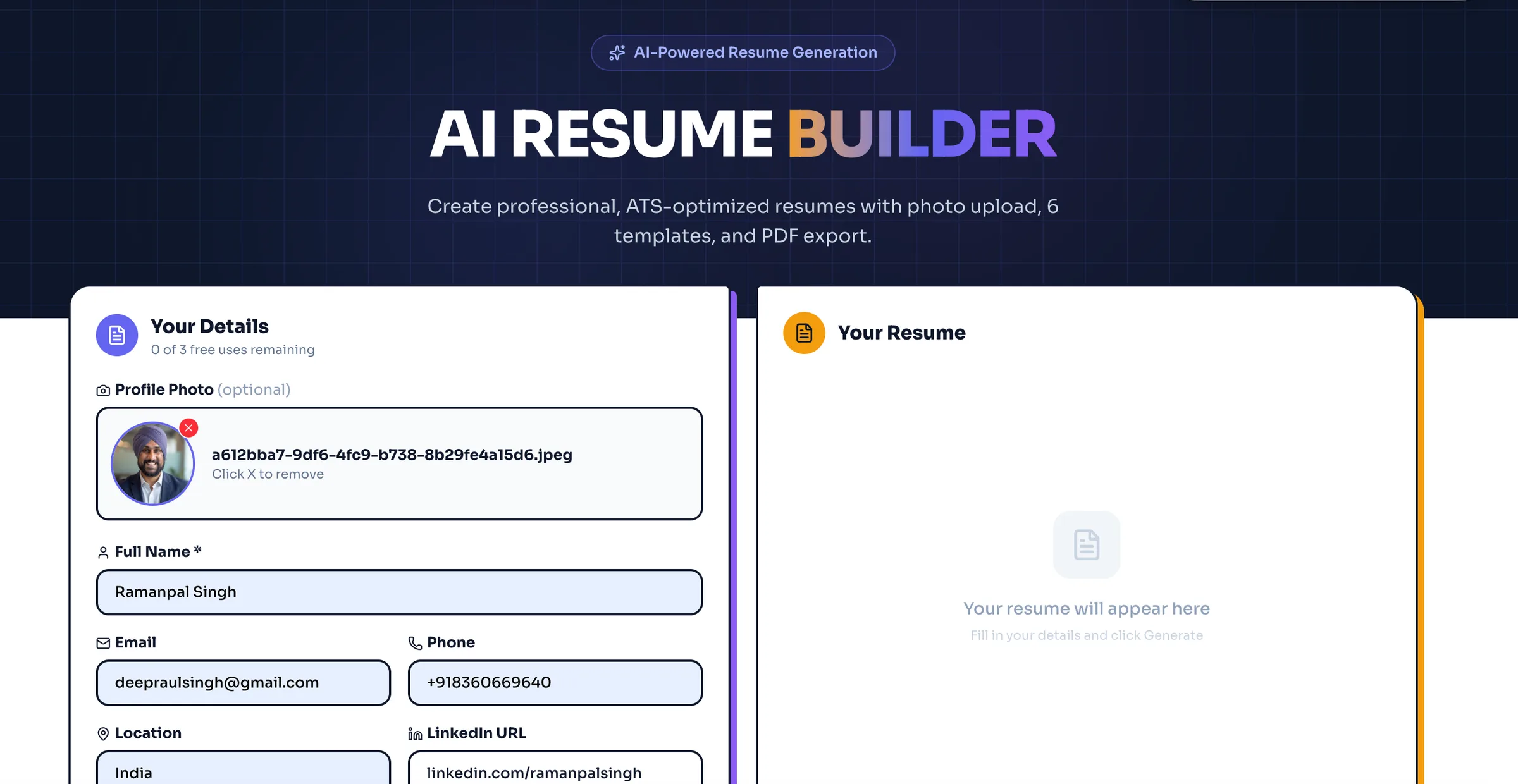
Copyrocket AI has 100% free AI Resume builder tool which requires no signup, ATS friendly and works like any other tool with pre-made template sets. The tool is designed to built for speed and resume parser compatibility. It supports an ATS-friendly resume with clean headings and consistent spacing.
Features
Its 100% free, No catch no signup and 100% anonymous.
We don't store data on our server, every request is encrypted through the model APIs.
You can upload your own photo.
Fill required fields, choose what you want to write and what not.
Download your resume in HTML, PDF file.
Pricing
Copyrocket AI's resume builder is 100% free tool, You can try it here.
TealHQ - AI Resume Builder
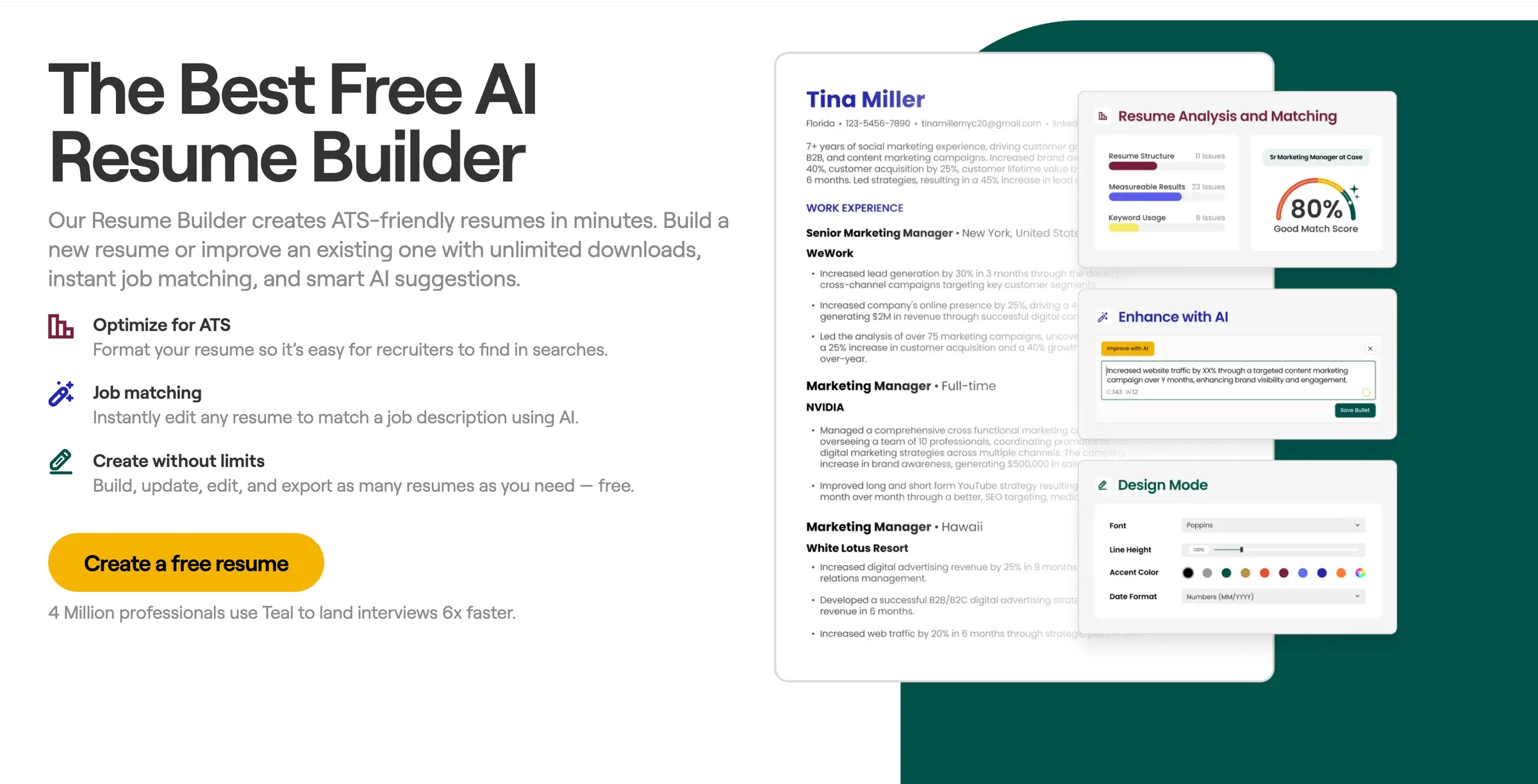
Teal works well for people who apply to many roles and need fast job description matching. It supports versioning, which helps you keep a base resume and then tailor resume to job in minutes. Teal also fits a remote job resume workflow because it helps you track applications and reuse strong bullets.
Features
Resume keyword optimization with job-based suggestions
Resume scoring and gap checks against a job post
Bullet point generator that pushes action + impact
Skills section optimization with role-aligned skills
Hard skills extraction from job descriptions
Soft skills suggestions with safer phrasing
Section controls for chronological resume, functional resume, and combination resume
Export support that keeps an ATS-friendly resume structure
Notes and tracking for each application
Pricing
Free plan: limited tailoring and exports
Paid plan: more matching, versions, and advanced features
Typical cost: mid-range subscription (monthly or annual)
Jobscan - AI Powered ATS Resume Builder

Jobscan is a strong pick if your main goal is ATS performance. It focuses on match rate, keyword gaps, and formatting checks. It does not replace a full builder for everyone, but it pairs well with any editor or resume template.
Features
ATS-style scan with match score and missing keywords
Resume parser compatibility checks for headings and sections
Keyword and skill suggestions based on the job post
Guidance for resume formatting rules that reduce parsing errors
Cover letter checks in some plans
Works well for resume for career change because it highlights transferable keywords
Pricing
Free plan: limited scans
Paid plan: more scans and deeper reports
Typical cost: subscription with scan limits by tier
Rezi - AI Resume Builder
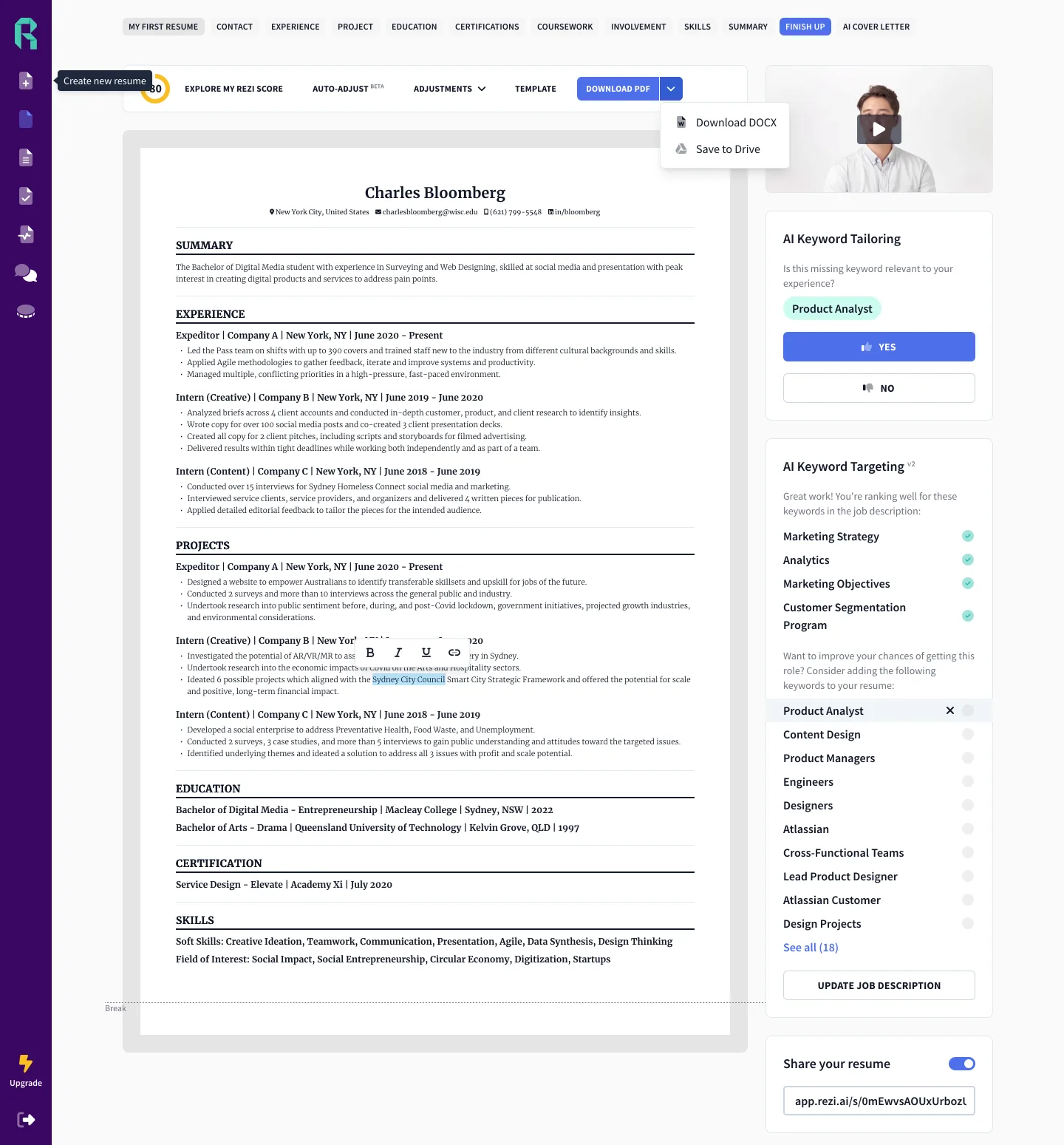
Rezi positions itself as an ATS-first AI resume generator. It is strong for people who want a guided build with job targeting. It also works well for an entry-level resume because it helps structure projects, coursework, and internships into clean bullets.
Features
ATS-focused templates with standard headings
AI bullet drafting with role prompts
Resume summary generator for role-specific summaries
STAR method bullets support for impact statements
Job description matching with keyword suggestions
Built-in checks for repetition and weak verbs
Export to PDF and DOCX with clean structure
Pricing
Free plan: limited builds or exports
Paid plan: full AI features and unlimited versions
Typical cost: mid-range subscription or lifetime option (varies)
Kickresume - Stylish Resume Builder
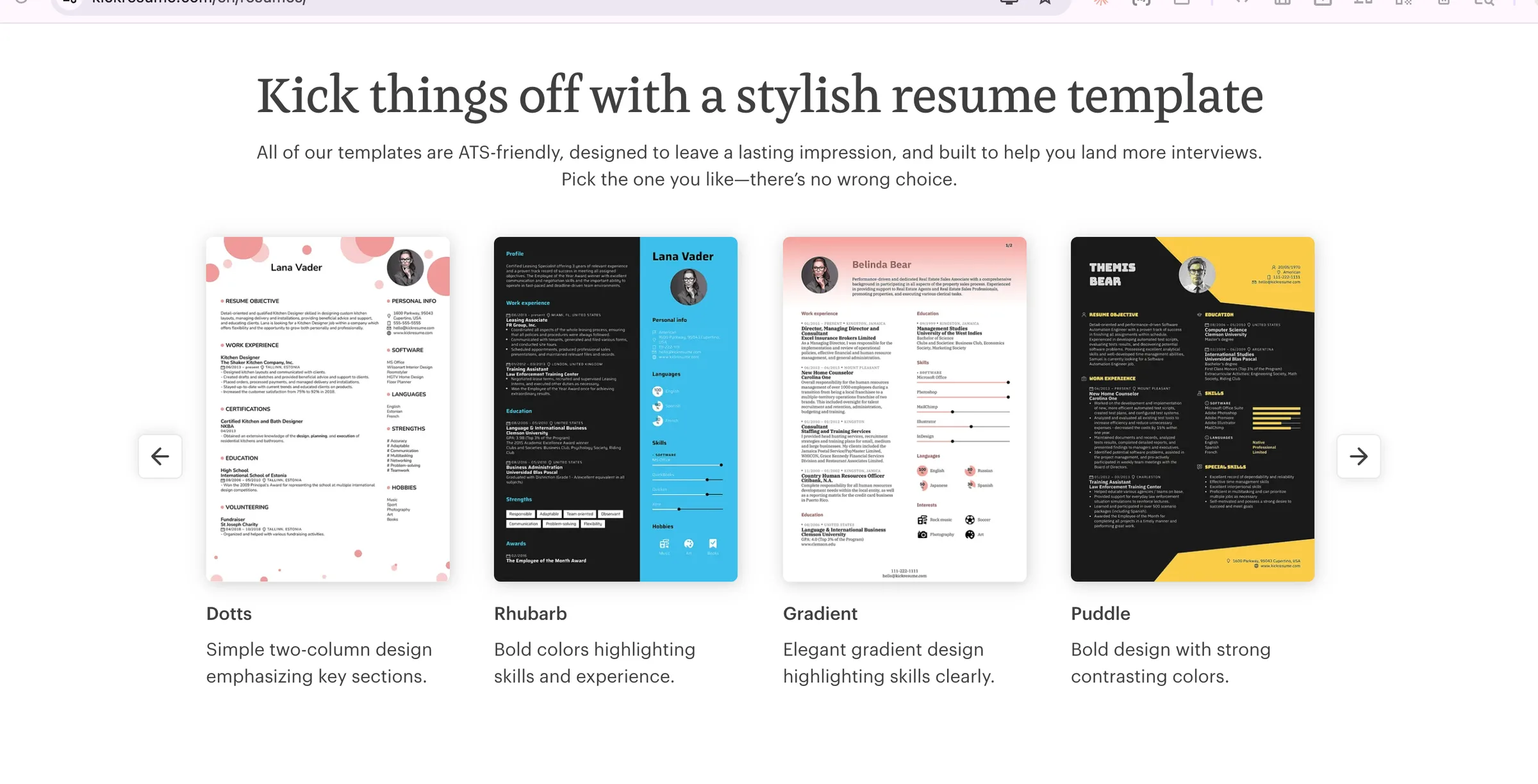
Kickresume is a good choice if you want strong templates and examples plus AI writing help. It supports many layouts, including a modern resume format, but you should still pick simple templates for ATS.
Features
Large library of resume templates and cover letters
AI writing assistant for summaries and bullets
Example resumes by role, including tech and business
Import options that can speed up setup
Export to PDF and DOCX
Useful for a tech resume builder workflow if you choose ATS-safe templates
Pricing
Free plan: limited templates and exports
Paid plan: full template access and AI tools
Typical cost: low-to-mid subscription
Resume.io - AI Powered Resume Builder
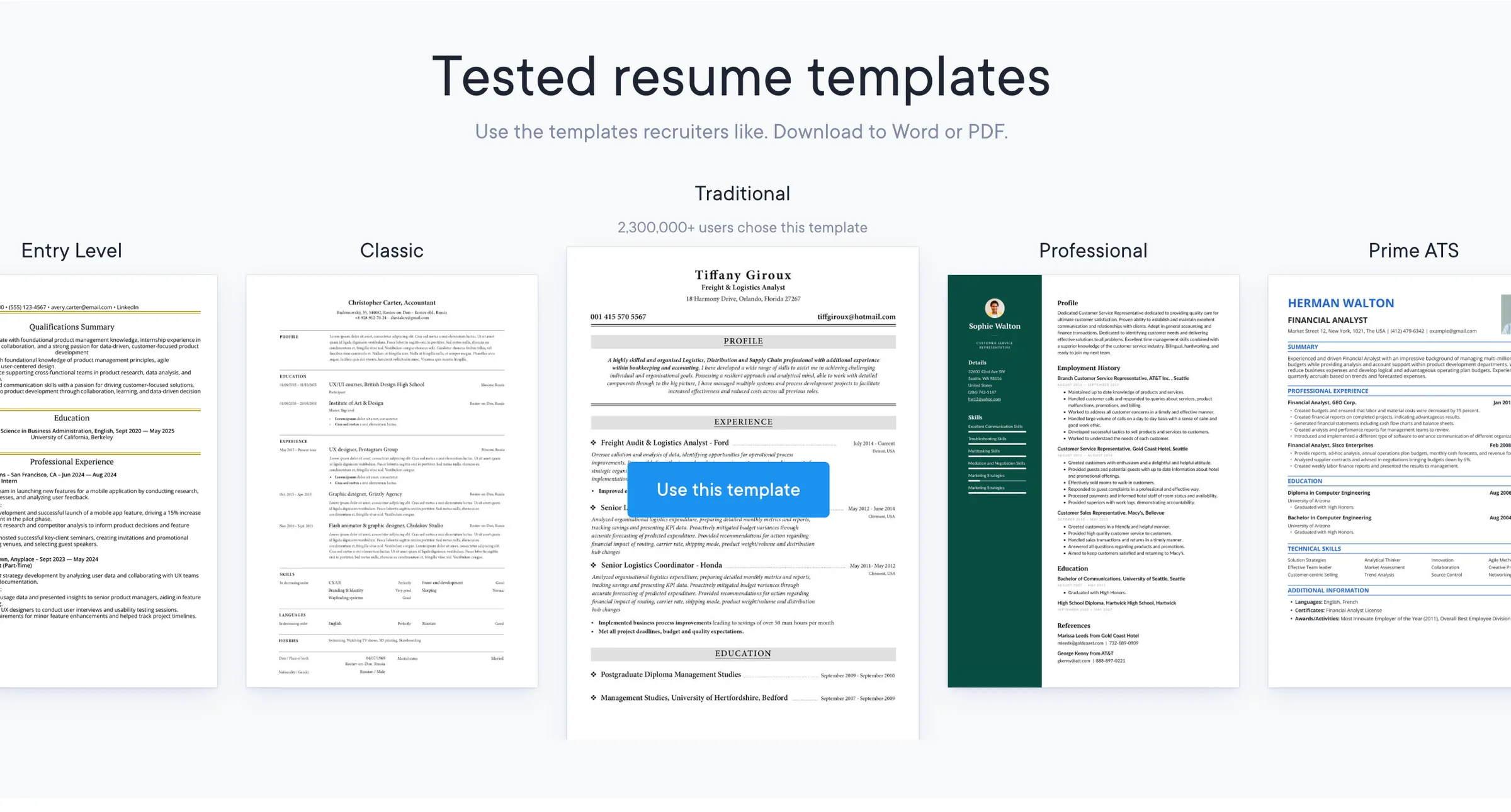
Resume.io is a mainstream builder that focuses on speed and clean output. It is less “AI-first” than some tools, but it still helps with phrasing and structure. It works well for general roles and quick iterations.
Features
Simple builder with guided sections
Content suggestions for summaries and bullets
Template set that includes classic layouts
Export to PDF and DOCX
Good baseline for a one-page resume with clear sections
Pricing
Free plan: limited downloads
Paid plan: more templates and downloads
Typical cost: low-to-mid subscription
Enhancv
Enhancv supports more flexible layouts and custom sections. It can produce strong-looking resumes, but some designs can reduce ATS readability. Use a simple single-column layout if ATS is a priority.
Features
Custom sections for projects, achievements, and portfolios
AI help for bullet phrasing and summaries
Strong controls for spacing and section order
Exports to PDF and DOCX
Good for roles where a human reads first, but keep ATS rules in mind
Pricing
Free plan: limited downloads
Paid plan: full access and versions
Typical cost: mid-range subscription
Canva - Free Editable Resume Builder with 100+ Templates
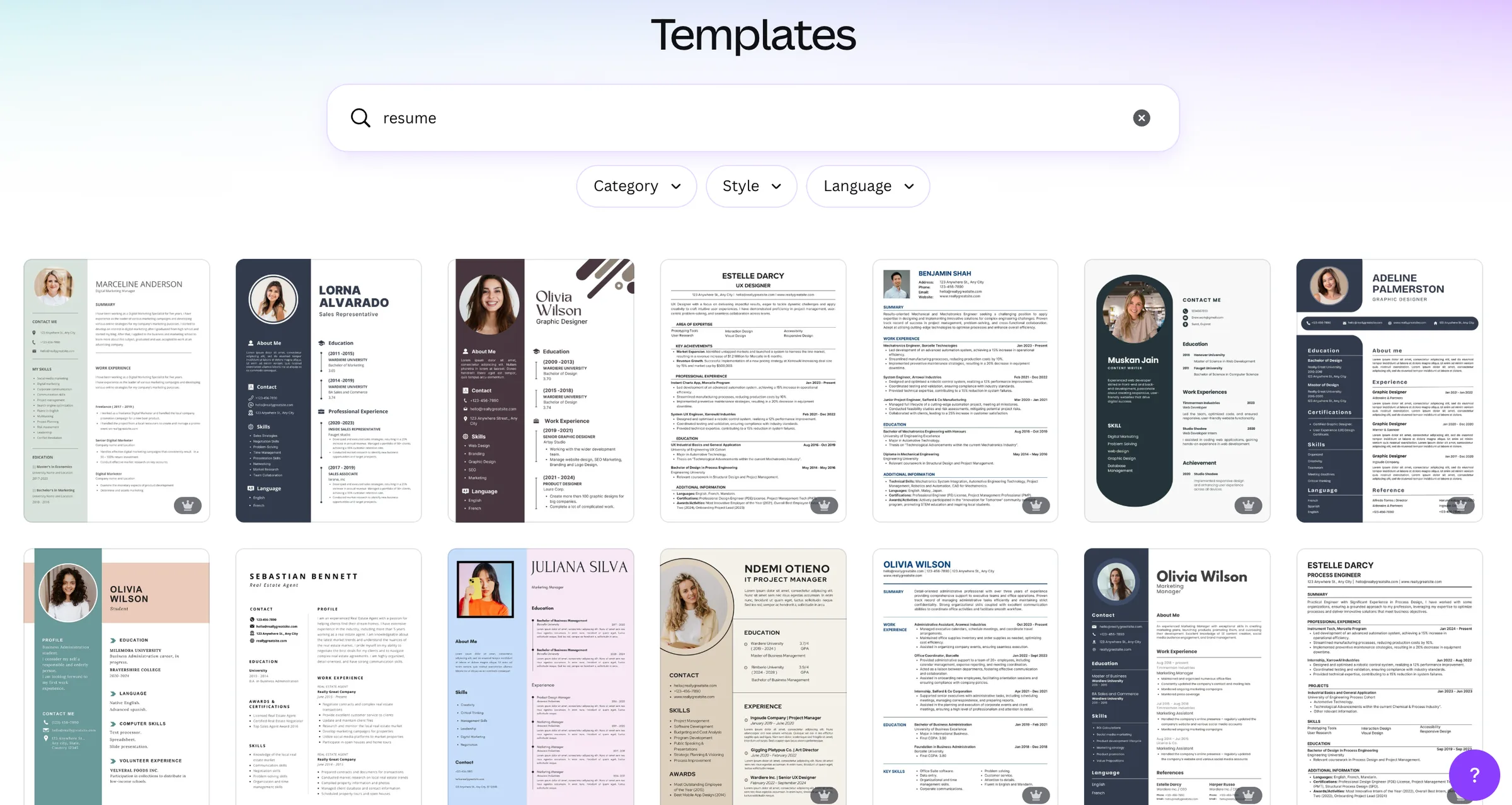
Canva can be an AI resume builder free option if you use free templates and basic AI text tools. It is best for roles where design matters and ATS is not the main gate. Many Canva resumes fail ATS parsing because of columns, icons, and text boxes.
Features
Many visual templates
Drag-and-drop layout control
AI text generation tools (availability depends on plan and region)
PDF export
Best used for networking, portfolios, or direct email to a hiring manager
Pricing
Free plan: many templates and PDF export
Paid plan: more assets and AI features
Typical cost: free to low subscription
How AI Resume Builders Work (Prompts, Parsing, Matching, Templates)
AI resume builders follow a similar pipeline. The tool collects your work history, skills, and achievements. It then uses prompts to generate text for sections like summary, experience bullets, and skills. Many tools also parse a job description and compare it to your resume.
Most tools do four key tasks:
Parsing your input: The tool reads your resume or LinkedIn profile. A LinkedIn to resume import can save time, but it often needs cleanup because LinkedIn text includes long sentences and mixed formats.
Job description matching: The tool extracts skills, tools, titles, and keywords. It then suggests edits for resume keyword optimization.
Template rendering: The tool places your content into resume templates. A single-column layout improves resume parser compatibility.
Scoring and review: A resume review AI can flag weak verbs, missing metrics, and tone issues. Many tools include grammar and tone check.
Next, you will learn what ATS systems do and what formatting rules protect your content.
ATS Compatibility: Formatting Rules That Protect Parsing
ATS systems parse resumes by extracting text blocks and mapping them to fields like name, title, experience, dates, and skills. Many systems struggle with design elements that split text into separate layers. Common pitfalls include tables, columns, headers with key info, icons, and text inside shapes.
Use these resume formatting rules for an ATS-friendly resume:
Use a single-column layout
Use standard headings: Summary, Experience, Education, Skills
Use simple fonts and consistent sizes
Use bullet lists for achievements
Put dates in a consistent format (Jan 2023 – Mar 2025)
Avoid text boxes, charts, and icons
Avoid putting contact info in headers or footers
Keep section order predictable for a chronological resume
Keyword matching impact: Many ATS workflows rank candidates by keyword overlap and skill relevance.
Keyword matching does not guarantee a hire, but it can decide whether a recruiter sees your resume.
You should match keywords that reflect real experience. You should avoid stuffing keywords that you cannot defend.
Next, you will see a reproducible ATS parse test method and results you can repeat.
Side-by-Side ATS Parse Tests (Methodology You Can Reproduce)
You can test ATS readability without access to a company ATS. You can use a resume parser preview in tools like Jobscan, or you can use any parser that shows extracted fields. The goal is simple: confirm that the exported file keeps your text in the right order and keeps headings clear.
Test methodology
Create one base resume with the same content for all tools.
Use the same section names and the same bullets.
Export each resume as PDF and DOCX when possible.
Upload each file to the same parser tool.
Record:
Name and contact extraction accuracy
Job titles and company names accuracy
Date extraction accuracy
Bullet text order and missing text
Skills extraction accuracy
Observed patterns (typical outcomes)
ATS-first tools (Rezi, Jobscan-guided formats, Teal simple templates) usually keep correct order in DOCX and in text-based PDF.
Design-first tools (Canva and some Enhancv templates) often break bullet order or merge columns in parsing.
PDF failures often come from multi-column layouts or embedded elements. DOCX usually parses better.
Practical rule: If the parser output shows scrambled sections, switch to a simpler template and export as DOCX.
Next, you will learn how to tailor a resume to a job description using AI without losing authenticity.
How to Tailor a Resume to a Job Description Using AI
AI can speed up targeting, but you must control the facts. Use AI to suggest keywords, reorder skills, and rewrite bullets. You should keep your real scope and results.
Use this workflow for job description matching:
Paste the job description into the tool.
Ask the AI to extract:
Required hard skills
Preferred tools
Role outcomes
Keywords that repeat
Compare the list to your real experience.
Update your resume:
Add real tools you used to the Skills section
Move the most relevant projects to the top
Rewrite 3–6 bullets to match role outcomes
Run resume scoring again and check gaps.
Prompt you can use in any AI resume builder
“Extract the top 12 hard skills and top 8 role outcomes from this job description. Then suggest edits to my resume that keep facts unchanged. Use ATS-safe keywords and avoid adding skills I do not have.”
This approach supports a resume for career change because it helps you map transferable skills to the job language.
Next, you will get bullet rewrites with metrics for key roles.
Practical Tips and Role Examples (Before/After Bullets)
Strong bullets use action + scope + result. AI helps most when you give it inputs. Give numbers, timeframes, and tools. Then ask it to produce achievement statements using the STAR method bullets format.
Software Engineer Resume (before/after)
Before
Worked on API improvements and fixed bugs.
After
Reduced API p95 latency by 32% by adding Redis caching and query indexing, which cut checkout timeouts by 18% over 6 weeks.
Product Manager Resume (before/after)
Before
Led roadmap planning for a new feature.
After
Shipped onboarding redesign that increased activation from 41% to 55% by running 12 user interviews, defining success metrics, and coordinating a 6-week sprint plan across design and engineering.
Sales Resume (before/after)
Before
Managed accounts and grew revenue.
After
Grew quarterly expansion revenue by $180K by building a renewal playbook, running weekly pipeline reviews, and targeting at-risk accounts with usage-based outreach.
Nursing Resume (before/after)
Before
Provided patient care and supported the team.
After
Improved med-pass accuracy by 20% by standardizing shift handoff notes and using a double-check process for high-risk meds across a 32-bed unit.
Tip for metrics: If you do not have exact numbers, use safe ranges or operational metrics you can defend. Examples: “reduced cycle time by ~15%,” “handled 25–35 tickets per week,” “supported 18 patients per shift.”
Next, you will see risks, privacy rules, and originality checks.
Pros, Cons, Risks, Privacy, and Originality
AI resume tools save time, but they can create problems if you accept output without review.
Pros
Faster drafts for summaries, bullets, and skills
Better resume keyword optimization through job-based suggestions
Cleaner structure for an AI resume builder for ATS
Easier creation of a one-page resume with strong prioritization
Built-in grammar and tone check
Cons and risks
Generic output that sounds like everyone else
Inaccuracies from wrong assumptions about your work
Over-optimization that harms readability for humans
Repetition across versions that reduces impact
“Hallucinated” tools, metrics, or titles if you do not verify
Resume privacy and data
Resume privacy and data should guide your tool choice. Many platforms store resumes in your account. Some tools may use data to improve models unless you opt out. Policies differ by vendor and can change.
Use these checks before you upload:
Look for a clear retention policy and deletion controls
Check if the vendor uses uploaded content for model training
Avoid uploading sensitive data like full address, ID numbers, or confidential project names
Use a local copy for final storage
Plagiarism and originality
Recruiters see repeated phrasing across candidates. You should treat AI output as a draft. You should rewrite key lines in your voice and add specific tools, scope, and results. This improves plagiarism and originality and also improves credibility in interviews.
Next, you will get clear guidance on PDF vs DOCX and export rules.
PDF vs DOCX Resume: What to Submit for ATS
DOCX is often the safest choice because many ATS parsers read DOCX structure well. PDF can work if it is text-based and uses a simple single-column layout. PDF fails more often when it includes columns, icons, or embedded elements.
Use these rules:
If the application portal asks for DOCX, submit DOCX.
If the portal accepts both and you use a simple ATS template, submit PDF only if you confirm parsing works.
If you apply through a recruiter email, PDF can preserve layout for humans.
Avoid scanned PDFs. ATS cannot read image text reliably without OCR.
Export checklist:
Keep margins standard (0.5–1 inch)
Use standard headings
Avoid special characters that break parsing
Confirm that copy-paste into a plain text editor keeps order
Final thoughts
A top AI resume builder can improve speed, structure, and match quality, but it cannot replace judgment. Pick a tool that keeps ATS readability high, supports job-based targeting, and gives you control over exports. Use AI to draft, then edit for truth, metrics, and clear impact. Test parsing before you apply, protect your data, and keep your resume original.
Frequently Asked Questions

Written by
Raman Singh
Raman Singh is a highly skilled marketing professional who serves as the head of marketing at Copyrocket AI. With years of experience in the field, Raman has developed a deep understanding of all asp
View all postsYour AI Marketing Agents
Are Ready to Work
Stop spending hours on copywriting. Let AI craft high-converting ads, emails, blog posts & social media content in seconds.
Start Creating for FreeNo credit card required. 50+ AI tools included.
Related Articles
 General
NotebookLM For Coders: Turn Docs Into Faster Code
Code work often fails for a simple reason. You do not have the right context at the right time. You read docs in one tab, skim tickets in another tab, and then...

 General
How to Optimize for AI Search in 2026: The Complete Guide
AI search has shifted from experimental feature to primary search method for millions of users. ChatGPT Search, Google AI Overviews, Perplexity, Claude, and Gem...
 General
Claude Opus 4.6 Review: Here's What New!
Claude Opus 4.6 from Anthropic draws attention because teams want an AI model that writes better code, follows instructions, and stays consistent across long se...